

Billing
Top Up Billing
Top up adds Sumopod Credit to your account balance, which is used to pay for all services on the platform.
Steps
- Open the Billing menu on the Dashboard.
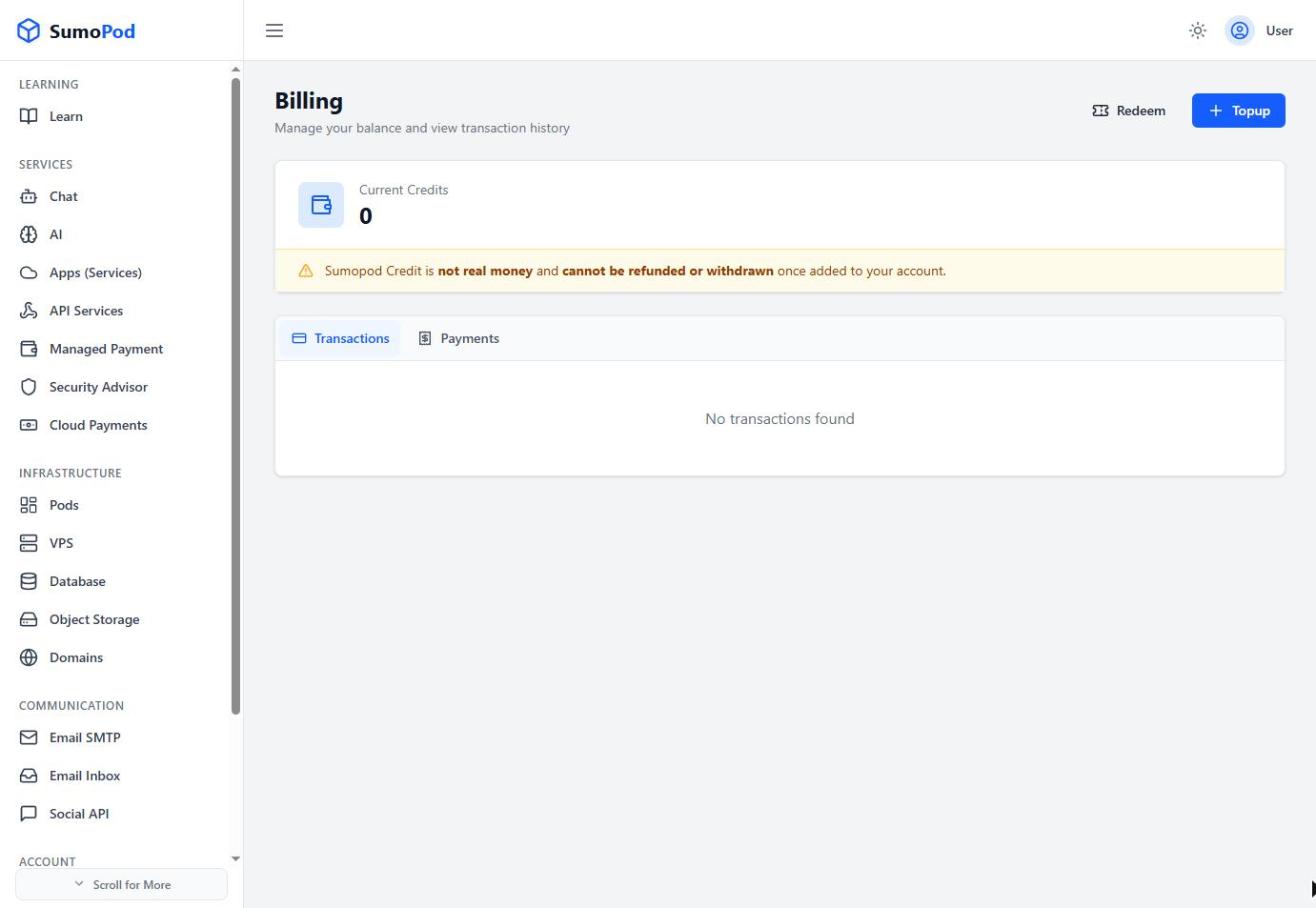
- Click Topup.
- Choose one of the preset amounts (50.000, 100.000, 200.000) or enter a custom amount.
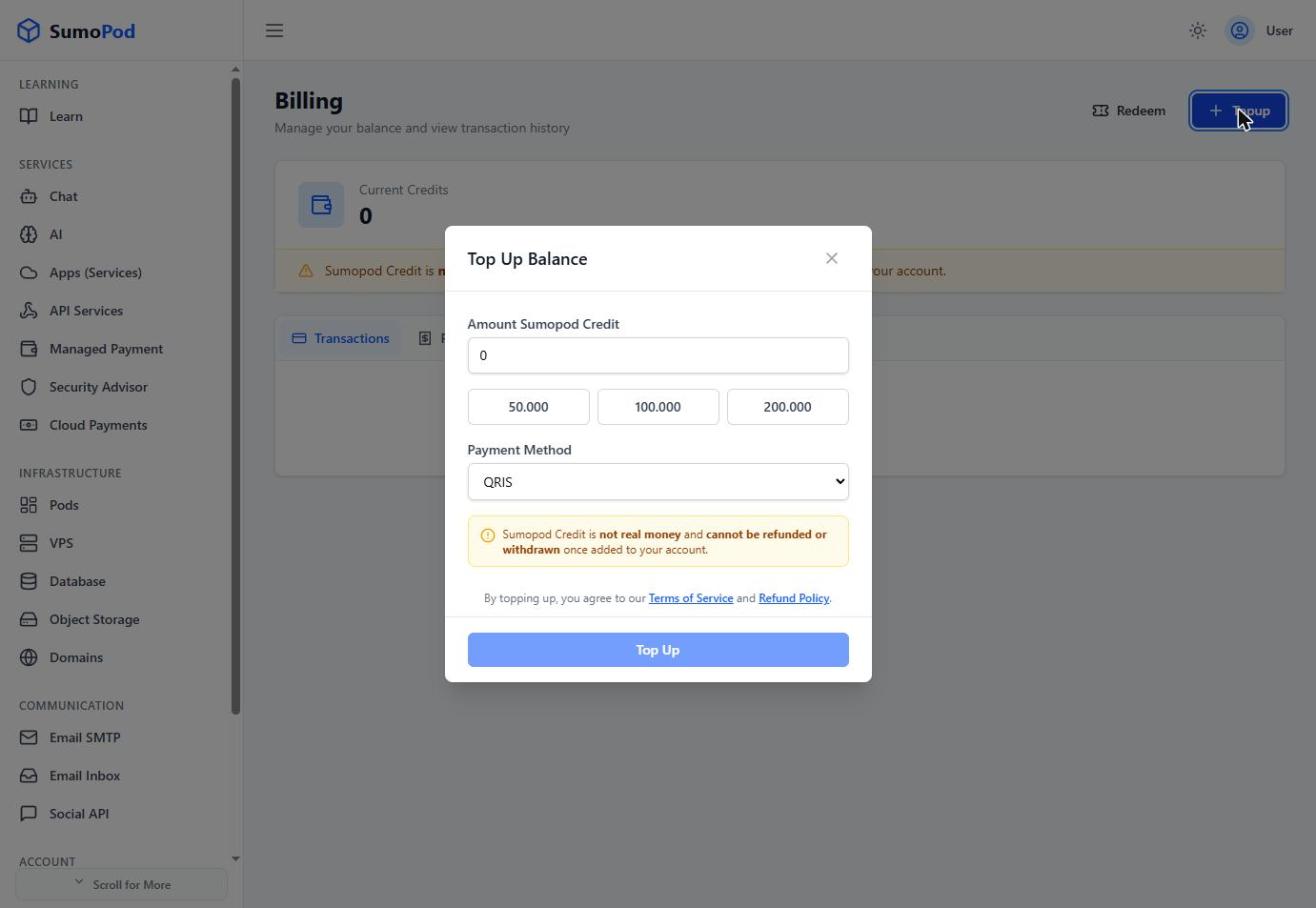
- Select a payment method: QRIS, Virtual Account (Mandiri, BNI, etc.), E-Wallet (Dana, Shopee, etc.), or Card (Visa, Mastercard).
- Complete the payment. Your balance updates automatically once the payment is confirmed.
Notes
- Sumopod Credit is not real money and cannot be refunded or withdrawn once added to your account.
- A receipt is available for every transaction from the Payments tab on the Billing page.
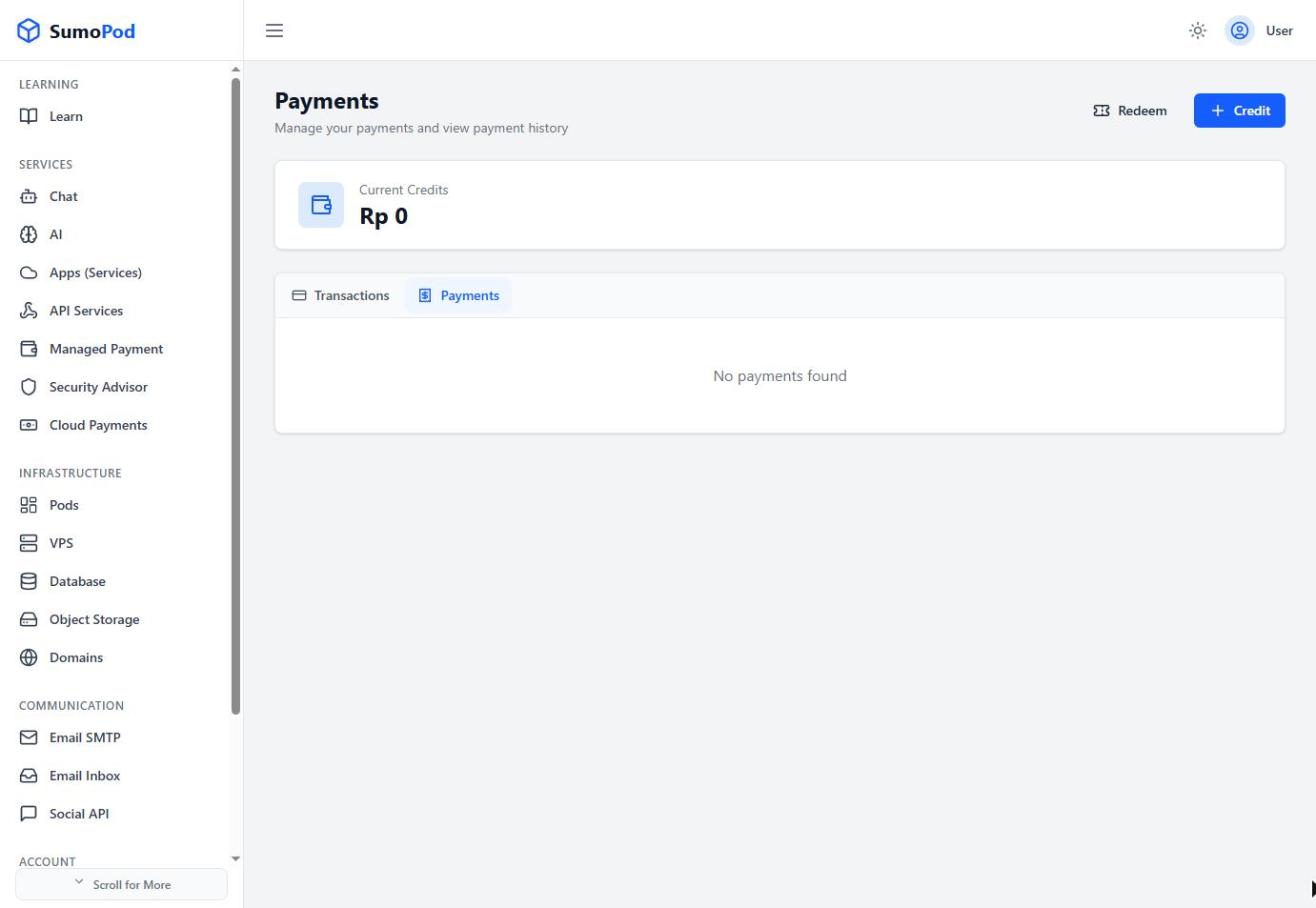
- To redeem a voucher code instead of paying, use the Redeem button next to Topup.
- Direct link: Billing
Troubleshoot
If you experience a payment issue, contact support@sumopod.com.
Last modified on