

AI
Top Up AI Balance
AI usage is paid from an AI Balance (in USD), which is separate from the main Sumopod Credit. Topping up your AI Balance converts Sumopod Credit from your Billing balance, so you must have enough Sumopod Credit first.
Steps
- Open the AI menu on the Dashboard.
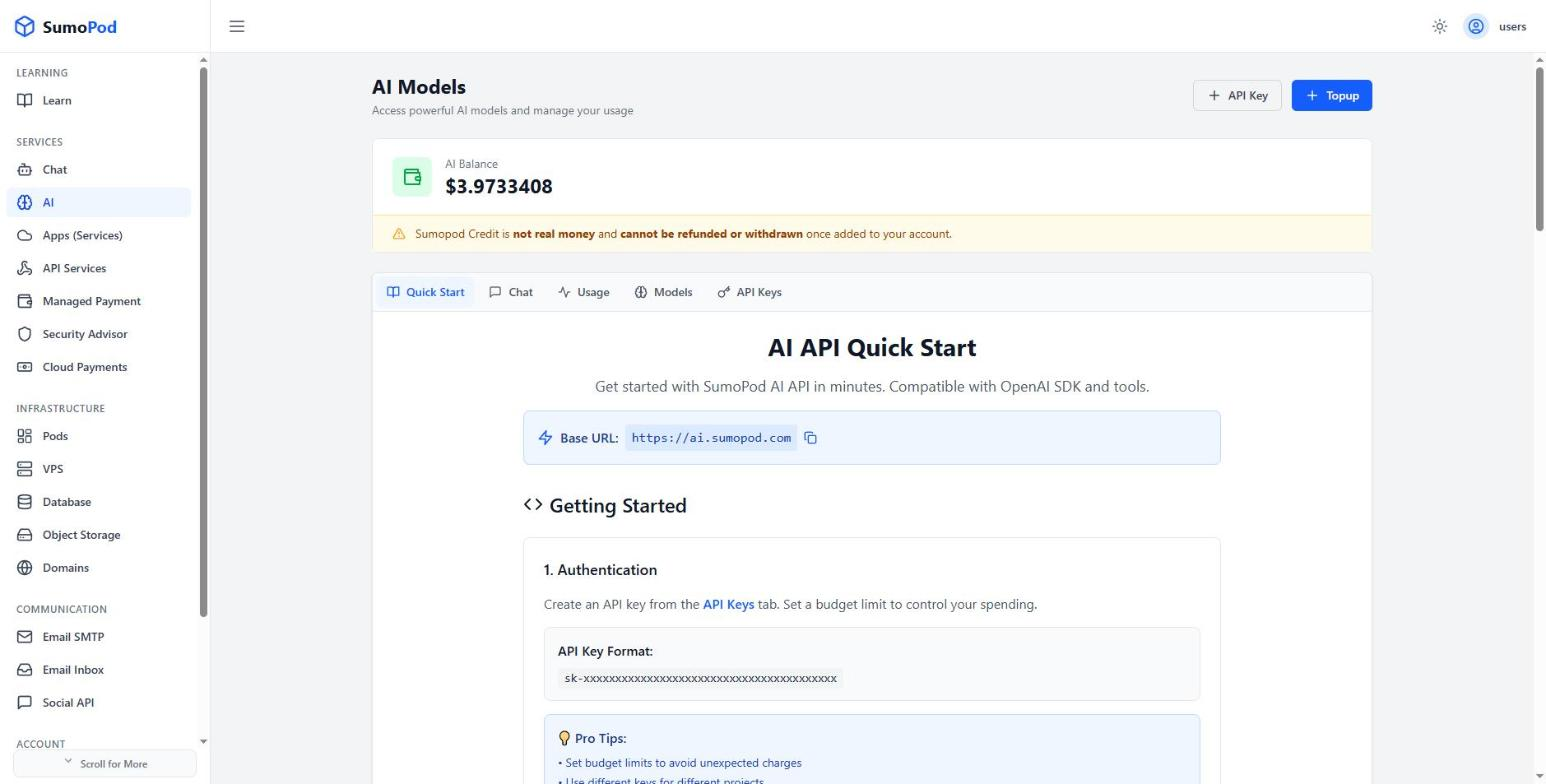
- Click + Topup. The Top Up AI Balance dialog opens, showing your current AI Balance and your Sumopod Balance.
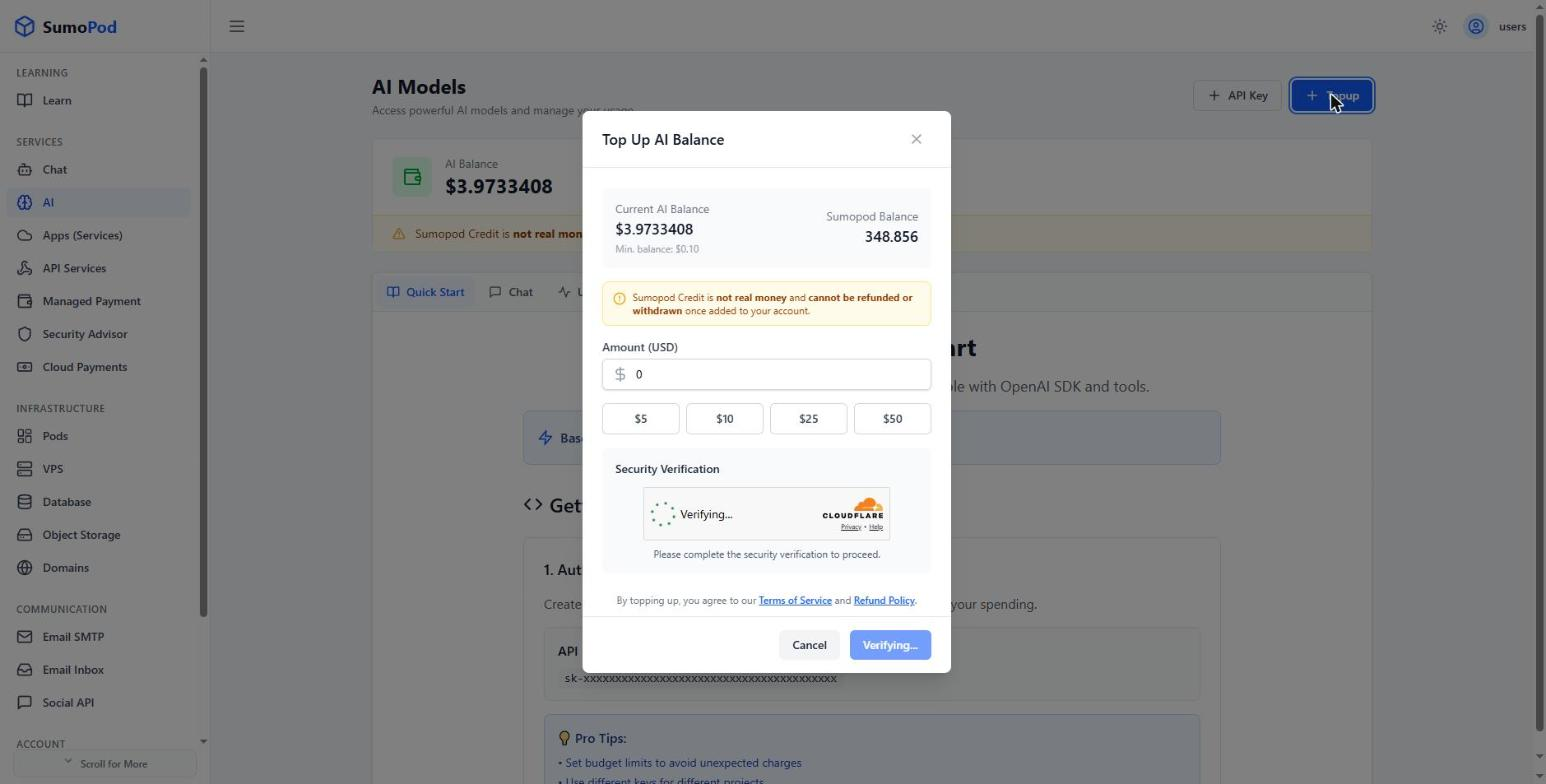
- Enter the amount in USD, or choose one of the presets ($5, $10, $25, $50). The dialog shows how much Sumopod Credit you'll pay and the exchange rate used.
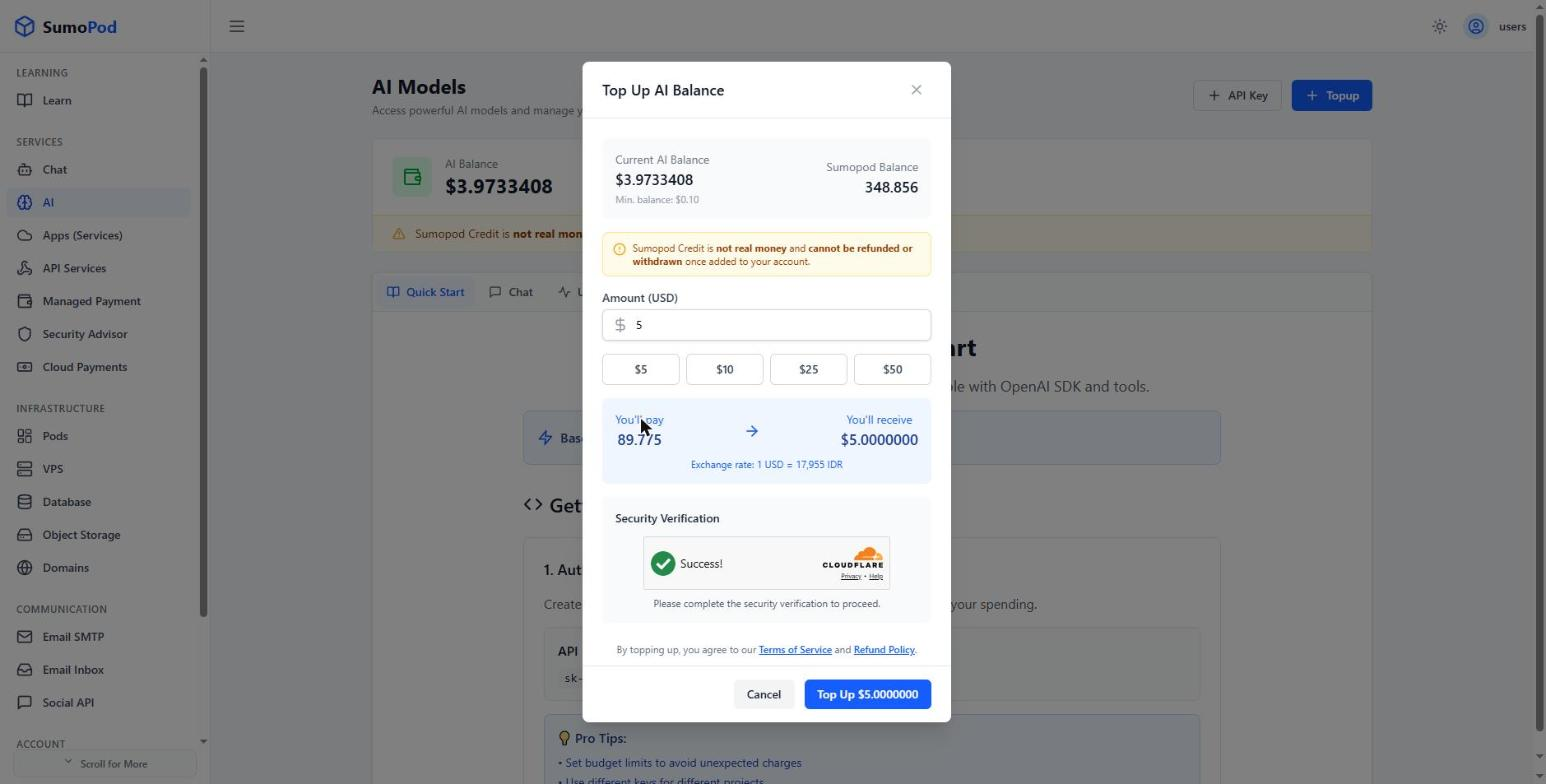
- Wait for the Security Verification to complete, then click Top Up. The amount is deducted from your Sumopod Credit and added to your AI Balance.
Notes
- The AI Balance top up is paid with Sumopod Credit, so you must have enough balance in the Billing menu first. To add Sumopod Credit, see Top Up Billing.
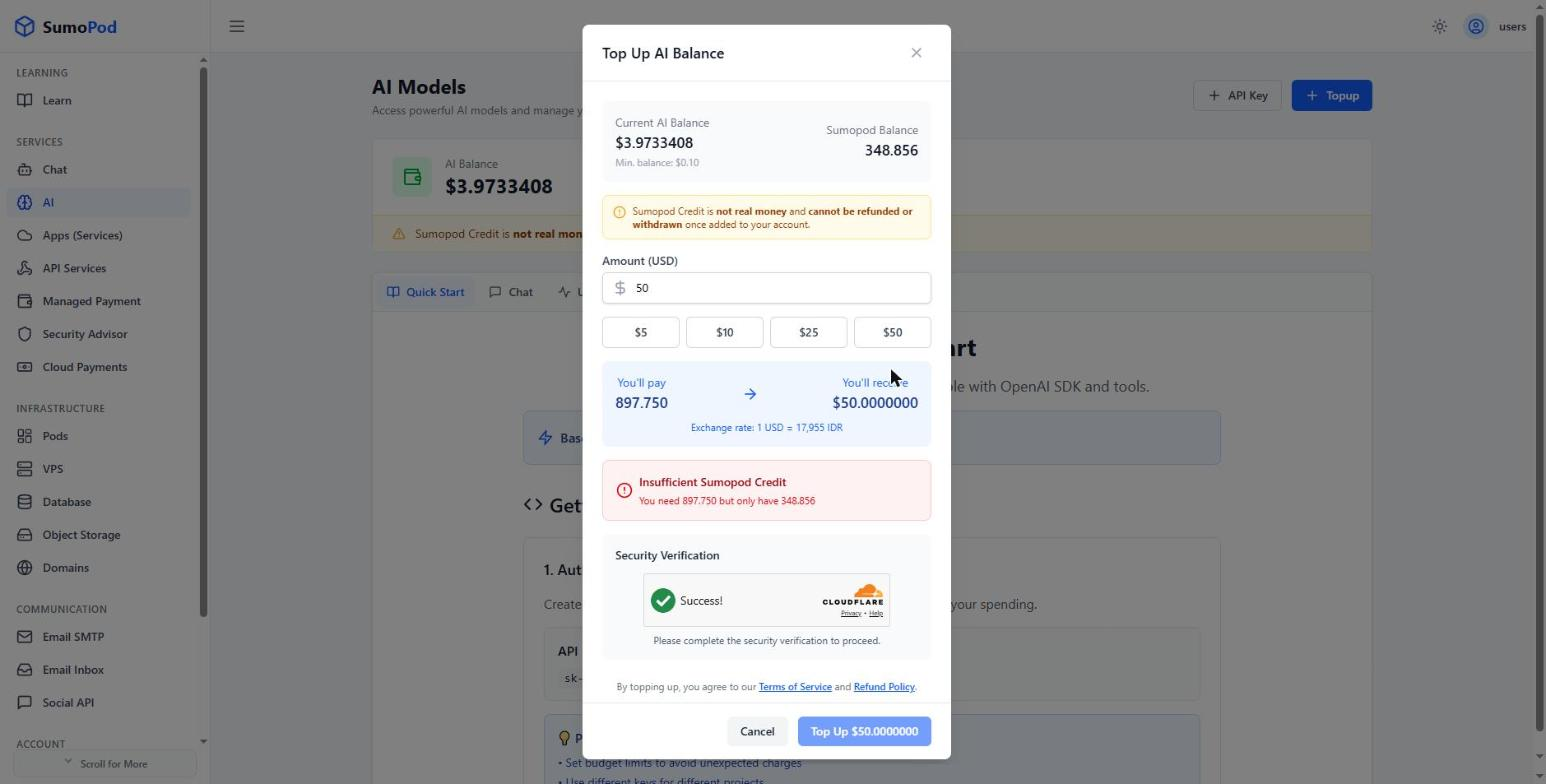
- If your Sumopod Credit is not enough, the dialog shows Insufficient Sumopod Credit. Top up your Billing balance first, then try again.
- AI Balance (in USD) only pays for AI usage, while Sumopod Credit pays for VPS, Domain, and other services.
- By topping up, you agree to the Terms of Service and Refund Policy shown in the dialog. Sumopod Credit is not real money and cannot be refunded or withdrawn.
- Direct link: AI
Troubleshoot
If your AI Balance does not update after a top up, contact support@sumopod.com.
Last modified on