

AI
Creating an API Key
An API Key is required to access Sumopod AI from the applications or tools you use.
Steps
- Open the AI menu on the Dashboard.
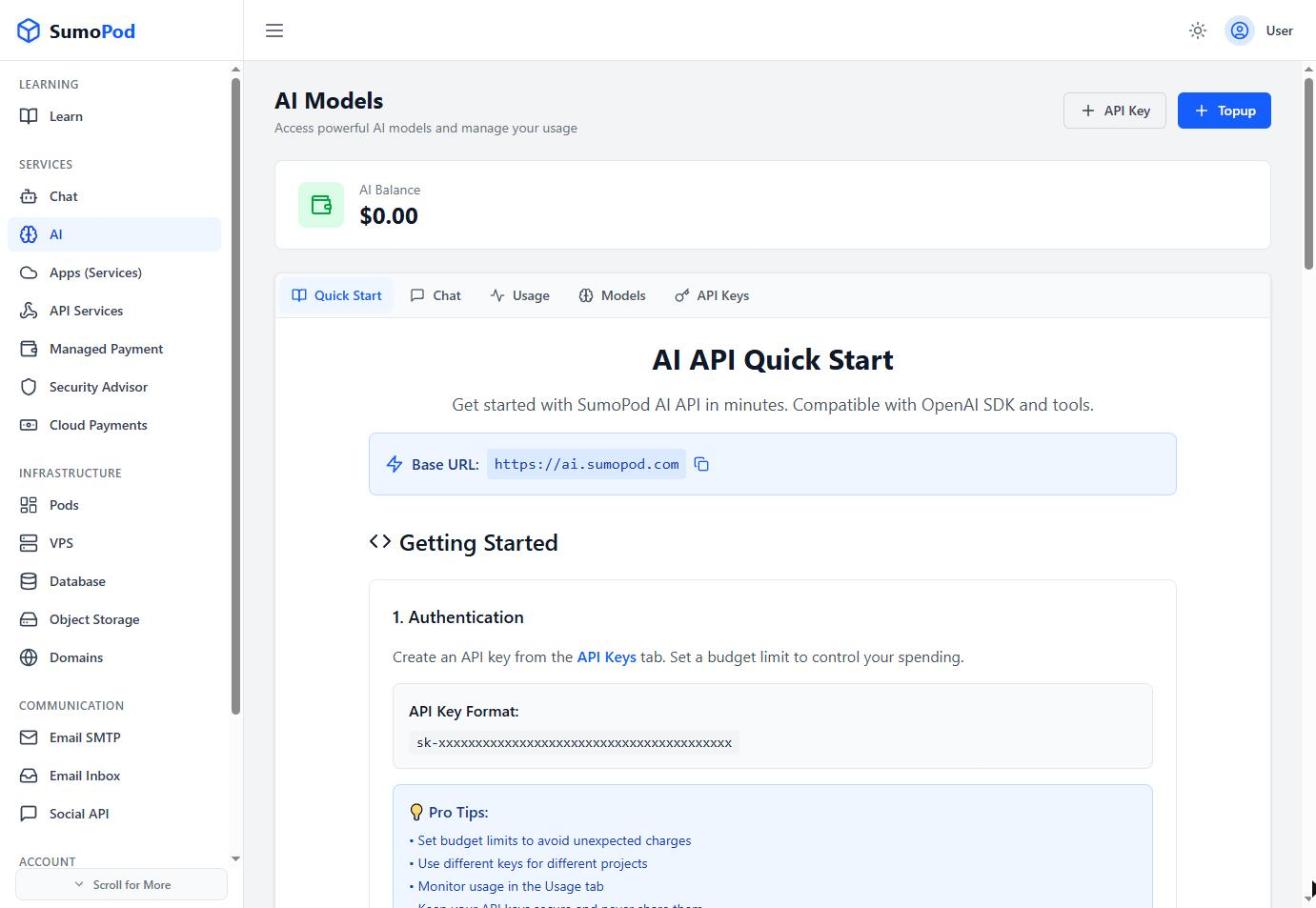
- Select the API Keys tab.
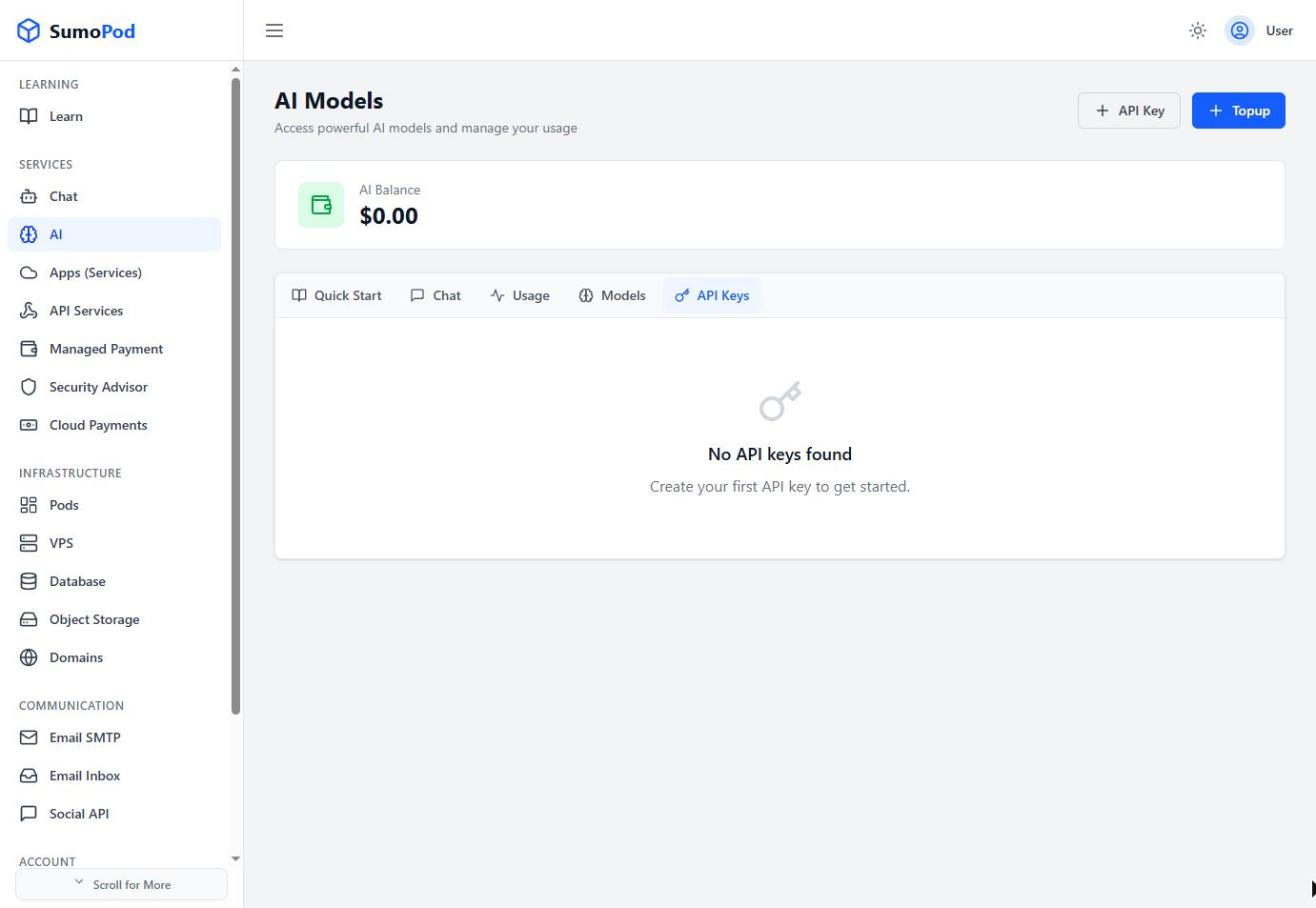
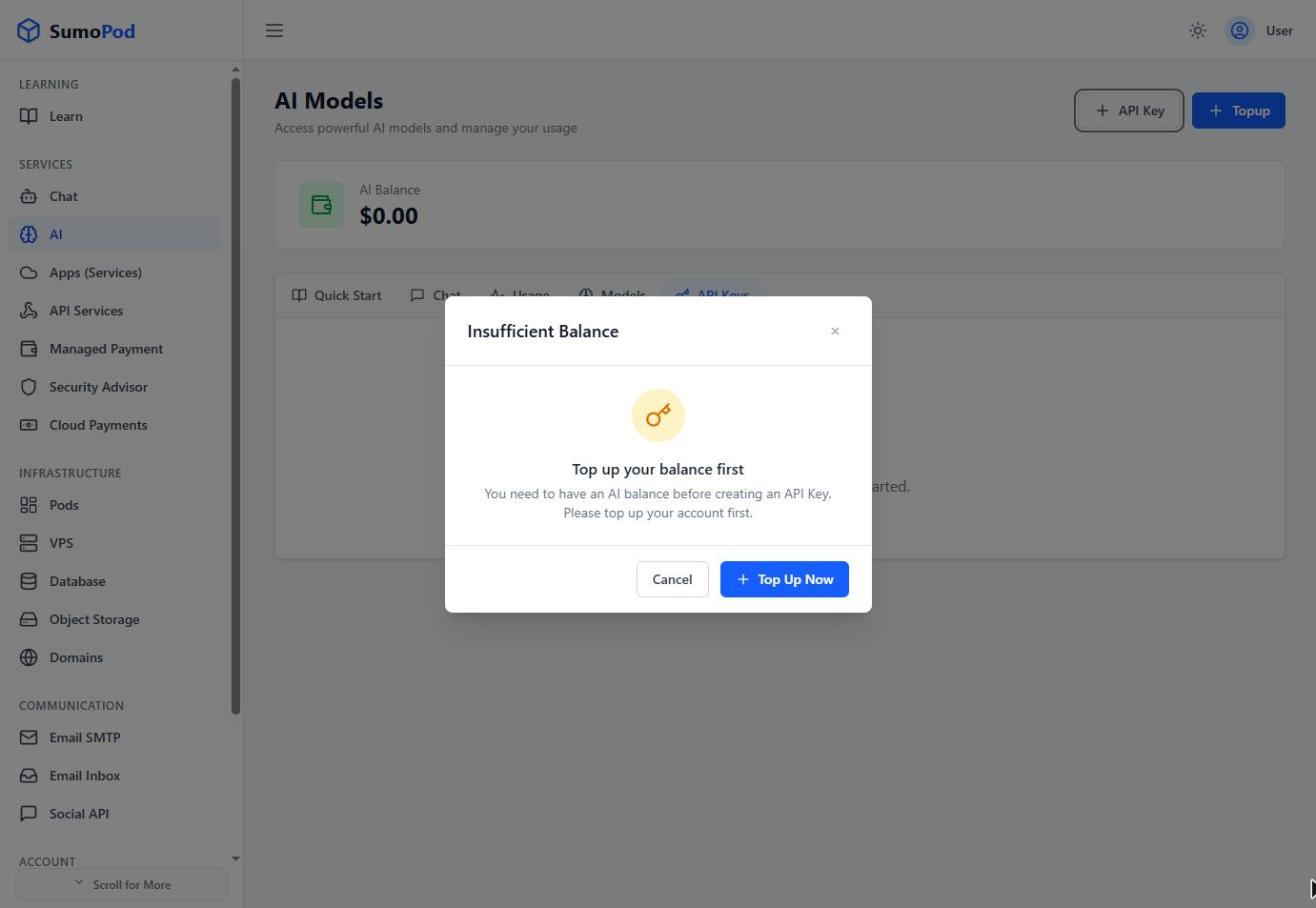
- Click + API Key. If you don't have any AI Balance yet, a dialog asks you to top up first.
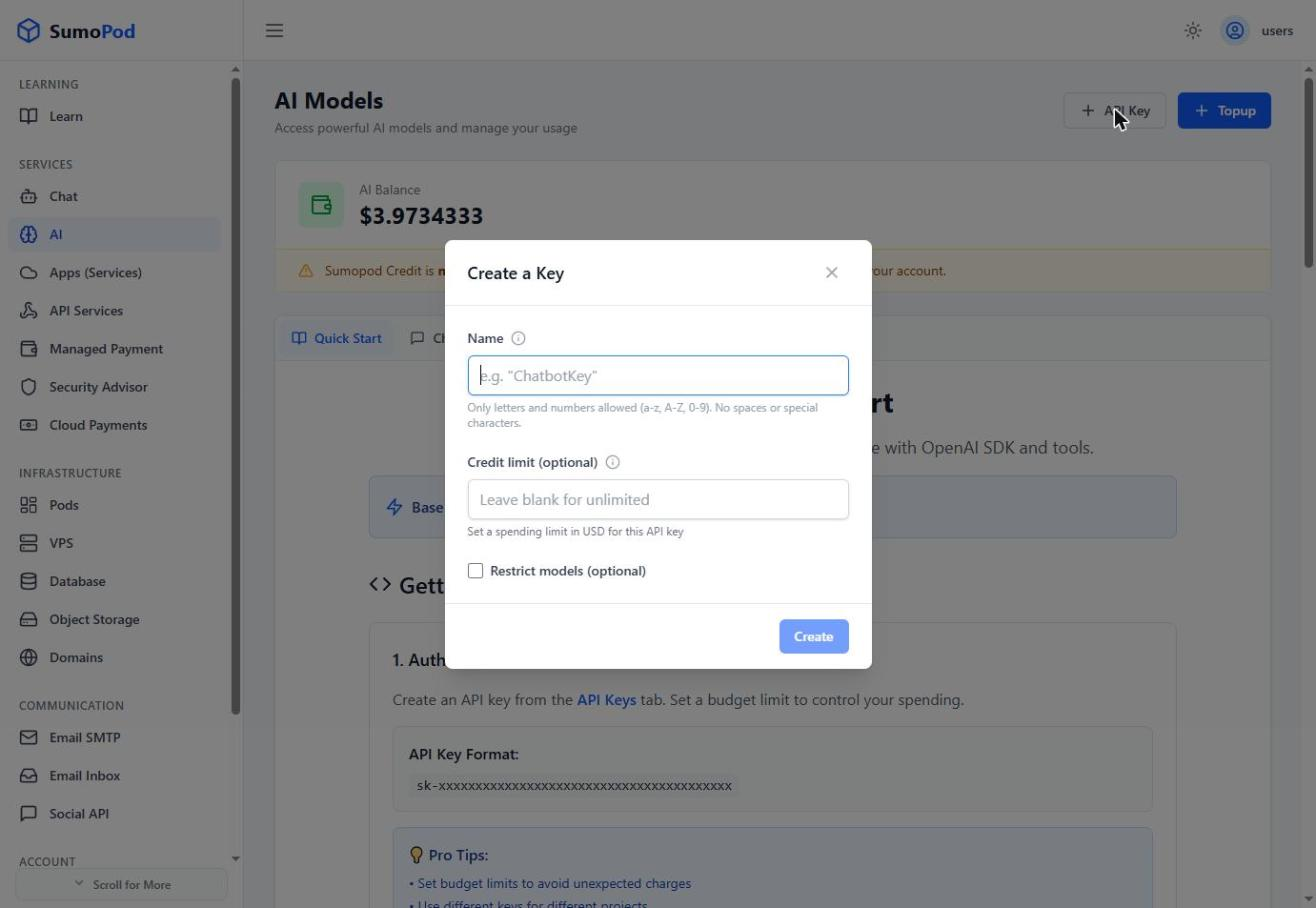
- Enter a name (letters and numbers only, no spaces), optionally set a credit limit in USD (leave blank for unlimited), and optionally restrict which models the key can use.
- Click Create, then copy and save the key immediately, it starts with
sk-and is shown only once.
Notes
- You must have an AI Balance before you can create an API Key. Top up via the Top up button on the AI page first.
- AI usage is paid from a separate AI Balance (in USD), top up via the Top up button on the AI page, this is a different balance from the main Sumopod Credit used for VPS, Domain, and other services.
- Each key can have its own spending limit, useful for separating budgets between projects.
- Direct link: AI
Last modified on