

Cloud Payment
Using Cloud Payment
Cloud Payment lets you top up and pay for your account balance on supported third-party cloud providers directly from Sumopod, using local payment methods.
Steps
- Open the Dashboard and select the Cloud Payments menu.
- On the Products tab, pick a provider.
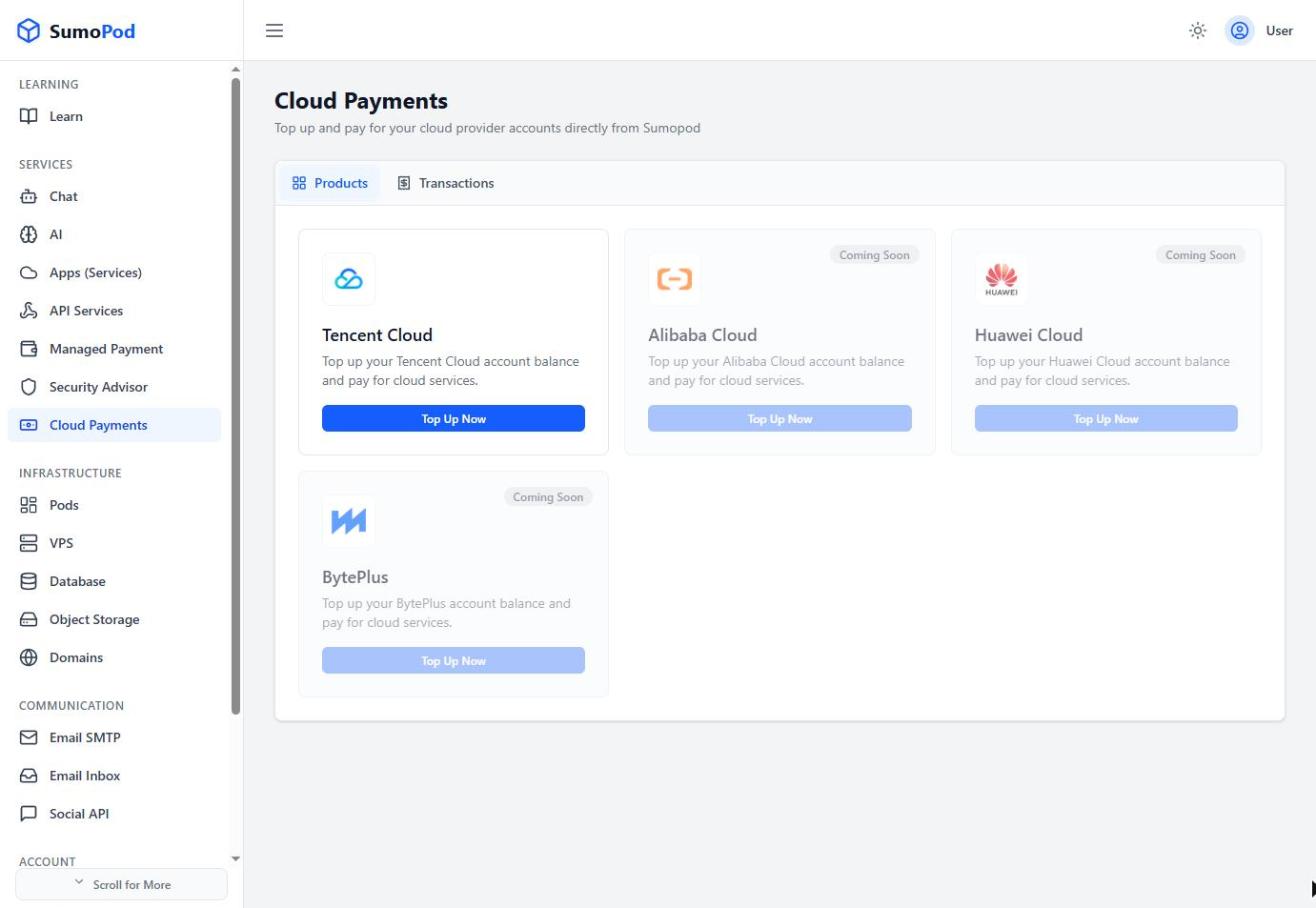
- Click Top Up Now, then Link Account Now to connect your existing provider account (you'll need your account's UIN/Account ID), or register a new account with the provider first.
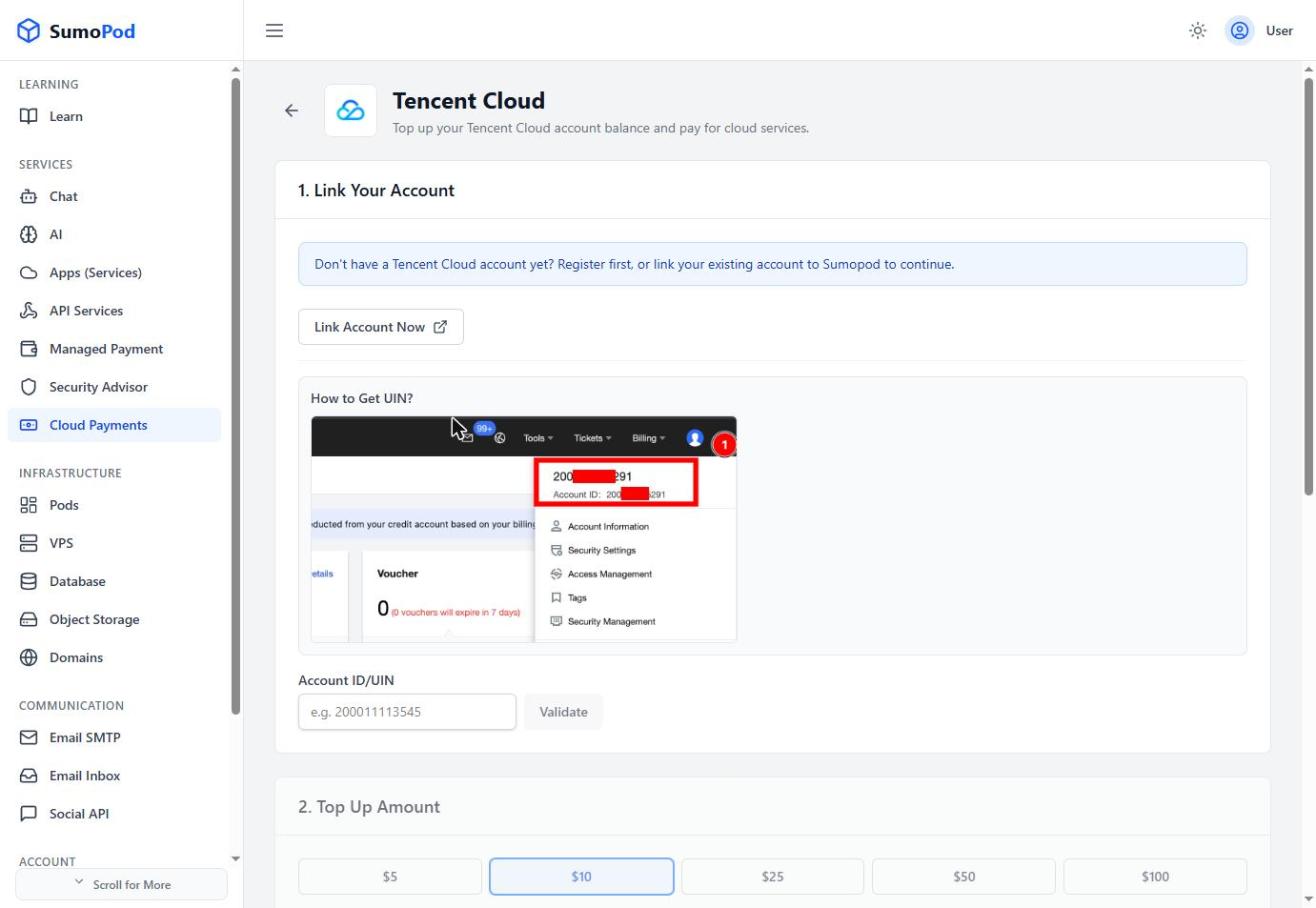
- Choose a top-up amount, a preset ($5/$10/$25/$50/$100) or a custom amount between $5–$500. Top-ups include a bonus credit on some amounts.
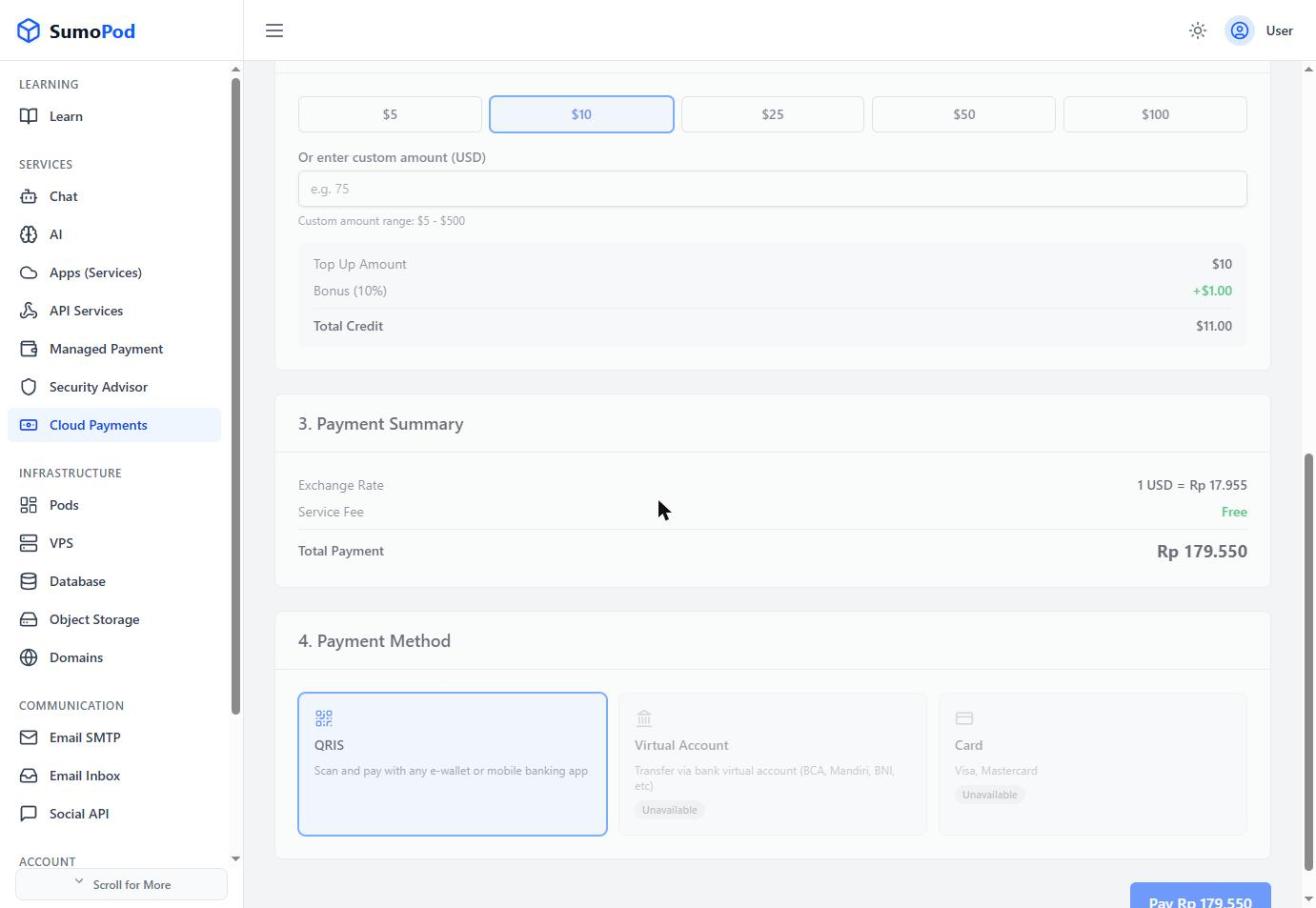
- Review the payment summary (exchange rate, any service fee, total in Rupiah), choose a payment method (QRIS; Virtual Account and Card may show as Unavailable depending on the provider), and click Pay.
Notes
- This tops up your balance on the external cloud provider itself, it is not an SDK or payment gateway to embed in your own application.
- Payment method availability can vary by provider.
- Direct link: Cloud Payments
Last modified on