

Domain
Using a Domain
Once registered, a domain can be connected to a Sumopod service by adding DNS records from the domain's management page.
Steps
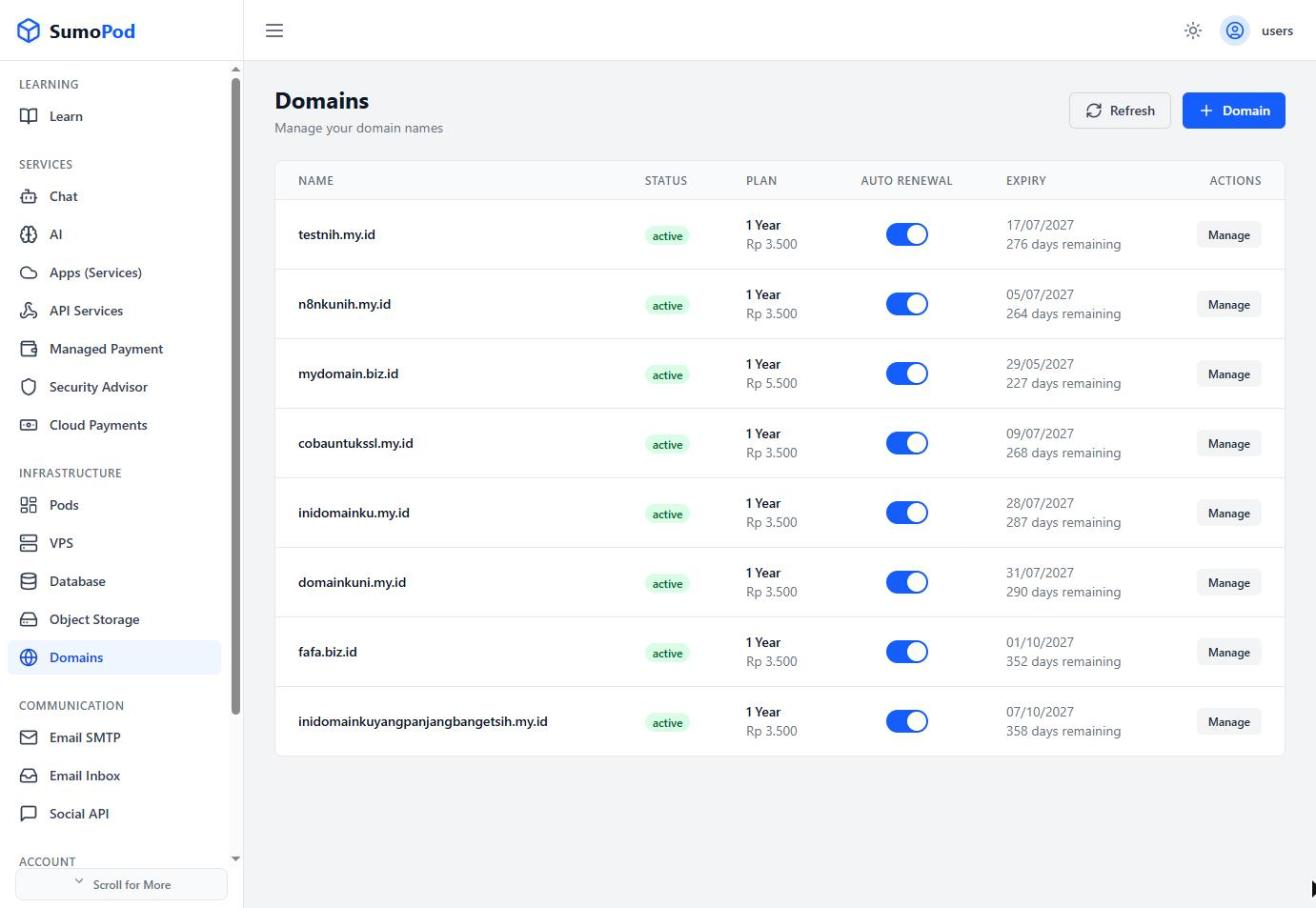
- Open the Domains menu and click Manage on the domain you want to use.
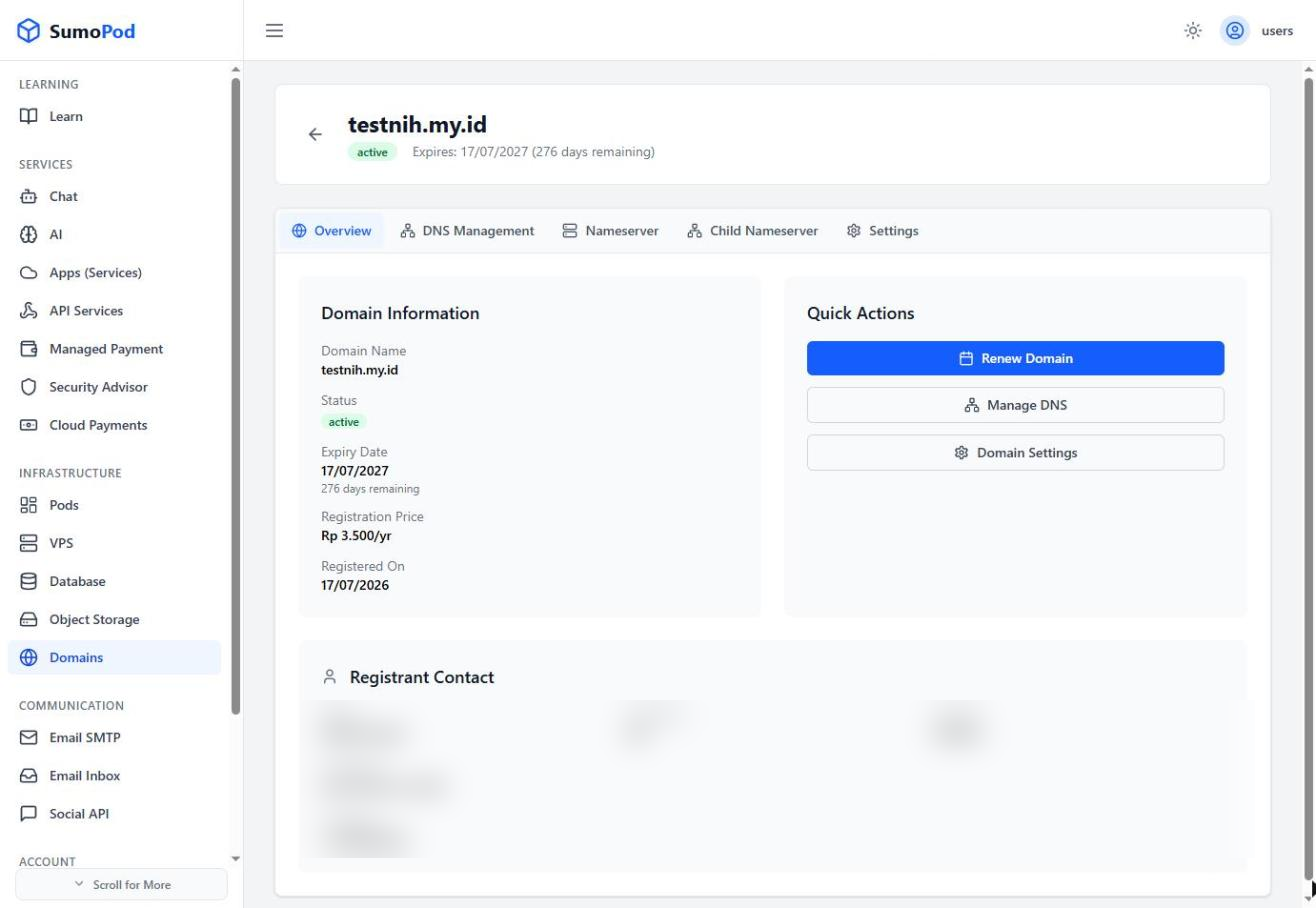
- Go to the DNS Management tab.
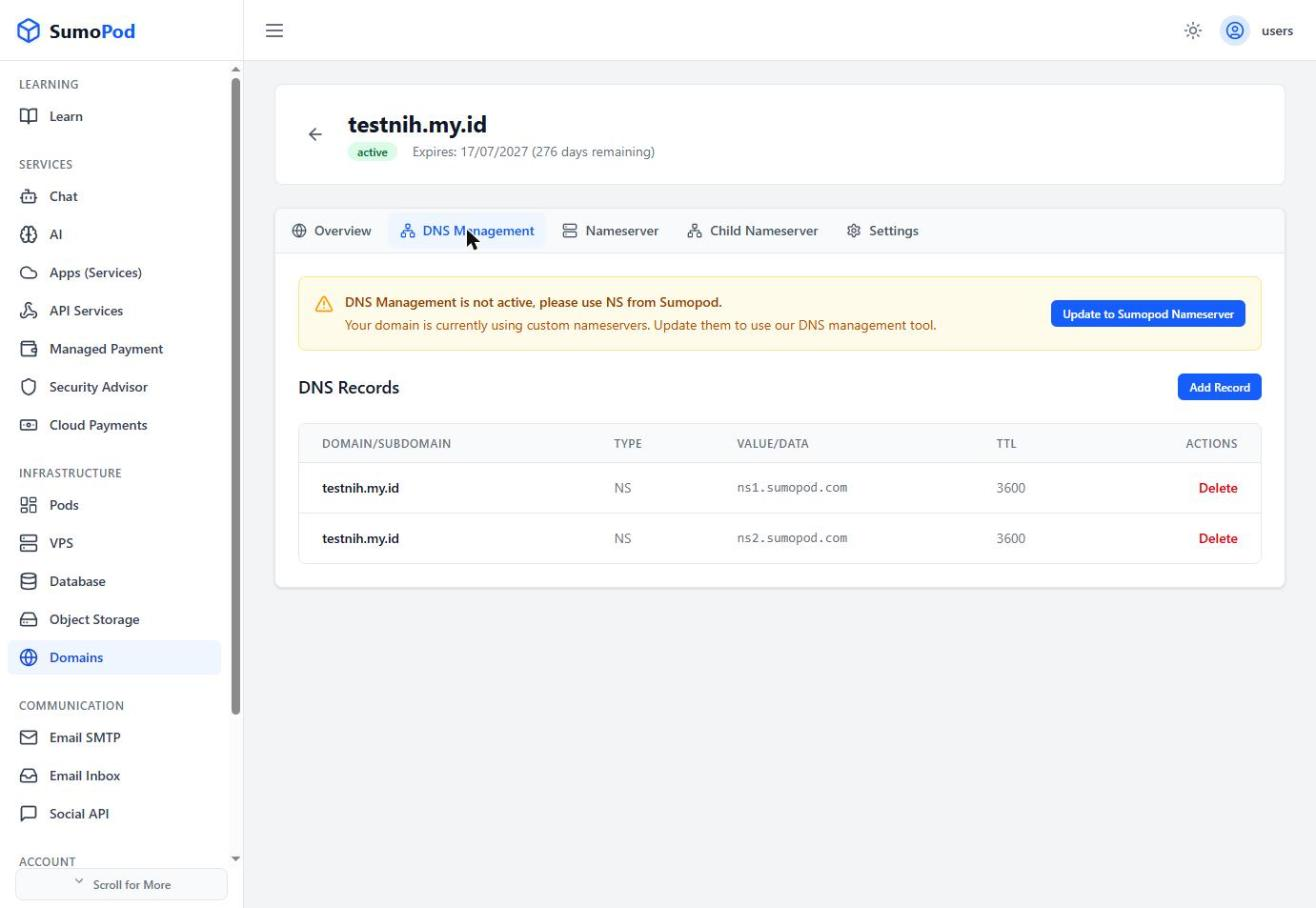
- Click Add Record and choose a Record Type (A, AAAA, CNAME, MX, TXT, NS, or DNAME).
- To point to a VPS, use the Select VPS shortcut to fill in the IP automatically, or enter the value manually.
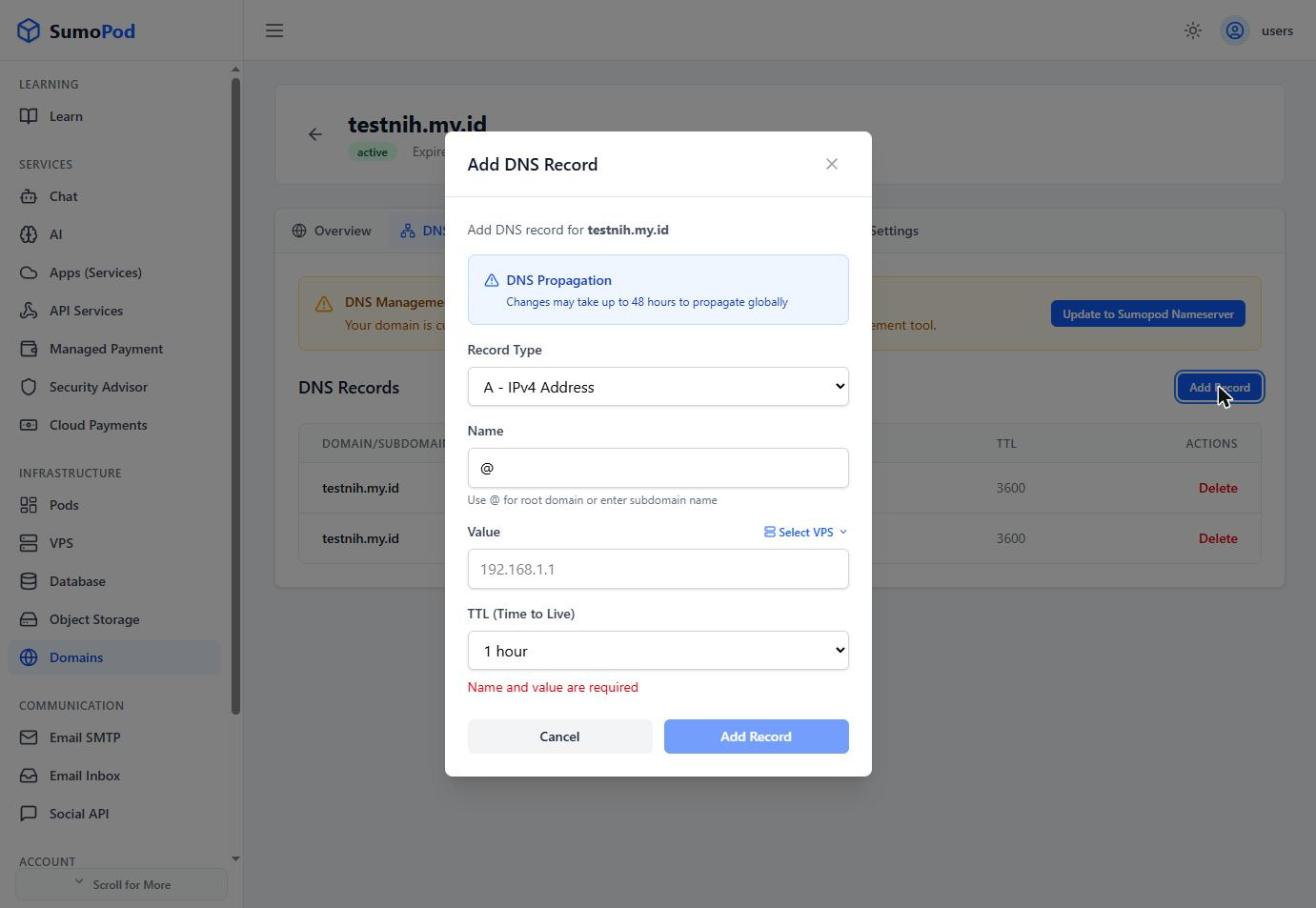
- Save the record. Changes may take up to 48 hours to propagate globally.
Notes
- If the domain still uses Sumopod's default nameservers (
ns1.sumopod.com/ns2.sumopod.com), DNS records can be managed directly from this tab. - If the domain uses custom/external nameservers, DNS must instead be managed from that external provider, or switched back via the Nameserver tab.
- Direct link: Domains
Last modified on