

Domain
Changing Name Servers
Changing name servers allows you to manage DNS for your domain through Sumopod.
Steps
- Copy the name servers provided by Sumopod.
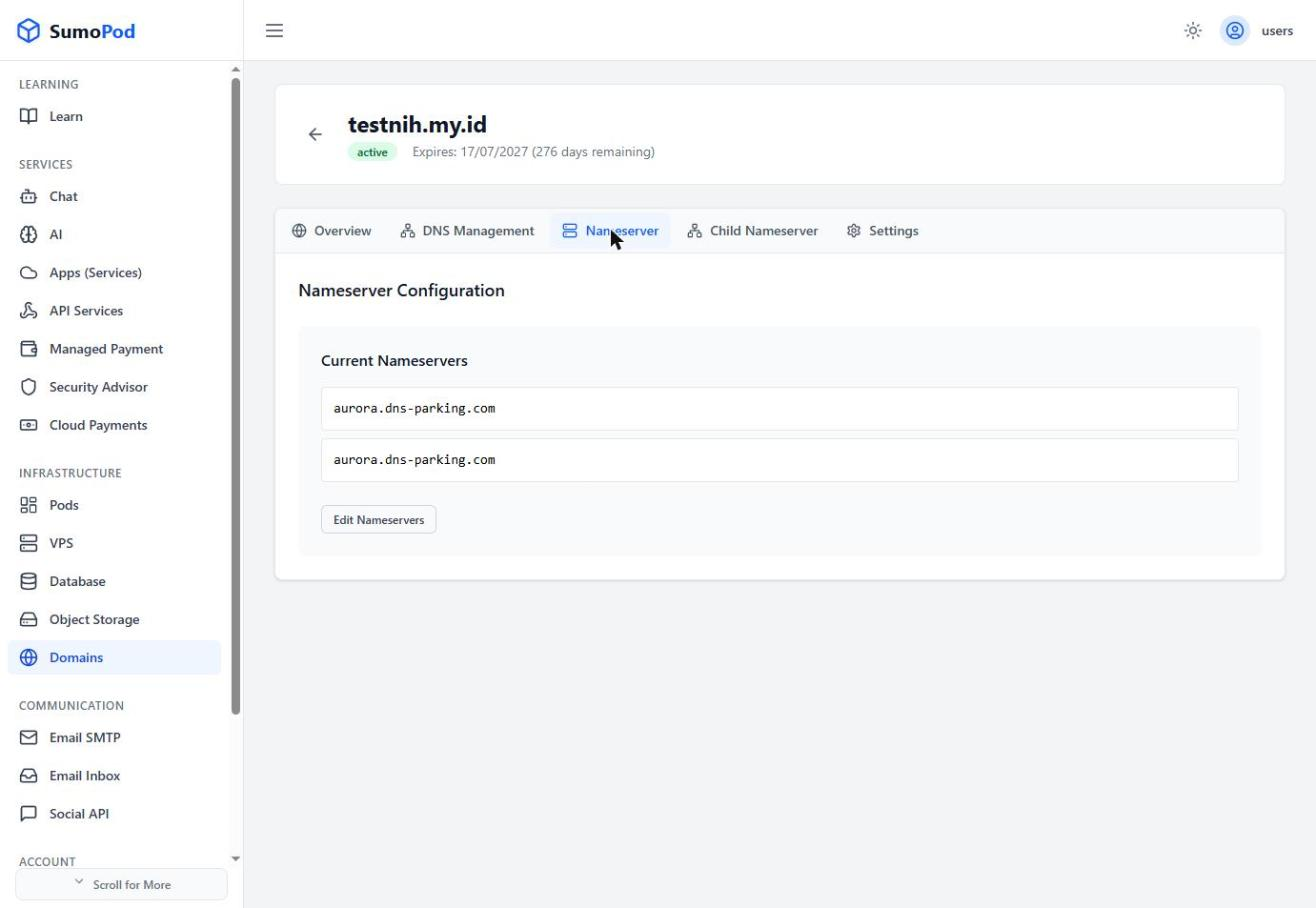
- Open the domain settings on your registrar.
- Replace the old name servers with Sumopod's name servers.
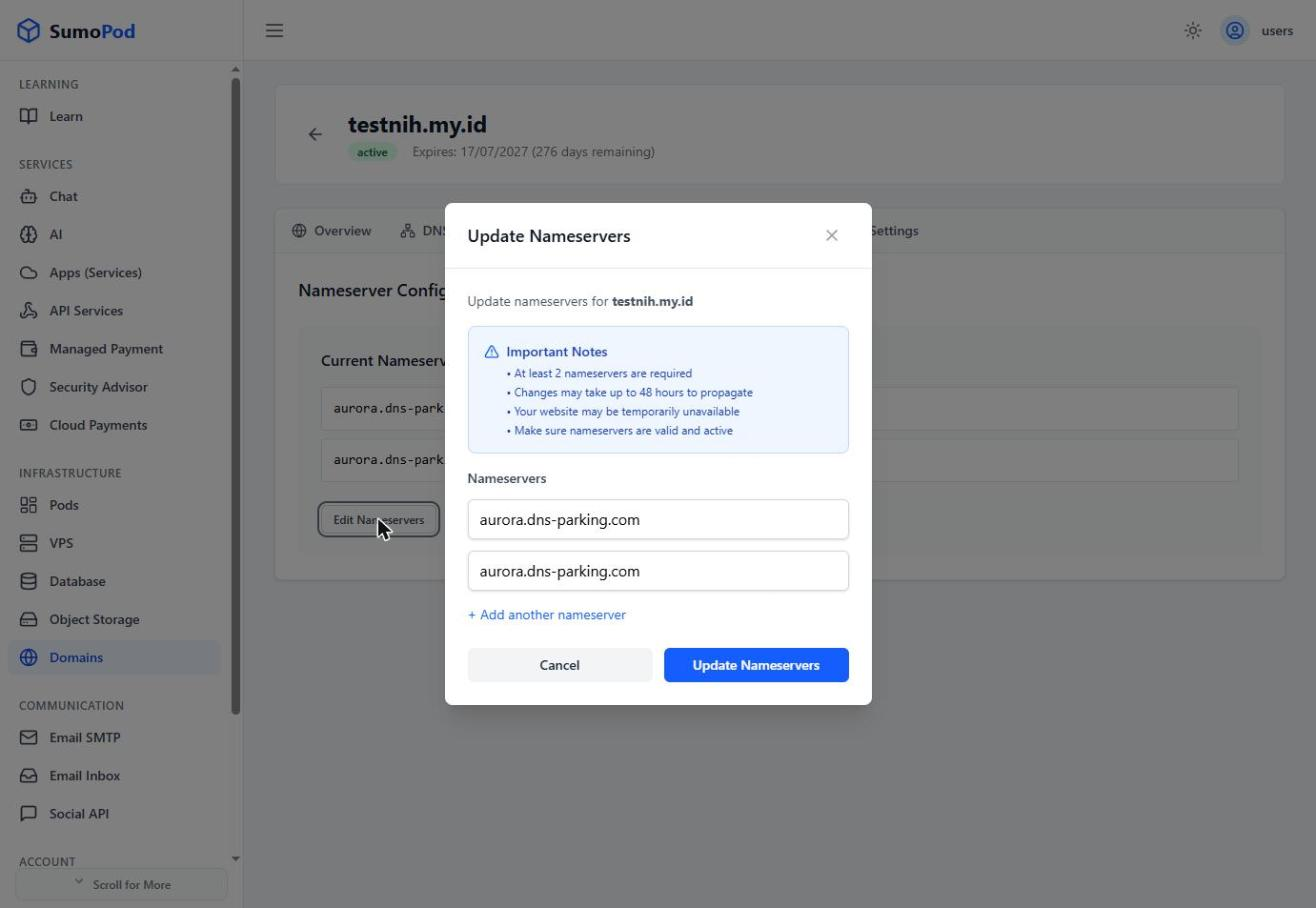
- Save the changes and wait for propagation.
Last modified on