

Managed Payment
Withdrawing Your Balance
Cash out your Available Balance to your registered bank account.
Steps
- Open Managed Payment and click Withdraw next to Wallet Balance.
- Check the withdrawal limit shown (e.g. Rp 10.000 – Rp 10.000.000 per request) and the withdrawal fee.
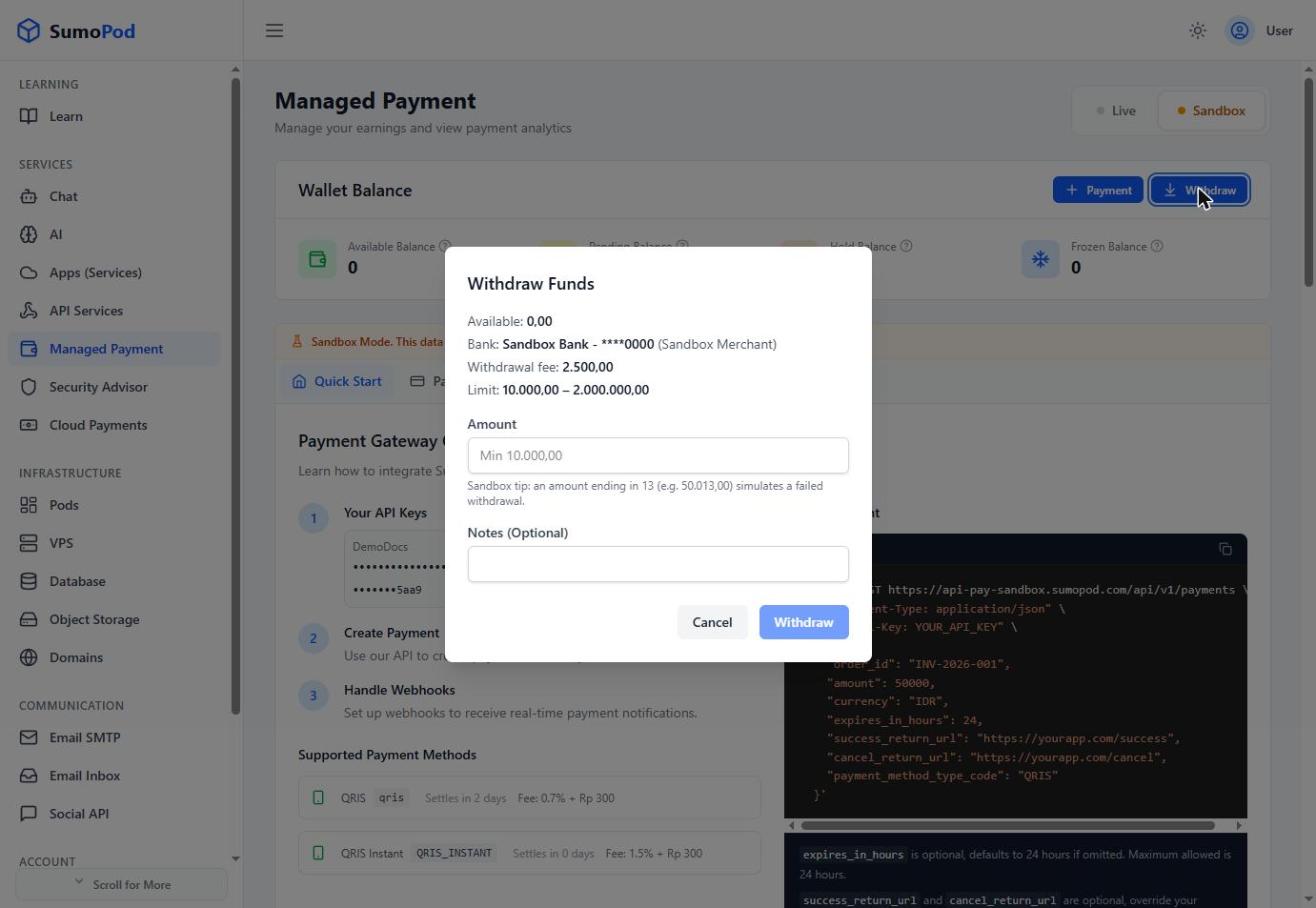
- Enter an Amount (at least the minimum shown) and an optional note.
- Click Withdraw to submit the request.
Notes
- A withdrawal fee of Rp2,500 applies to each withdrawal.
- Withdrawals go to the bank account already on file for your project; only the Available Balance (not Pending/Hold/Frozen) can be withdrawn.
- Track the status of past withdrawals (Pending, Processing, Succeeded, Failed, Rejected) from the Withdrawals tab.
- Direct link: Managed Payment
Last modified on