

Managed Payment
Switching Managed Payment to Live Mode
Move from testing to accepting real customer payments.
Steps
- While in Sandbox mode, test your integration, payments and webhooks behave the same as Live but use fake data (the dashboard shows a "Sandbox Mode. This data isn't real." banner).
- When ready, click Register for Live Access next to the Sandbox banner and complete the requested business verification.
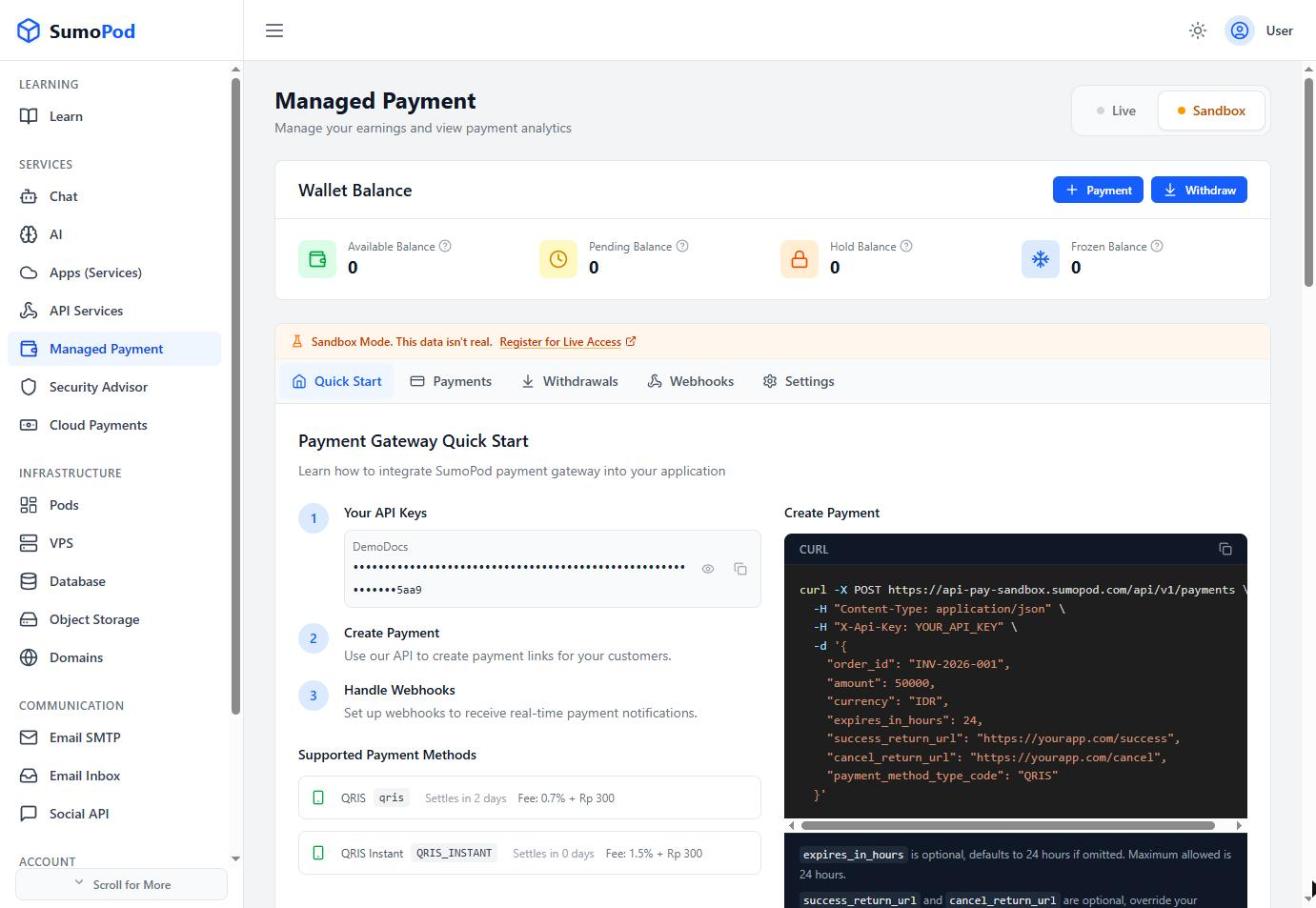
- Once approved, use the Live / Sandbox toggle at the top of the Managed Payment page to switch to Live mode.
- Re-check your Settings (API Key, Webhook URL, Redirect URLs) under Live mode, these are configured separately per mode.
Notes
- API keys and webhook secrets differ between Sandbox and Live, don't reuse a Sandbox key in production.
- Direct link: Managed Payment
Last modified on