

Object Storage
Using Object Storage
Sumopod Object Storage is an S3-compatible storage bucket, billed monthly based on the storage size you choose.
Steps
- Open the Dashboard and select the Object Storage menu, then click + Bucket.
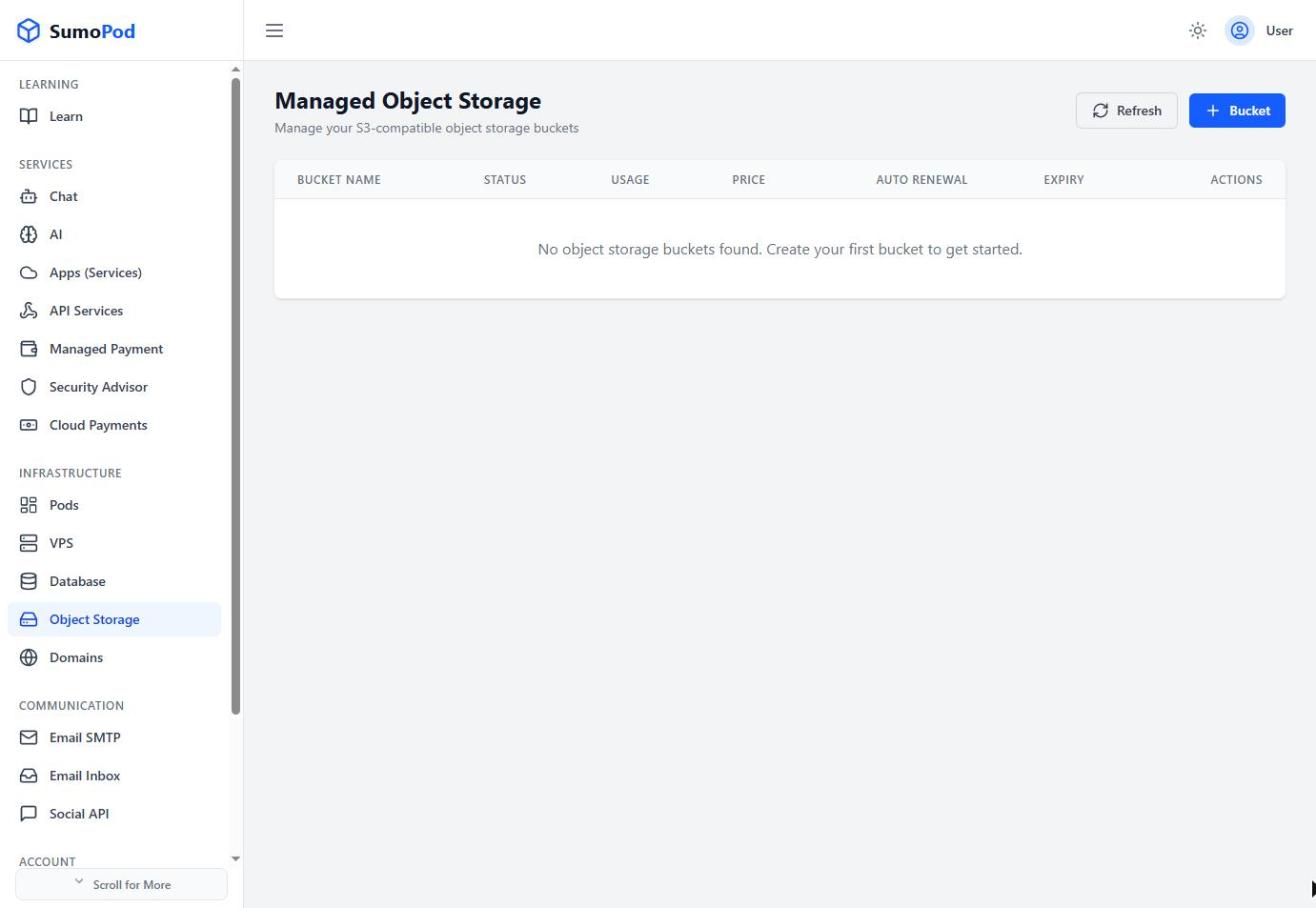
- Enter a globally unique Bucket Name (must follow S3 naming rules).
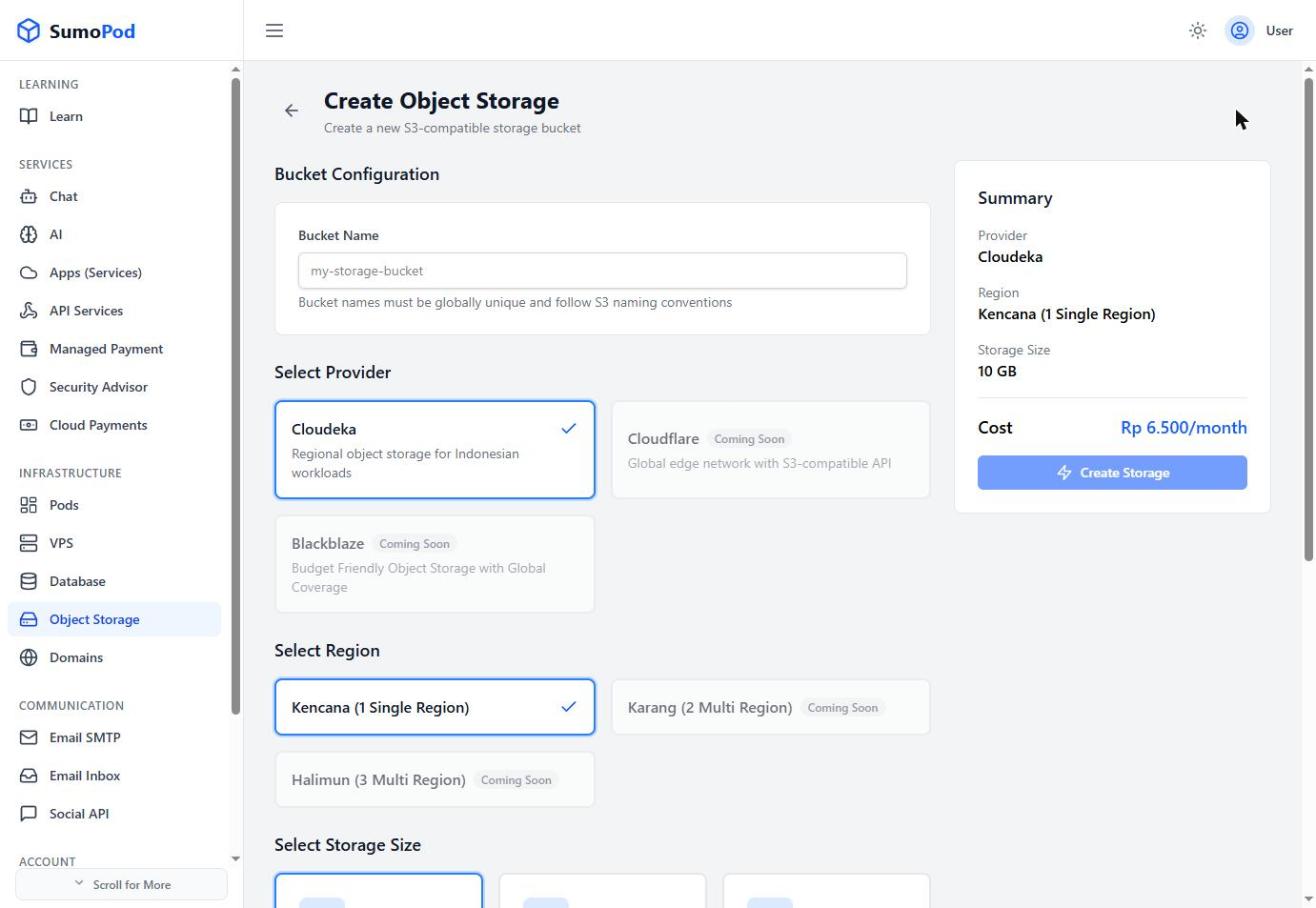
- Select a Provider
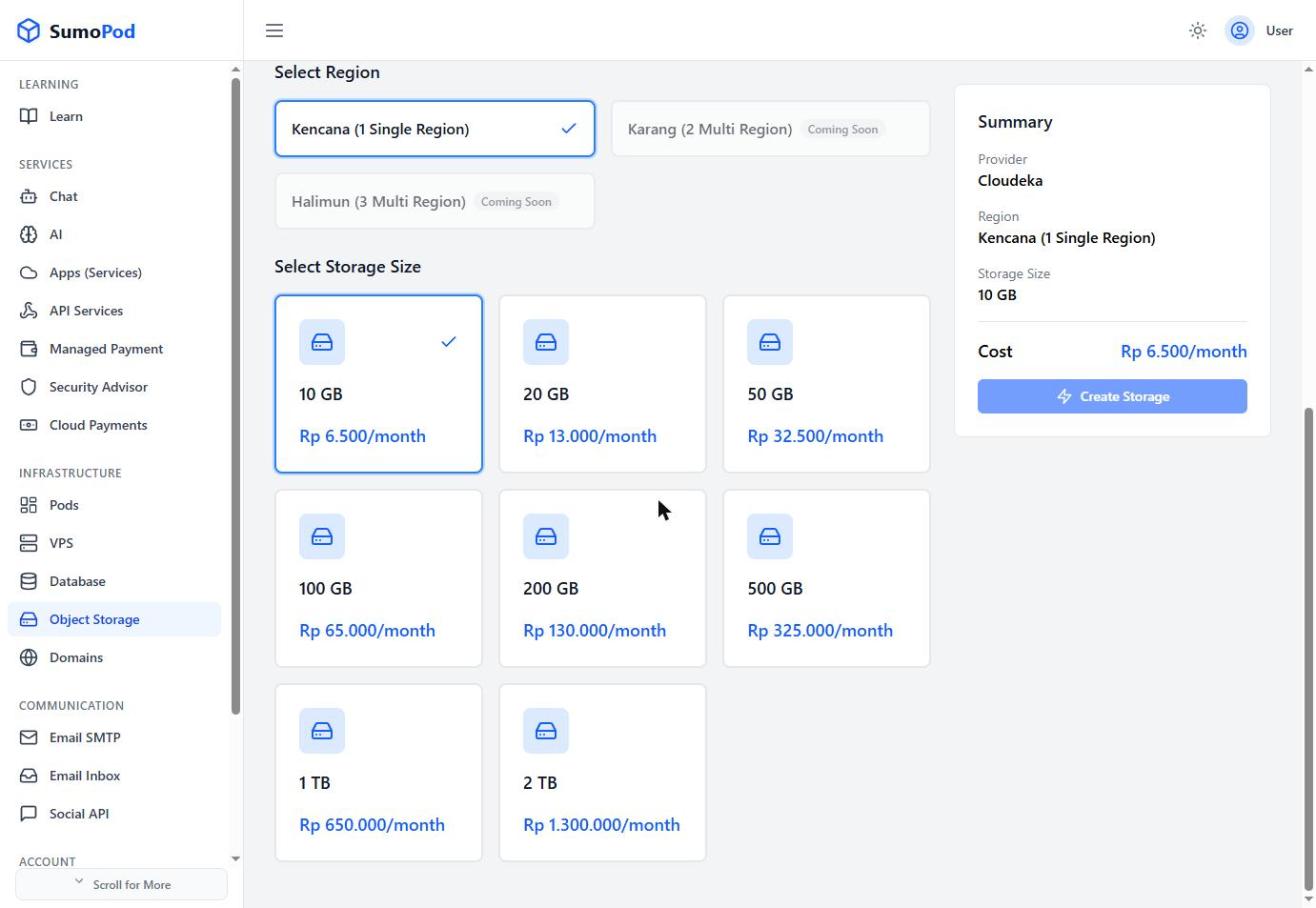
- Select a Region
- Select a Storage Size (from 10 GB at Rp 6.500/month up to 2 TB at Rp 1.300.000/month), review the summary, and click Create Storage.
Notes
- Billing is monthly and recurring; toggle Auto Renewal and check the Expiry date from the bucket list.
- Direct link: Object Storage
Last modified on