

Dedicated
Creating a Dedicated Database
A Dedicated Database gives your database reserved vCPU and RAM on its own instance, instead of sharing resources with other customers.
Steps
- Open the Dashboard and select the Database menu, then click Add.
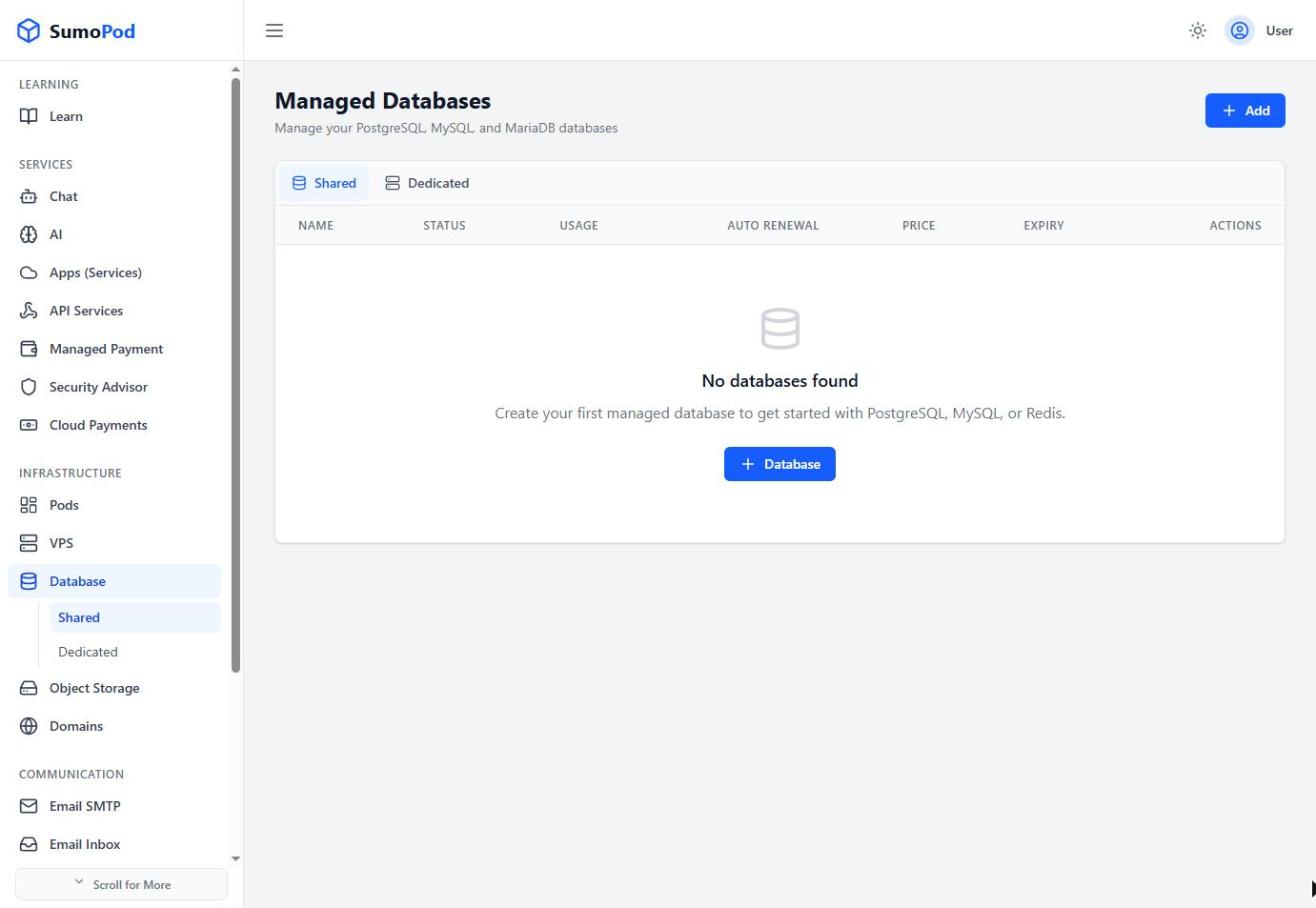
- Enter a Database Name and choose a Region.
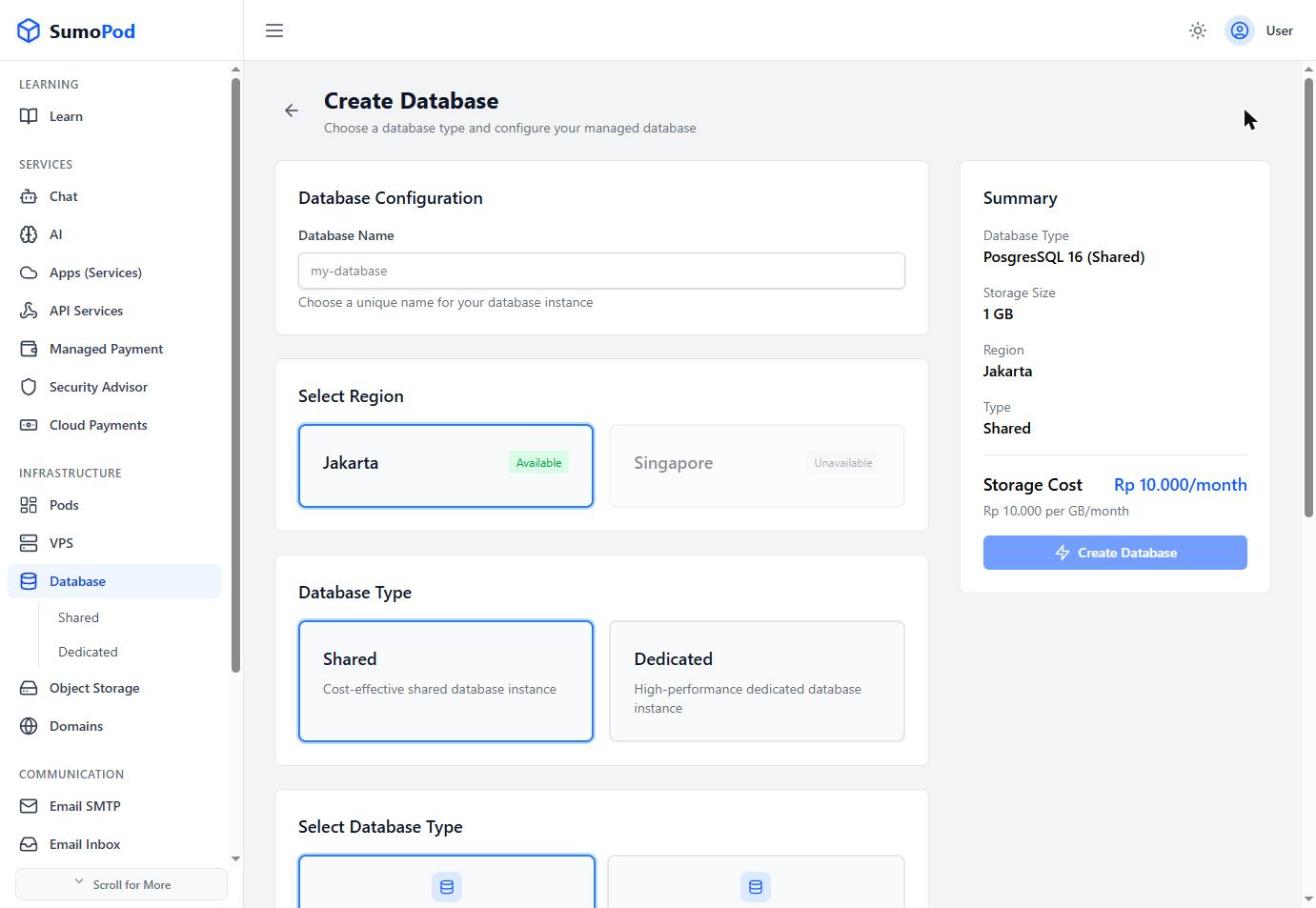
- Under Database Type, select Dedicated.
- Choose a Database Engine, currently only PostgreSQL is available (MySQL, MariaDB, and Redis are marked Coming Soon).
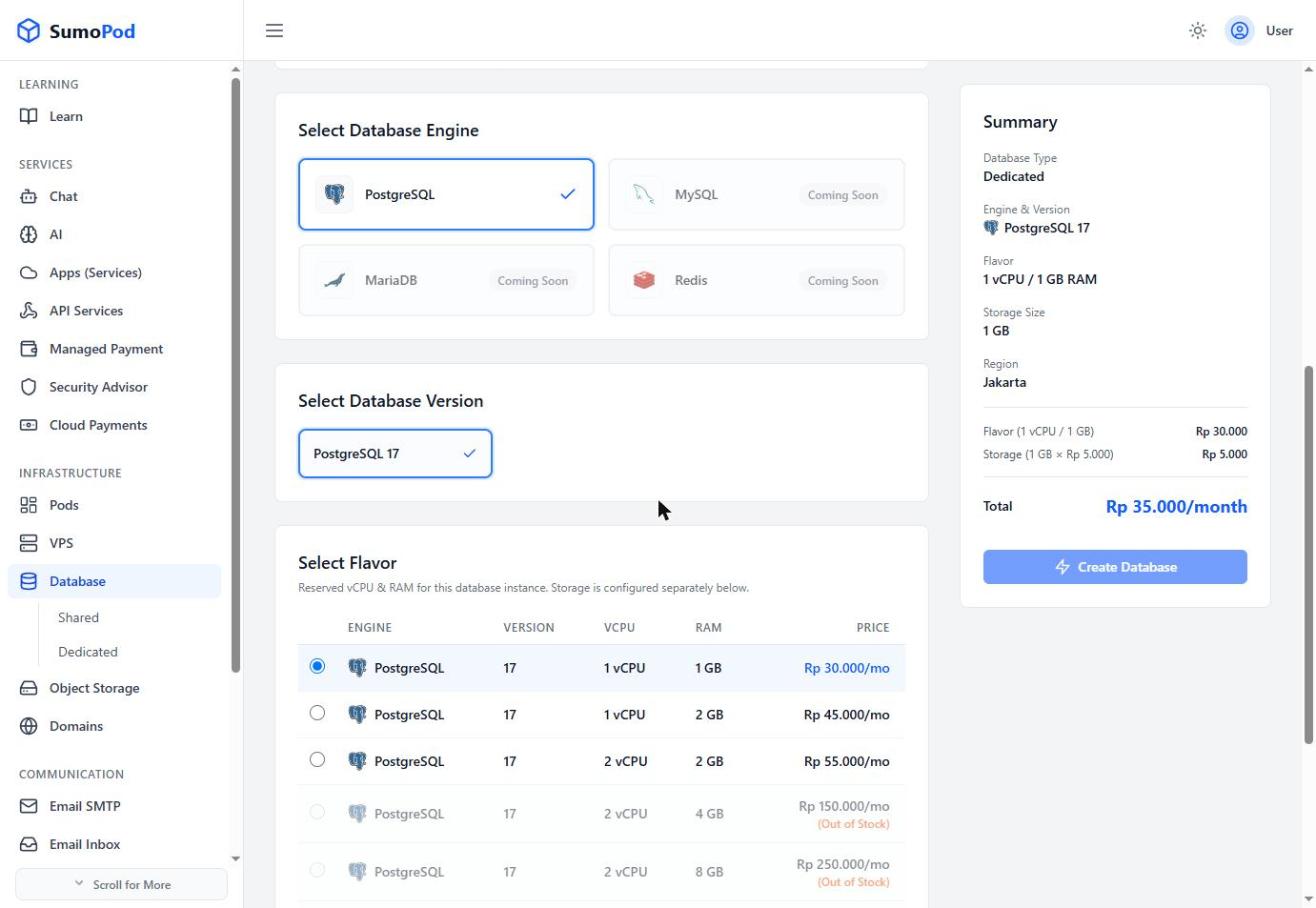
- Choose a Database Version (currently PostgreSQL 17).
- Pick a Flavor (reserved vCPU/RAM), for example:
- 1 vCPU / 1 GB RAM — Rp 30.000/mo
- 1 vCPU / 2 GB RAM — Rp 45.000/mo
- 2 vCPU / 2 GB RAM — Rp 55.000/mo
- Larger tiers (2 vCPU/4 GB, 2 vCPU/8 GB, 4 vCPU/8 GB) may show Out of Stock depending on availability.
- Adjust Storage Size billed separately per GB (e.g. Rp 5.000/GB/month), on top of the flavor price. The maximum storage depends on the flavor chosen.
- Review the Summary (flavor cost + storage cost = total per month) and click Create Database.
Notes
- Dedicated databases are billed as flavor price + storage price, unlike Shared databases which are billed by storage alone.
- Direct link: Database
Last modified on