

Shared
Creating a Shared Database
Sumopod's Shared Database runs your database on a shared server, billed per GB of storage, the cheapest way to get a managed PostgreSQL, MySQL, or MariaDB database.
Steps
- Open the Dashboard and select the Database menu, then click Add.
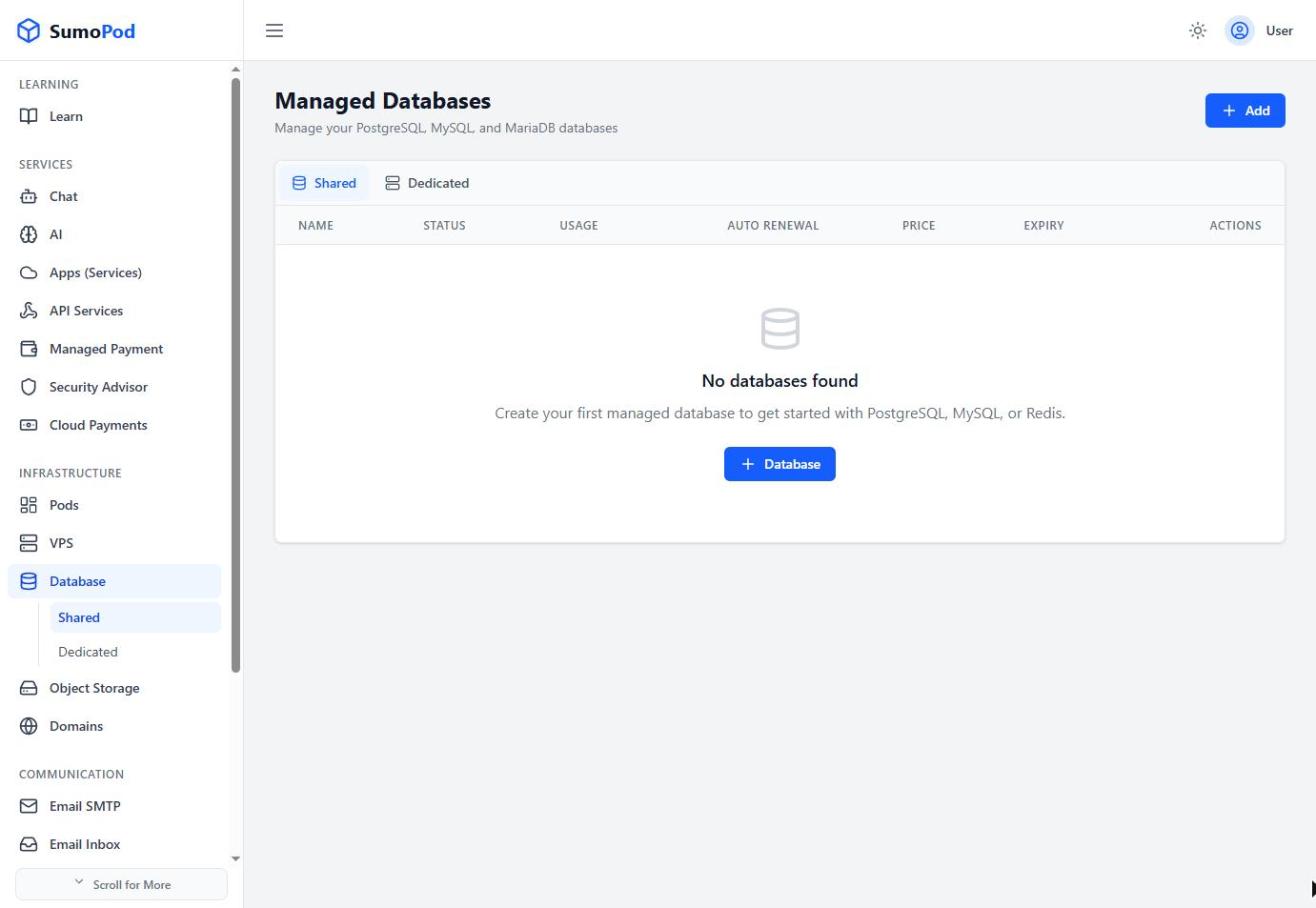
- Enter a Database Name.
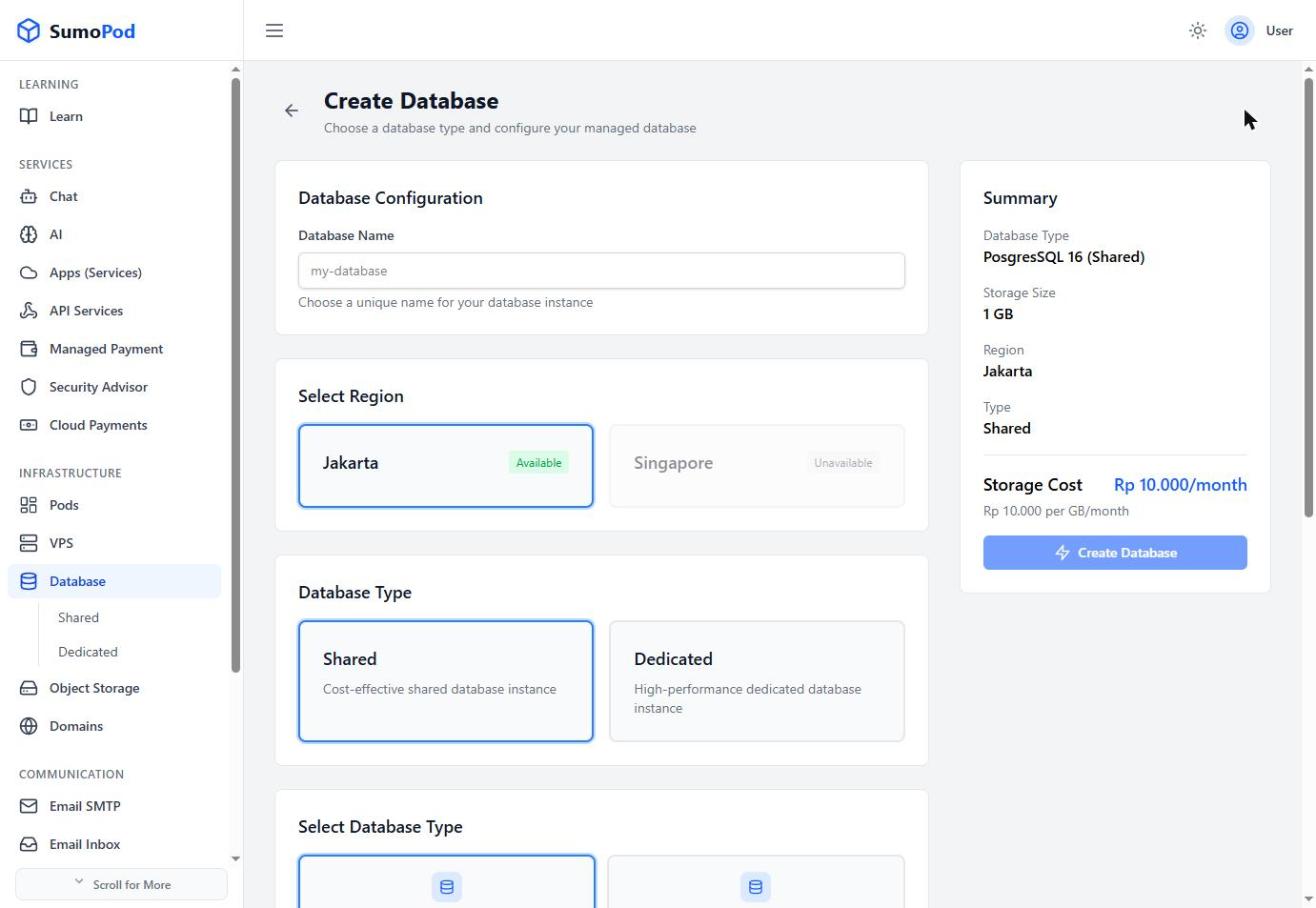
- Choose a Region
- Under Database Type, keep Shared selected (this is the default).
- Pick a database engine and version from Select Database Type:
- PostgreSQL 16, MySQL 8, MariaDB 11, MS SQL Express 2025 (Rp 10.000/GB each)
- PostgreSQL 16 + PostGIS, PostgreSQL 16 + pgvector (Rp 12.500/GB)
- PostgreSQL 16 + PostGIS + pgvector (Rp 15.000/GB)
- Drag the Storage Size slider (1–20 GB), the monthly cost updates live in the Summary panel.
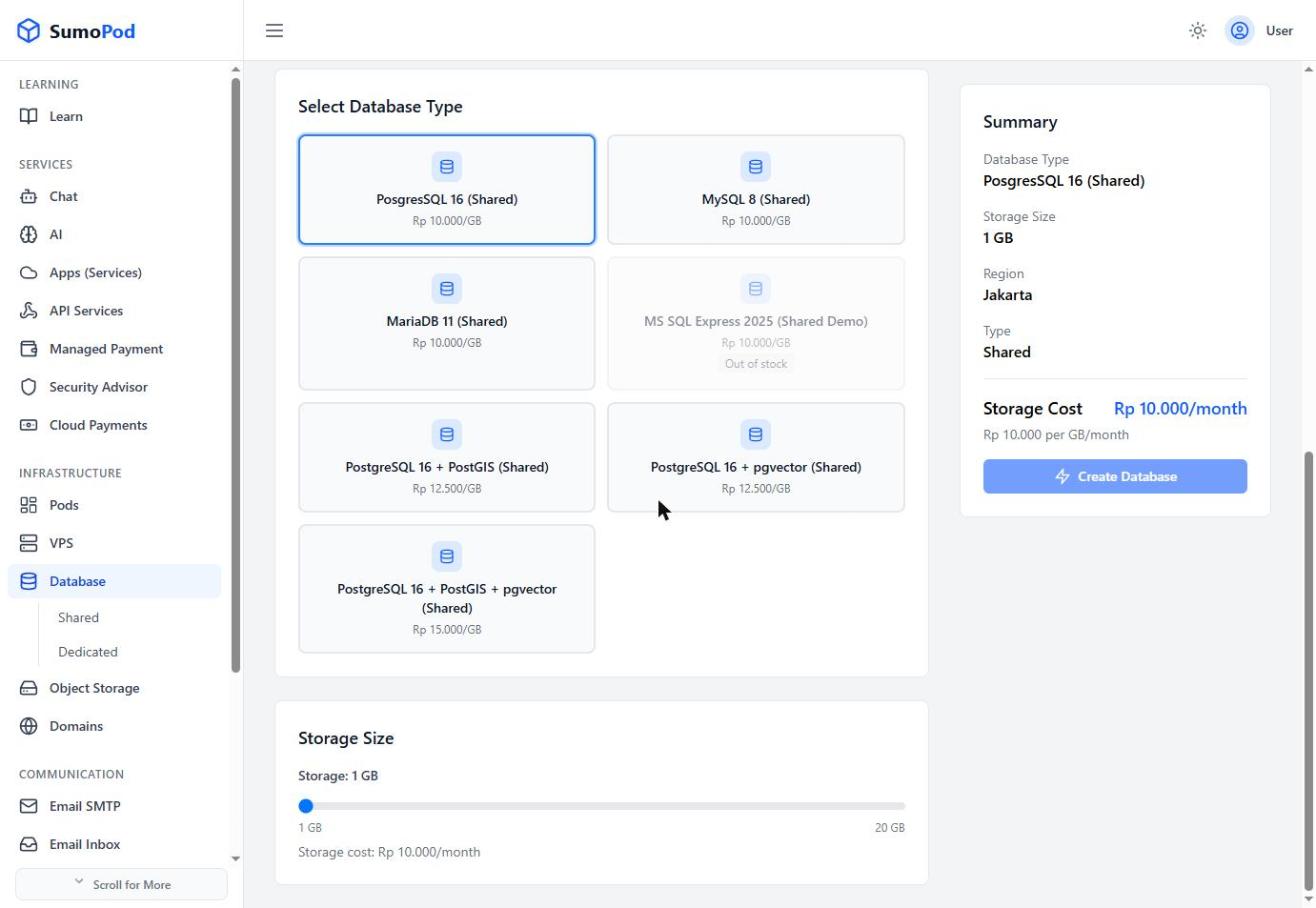
- Review the Summary and click Create Database.
Notes
- Pricing is per GB per month, not a flat plan fee. aA bigger Storage Size directly raises the monthly cost.
- Direct link: Database
Last modified on