

Services / Apps
Using a Custom Domain with an App
Steps
- Open your app, then go to its Custom Domain tab.
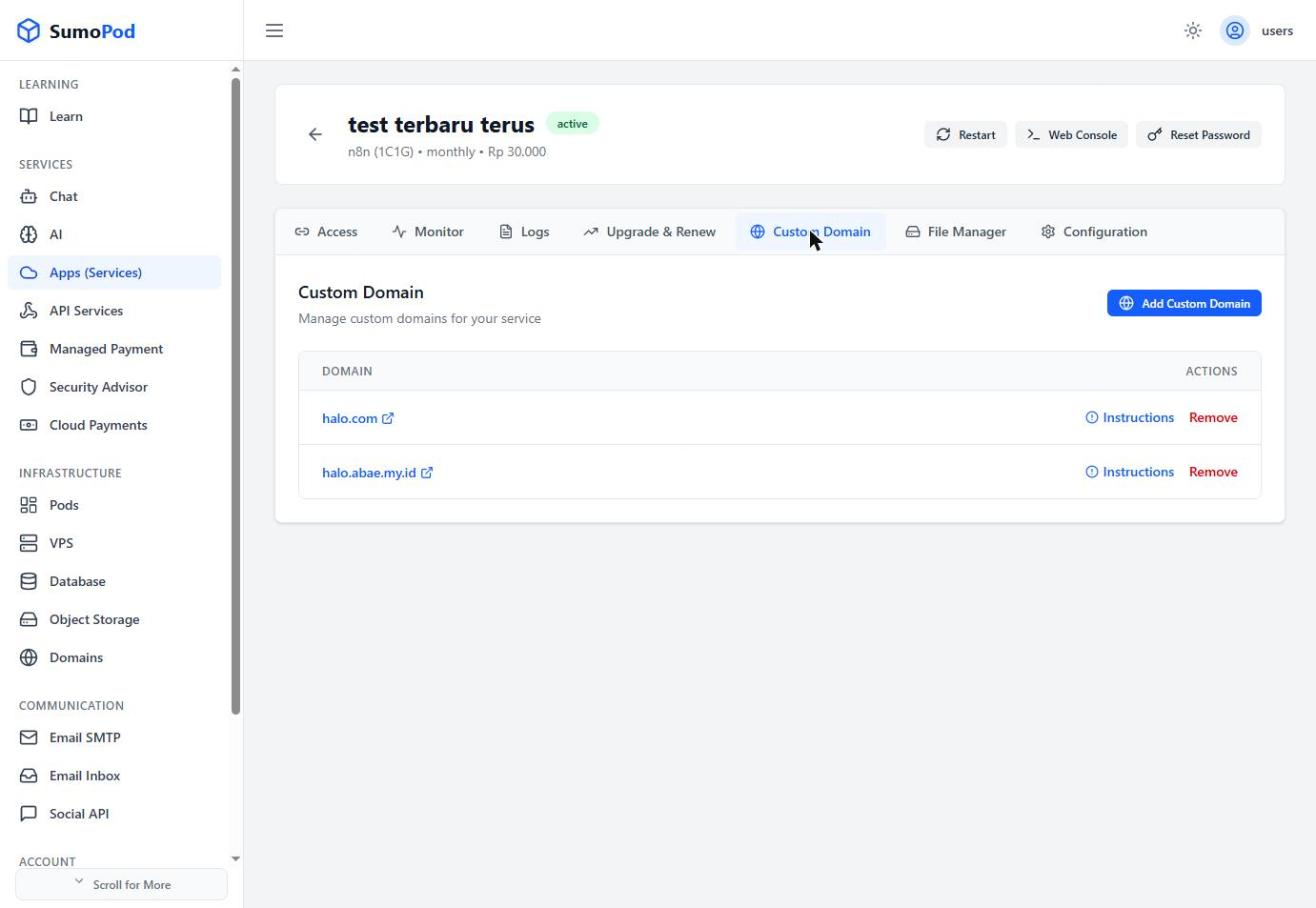
- Click Add Custom Domain and enter your domain.
- Click Instructions and add an A Record at your DNS provider: set the Name to your subdomain (or
@for root), and the Value/Target to Sumopod's server IP shown (e.g.103.139.244.167).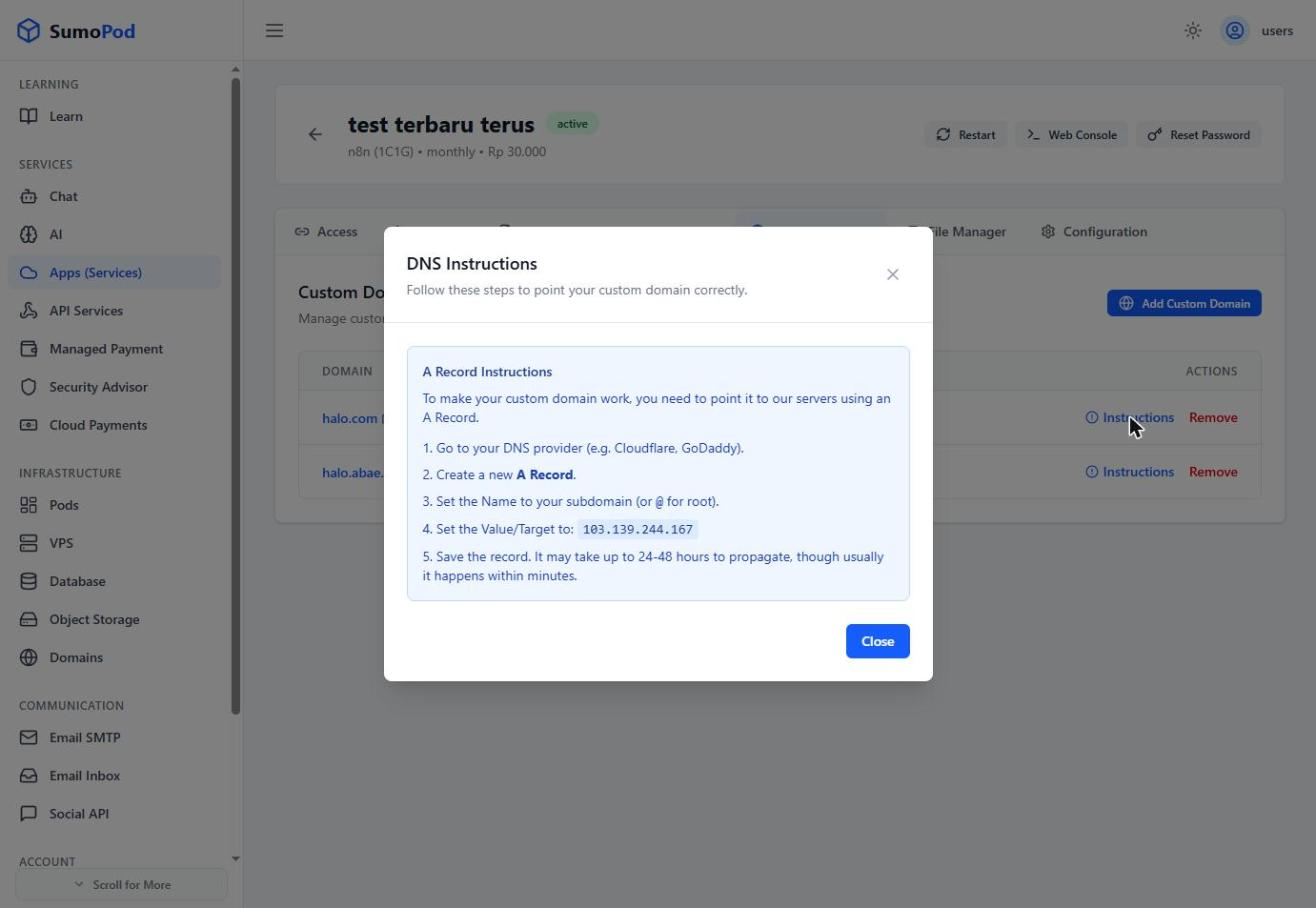
- Wait for DNS propagation (usually minutes, up to 24–48 hours).
Notes
- This uses a plain A Record
- Direct link: open your app, then go to its Custom Domain tab.
Last modified on