

Services / Apps
Configuring an App (Docker Image & Environment Variables)
Steps
- Open your app, then go to its Configuration tab.
- Review App Details and toggle Auto Renewal under Billing Settings if needed.
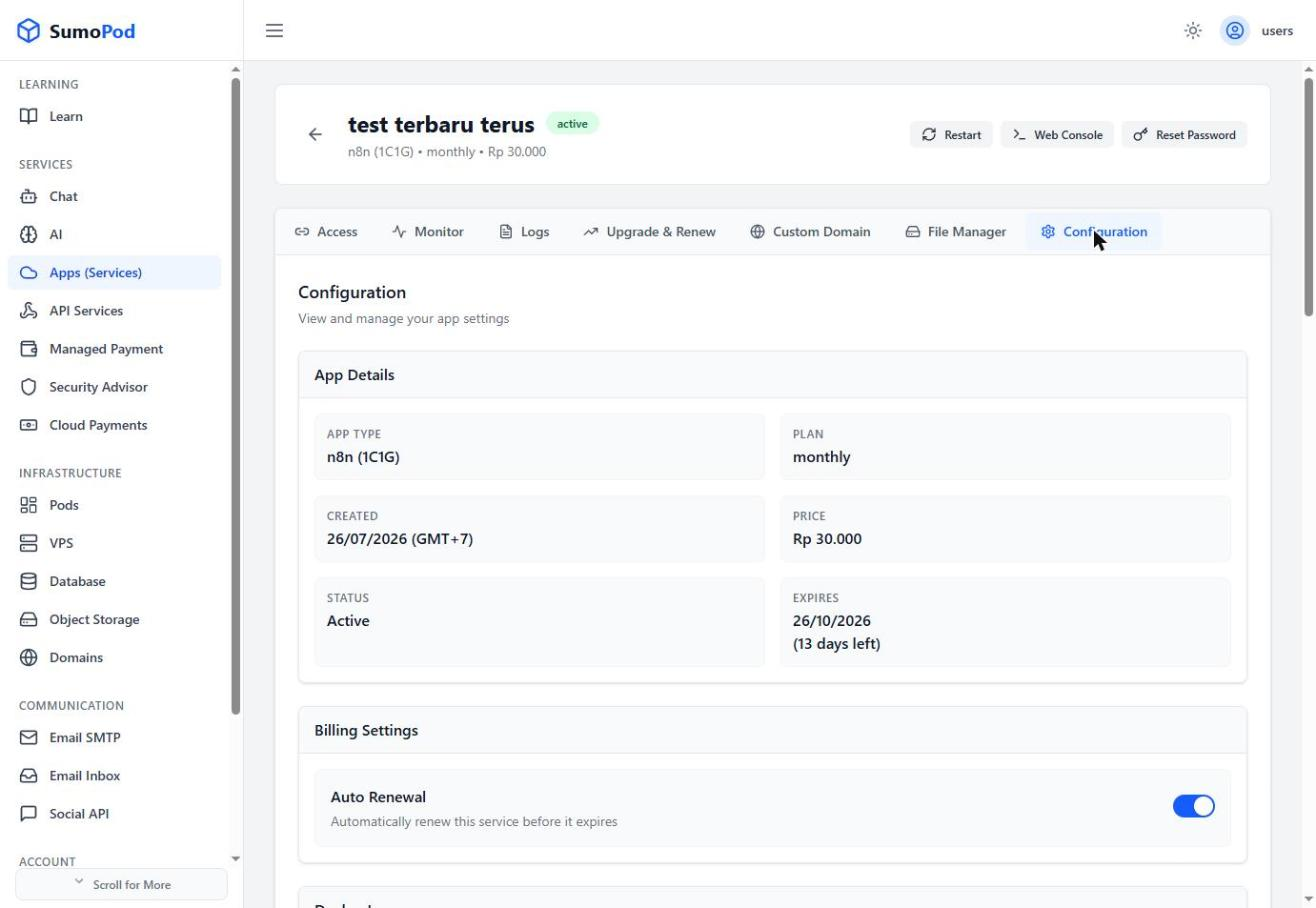
- For advanced changes, check the Docker Image section for the current image/version, and click Edit Version to change it.
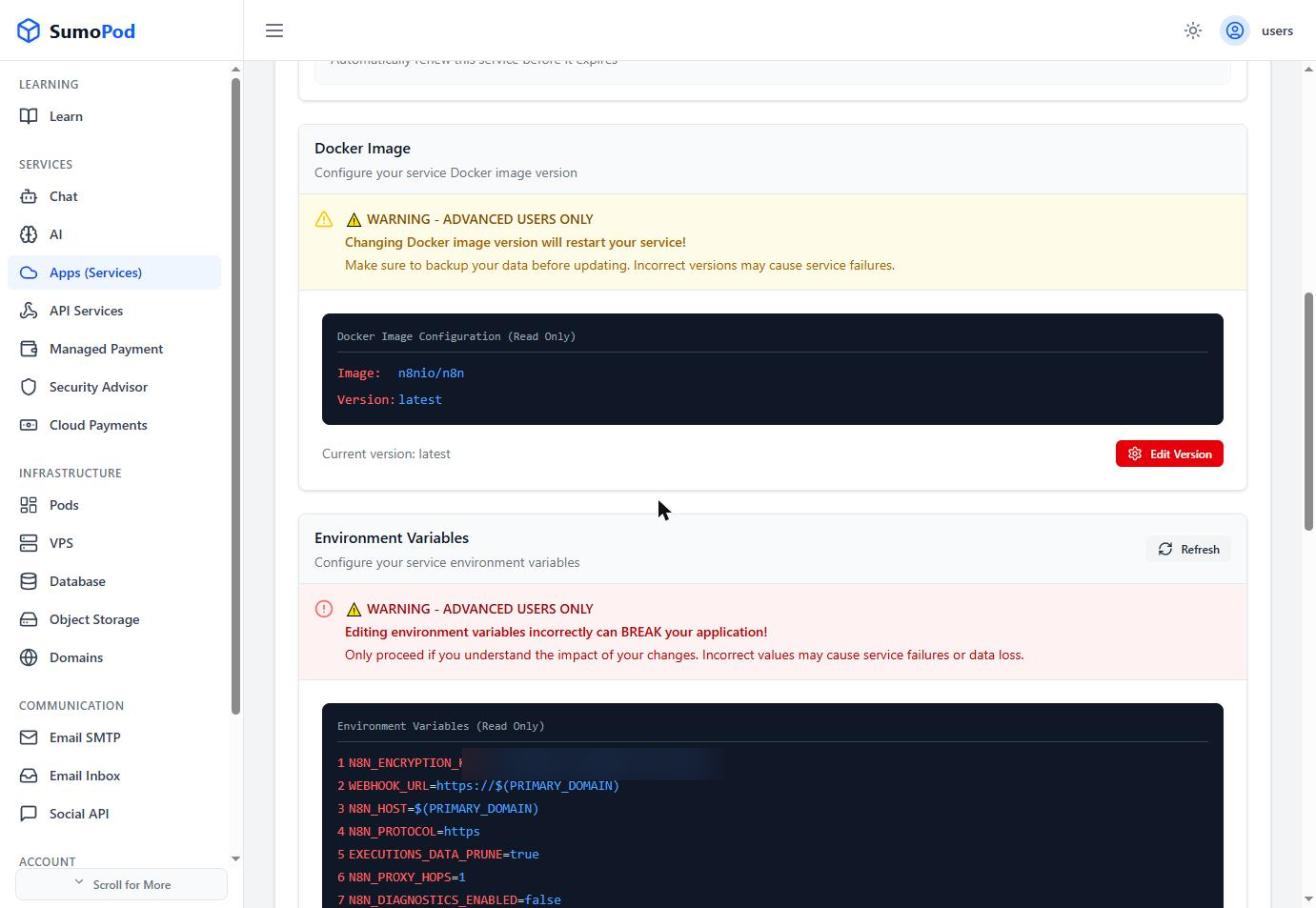
- Check Environment Variables for the current configuration, and click Edit Variables to change them.
- Review Recent Deployments for a history of past deploys and their status.
Notes
- Both Docker Image and Environment Variable changes are flagged "Advanced users only" on the dashboard, double-check before saving.
- Direct link: open your app, then go to its Configuration tab.
Last modified on