Search
Documentation
Getting Started
Guides
AI
API Service
Billing
Chat
Cloud Payment
Database
Domain
Managed Payment
Object Storage
SMTP
Services / Apps
n8n
Hermes
QwenPaw
Restarting an App
Resetting an App's Admin Password
Monitoring App Resource Usage
Viewing App Logs
Upgrading or Renewing an App
Using a Custom Domain with an App
Managing App Files
Configuring an App (Docker Image & Environment Variables)
VPS
Troubleshoot
Useful Links
Sumopod
Dashboard
powered by Zudoku
Menu
Copy page
Services / Apps
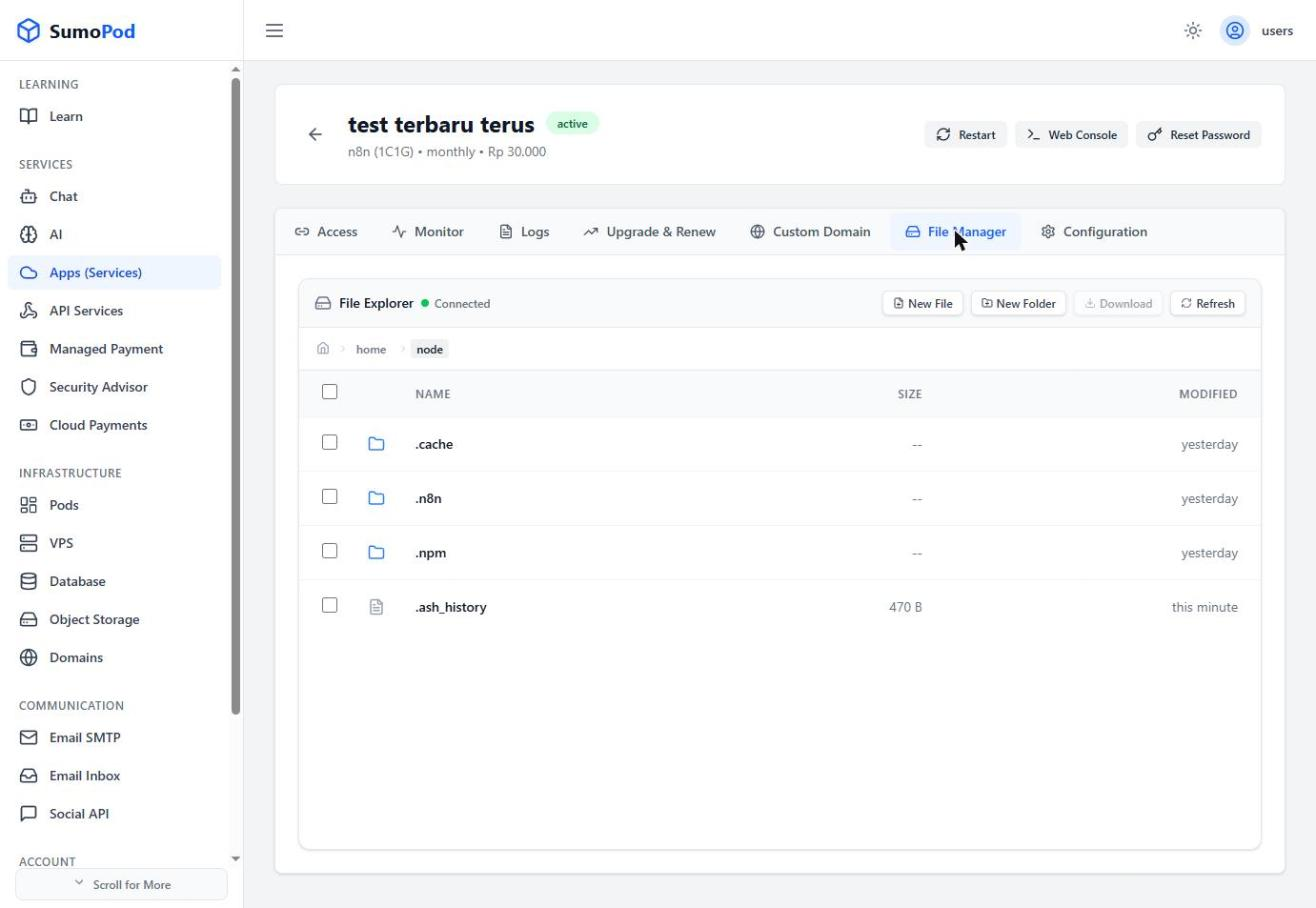
Managing App Files
Steps
Open your app, then go to its
File Manager
tab.
Browse the app's filesystem.
Use
New File
,
New Folder
,
Download
, or
Refresh
as needed.
Notes
Direct link: open your app, then go to its
File Manager
tab.
Last modified on
October 23, 2026
Using a Custom Domain with an App
Configuring an App (Docker Image & Environment Variables)