

Services / Apps
Upgrading or Renewing an App
Steps
- Open your app, then go to its Upgrade & Renew tab.
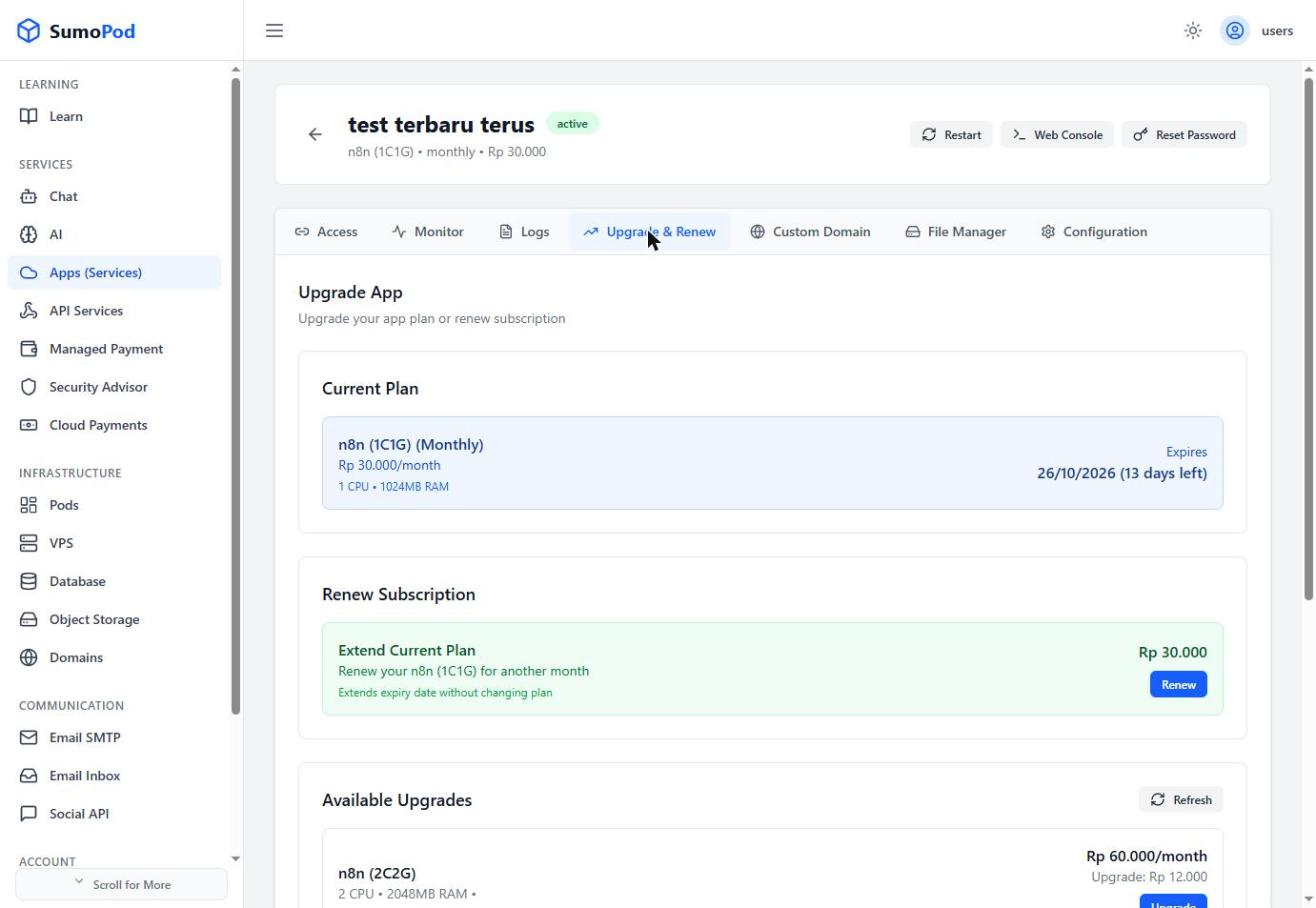
- To extend your current plan without changing it, click Renew under Extend Current Plan.
- To move to a bigger tier, pick one under Available Upgrades and click Upgrade — the prorated upgrade cost is shown before you confirm.
Notes
- Only upgrades to larger tiers are offered here; there's no downgrade option.
- Direct link: open your app, then go to its Upgrade & Renew tab.
Last modified on