

VPS
Buying a VPS
Sumopod VPS lets you pick a provider, region, operating system, and hardware package, billed monthly.
Steps
- Open the Dashboard and select the VPS menu, then click Create.
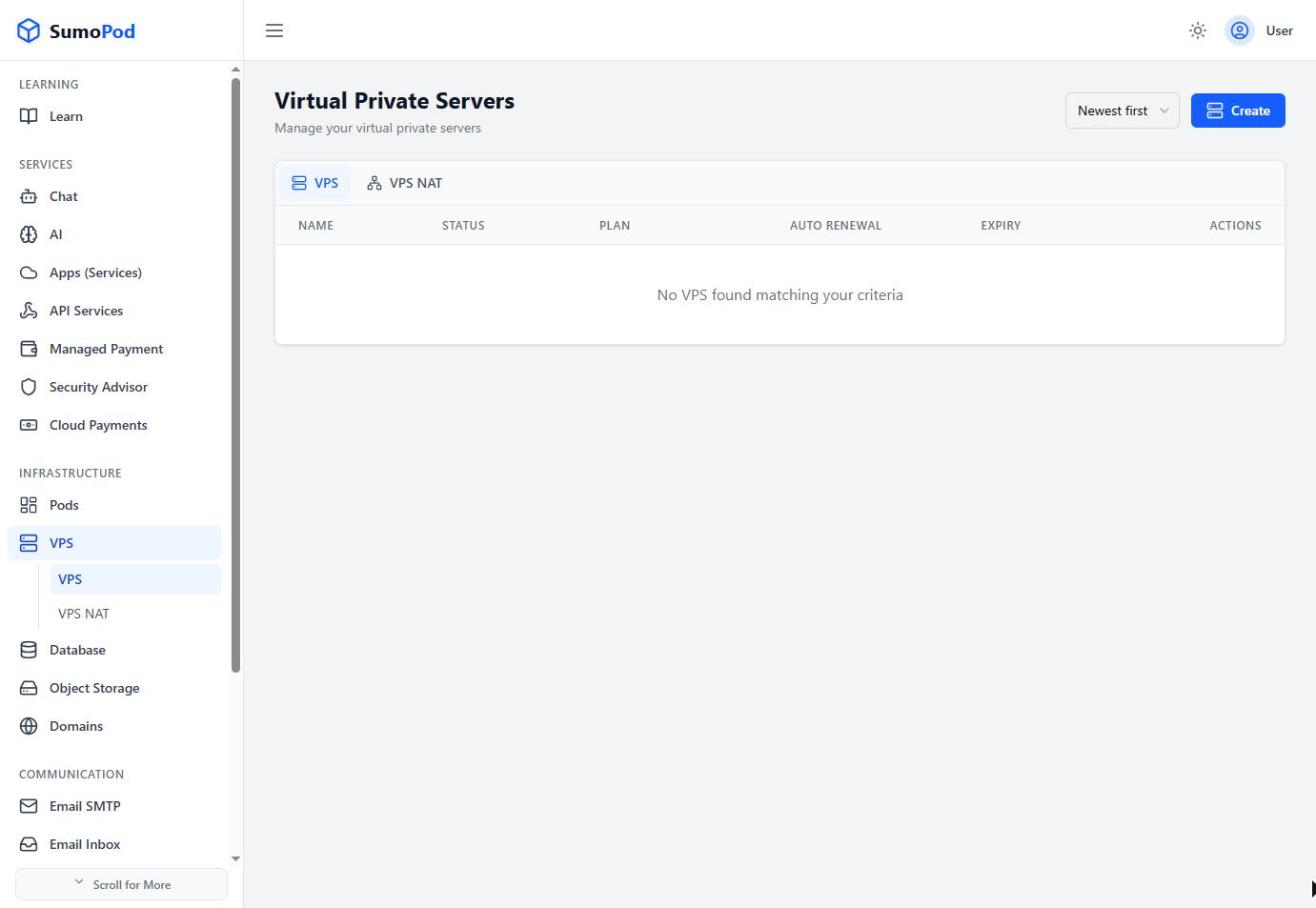
- Enter a VPS Name.
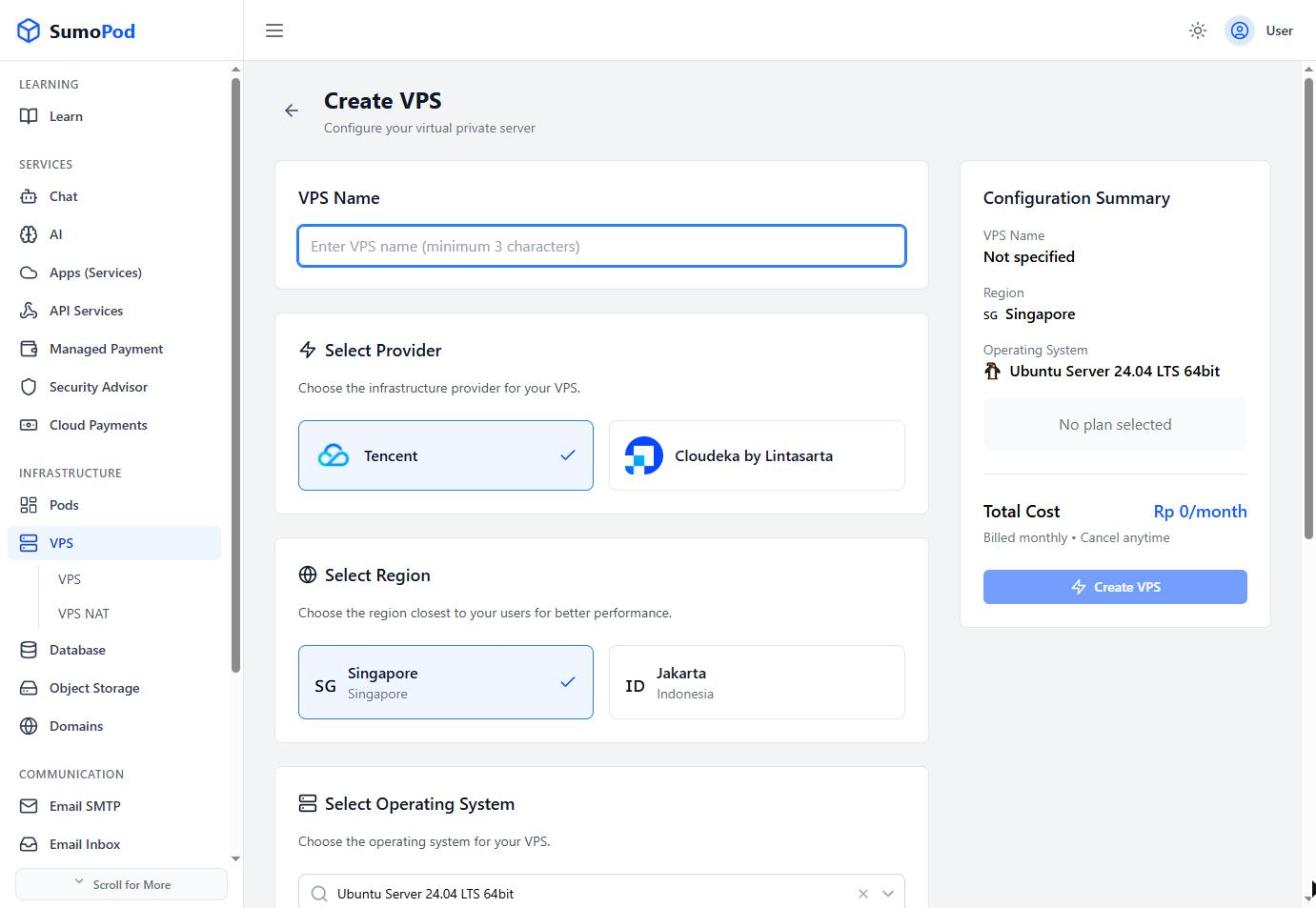
- Select a Provider — currently Tencent or Cloudeka by Lintasarta.
- Select a Region — currently Singapore or Jakarta (Indonesia).
- Select an Operating System (e.g. Ubuntu Server 24.04 LTS).
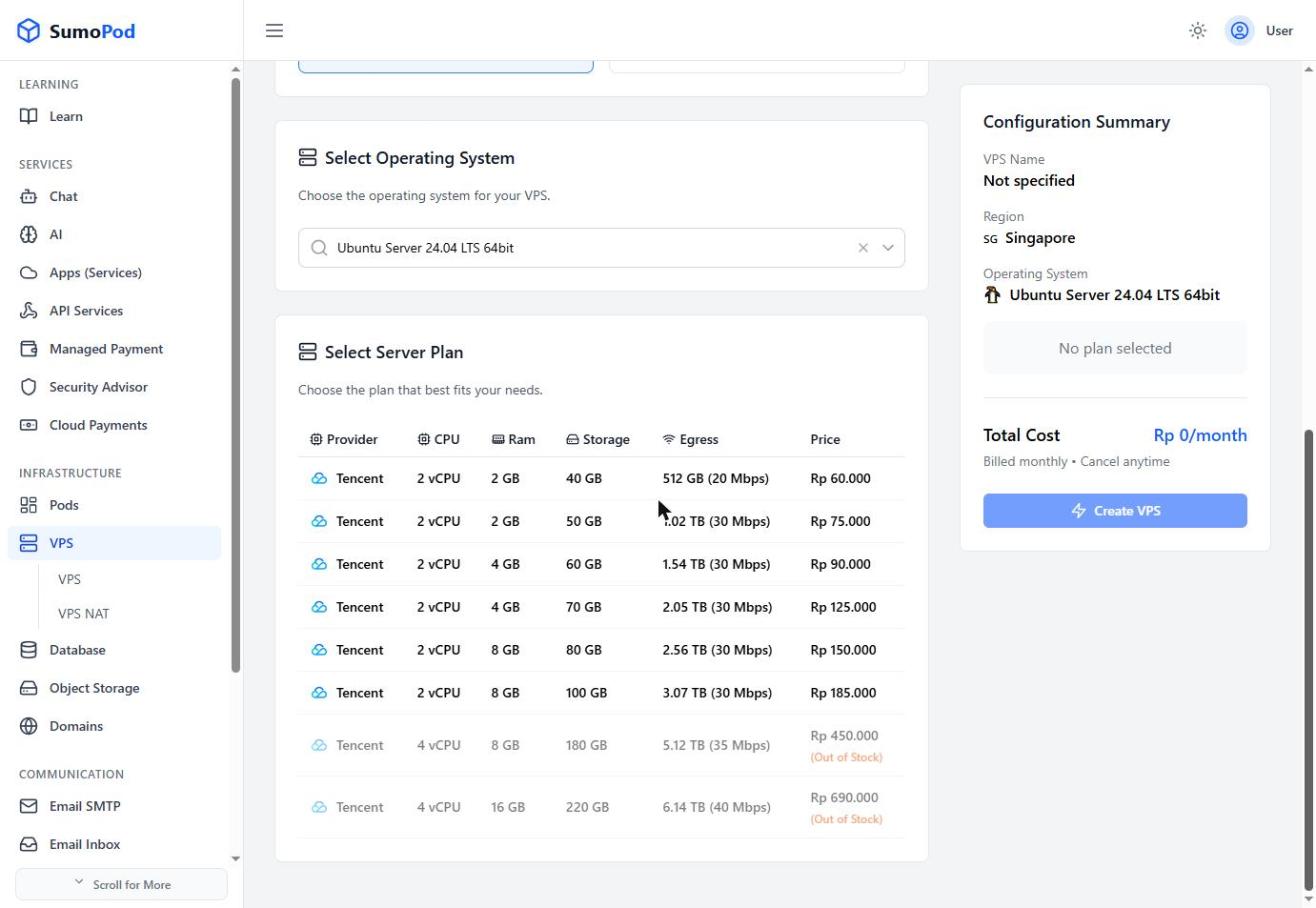
- Select a Server Plan from the pricing table — options vary by CPU, RAM, storage, and egress bandwidth (e.g. 2 vCPU / 2 GB RAM / 40 GB storage / 512 GB egress at Rp 60.000/month).
- Review the Configuration Summary and click Create VPS.
Notes
- Billing is monthly and can be cancelled anytime.
- For the Tencent provider, the egress bandwidth is a hard monthly limit: once it is reached, the VPS is shut down and the usage resets the following month. If you need more before then, you can upgrade to a higher plan, but you can't downgrade afterwards. You can track usage in the VPS Usage tab, see Monitoring Bandwidth Usage.
- Some higher-tier plans may show as Out of Stock depending on current capacity.
- Direct link: VPS
Last modified on