

VPS
Renewing & Auto-Renewing a VPS
Extend your VPS subscription manually, or turn on Auto Renewal so it never lapses.
Steps
- Open your VPS, then go to its Renew tab.
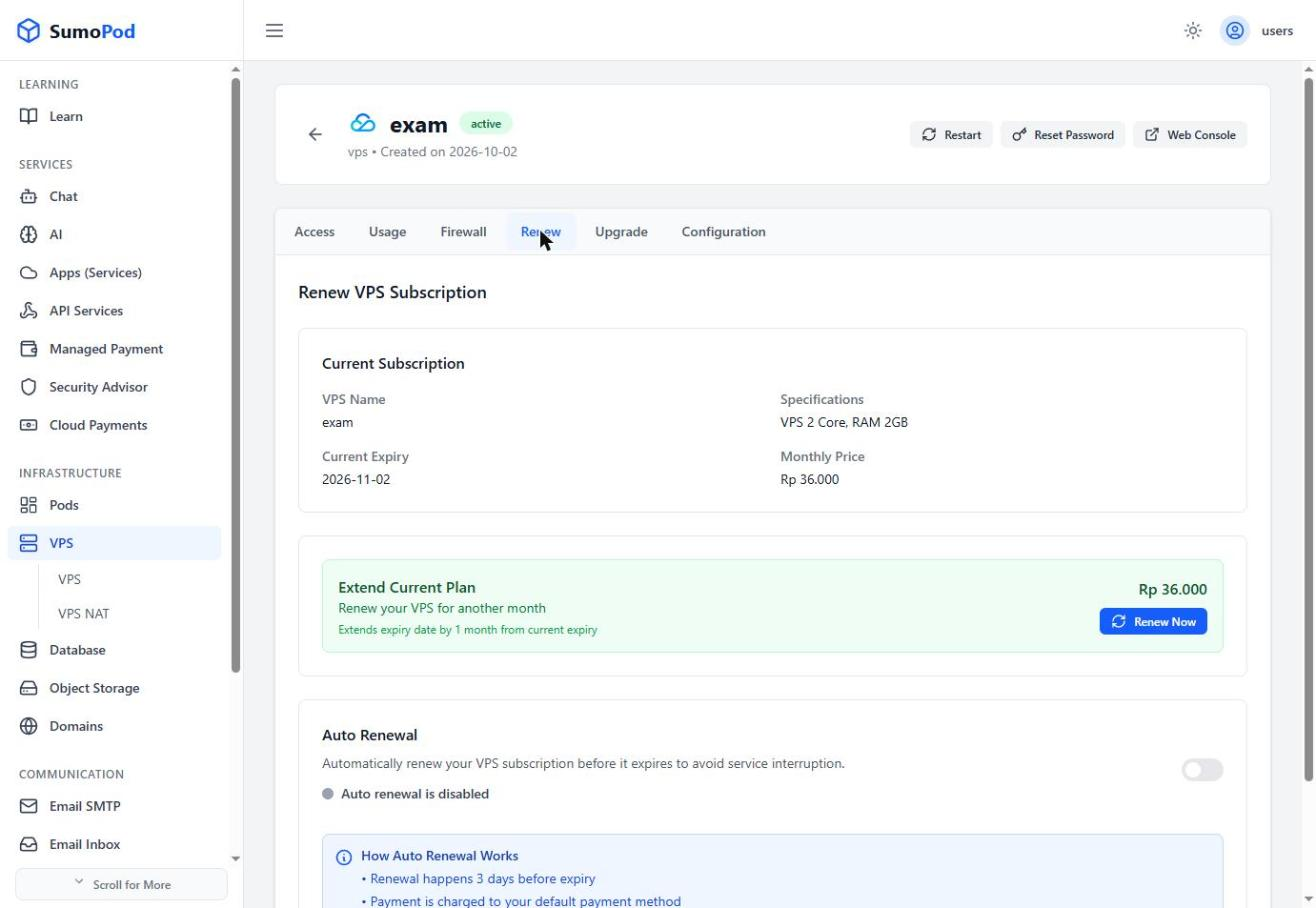
- To renew manually, review the current expiry and price, then click Renew Now to extend by one month.
- To avoid doing this every month, toggle on Auto Renewal.
Notes
- Auto renewal runs 3 days before expiry and charges your default payment method automatically; you'll get an email notification either way.
- Auto renewal can be turned off anytime from the same tab.
- Direct link: open your VPS, then go to its Renew tab.
Last modified on