

VPS
Resetting Your VPS Password
If you've lost or forgotten your VPS password, generate a new one directly from the Dashboard.
Steps
- Open your VPS from the VPS list and click Manage.
- Click Reset Password at the top of the page.
- Confirm by typing "reset password" in the confirmation field, then submit.
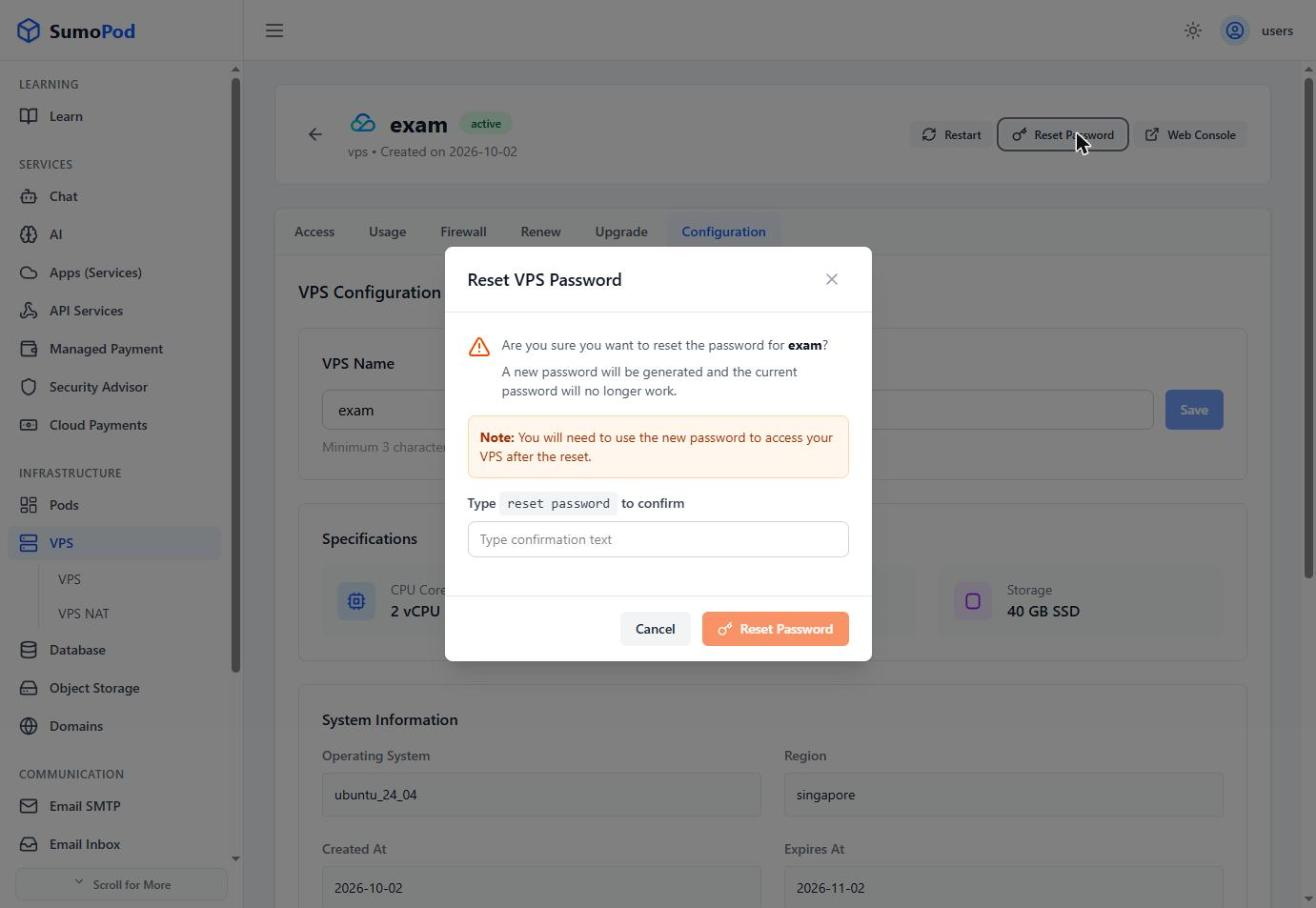
- The old password stops working immediately.
Notes
- You'll need the new password to log in via SSH or the Web Console after resetting.
- This only resets the password; it does not affect any data on the VPS.
- Resetting password only available for Tencent only
Last modified on