

VPS
Managing Firewall Rules
Control which ports and source IPs can reach your VPS.
Steps
- Open your VPS, then go to its Firewall tab.
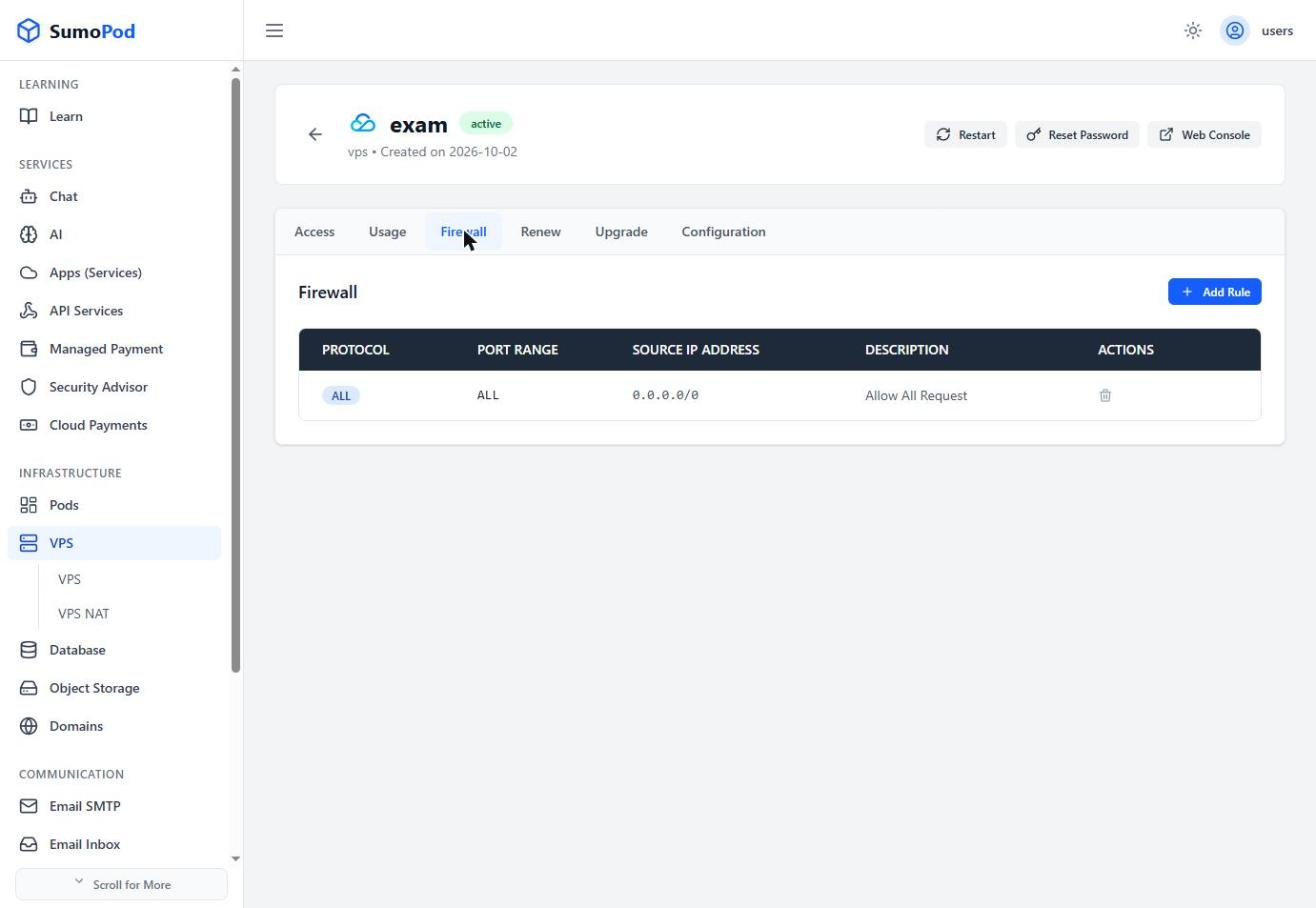
- Click Add Rule.
- Choose an Application Type (a preset like SSH/HTTP, or custom), set the Protocol and Port Range (e.g.
3306or8000-8080), and the Source IP Address (e.g.0.0.0.0/0for anywhere, or a specific CIDR like192.168.1.0/24).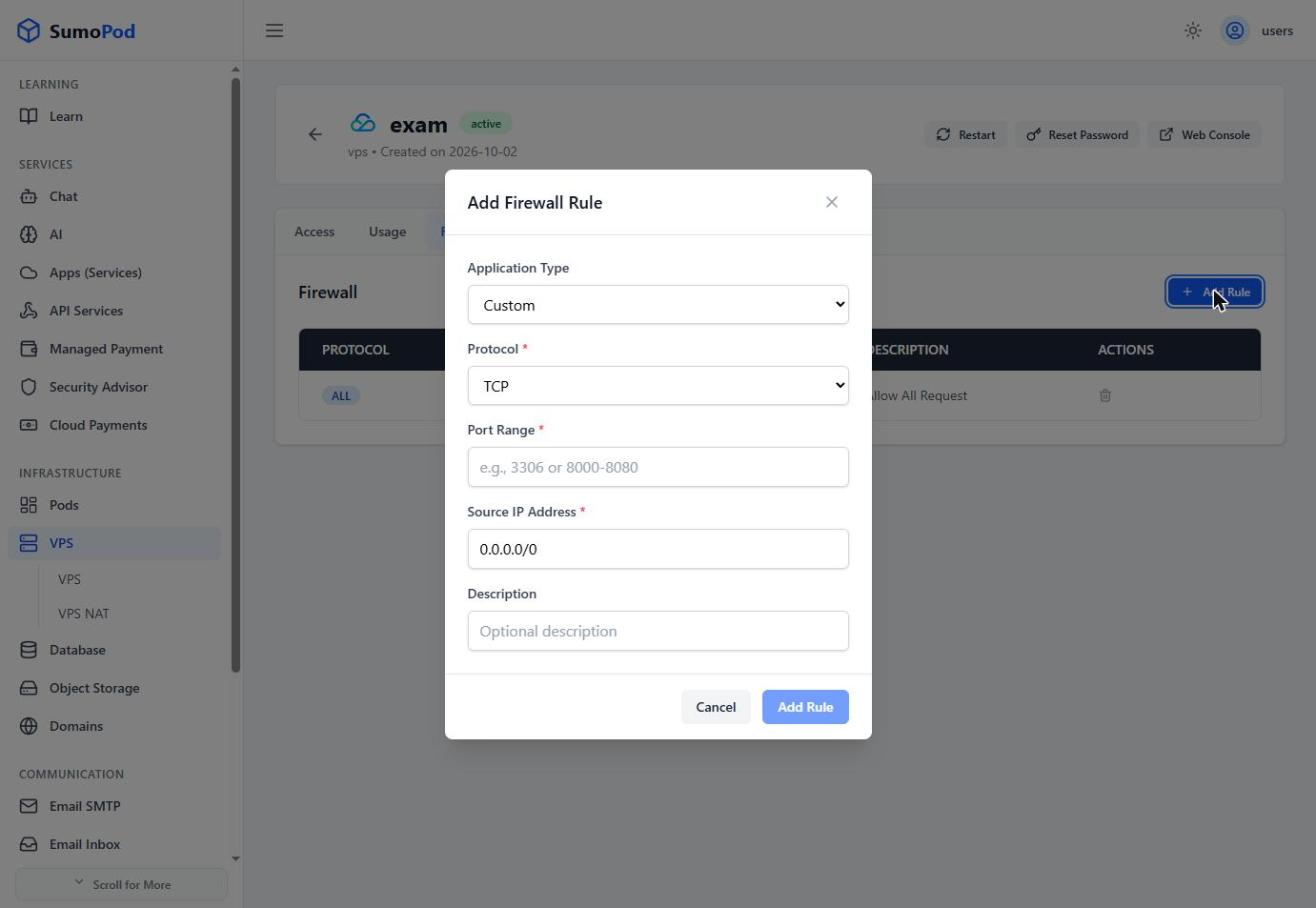
- Optionally add a Description, then save the rule.
Notes
- By default, a VPS has an "Allow All Request" rule (all protocols, all ports, source
0.0.0.0/0) — tighten this for production use. - Direct link: open your VPS, then go to its Firewall tab.
Last modified on