

VPS
Reinstall/Reset VPS
Reinstall/Reset removes all data and configuration on the VPS.
Steps
- Make sure important data has been backed up first.
- Open your VPS from the VPS list and click Manage.
- Go to the Configuration tab.
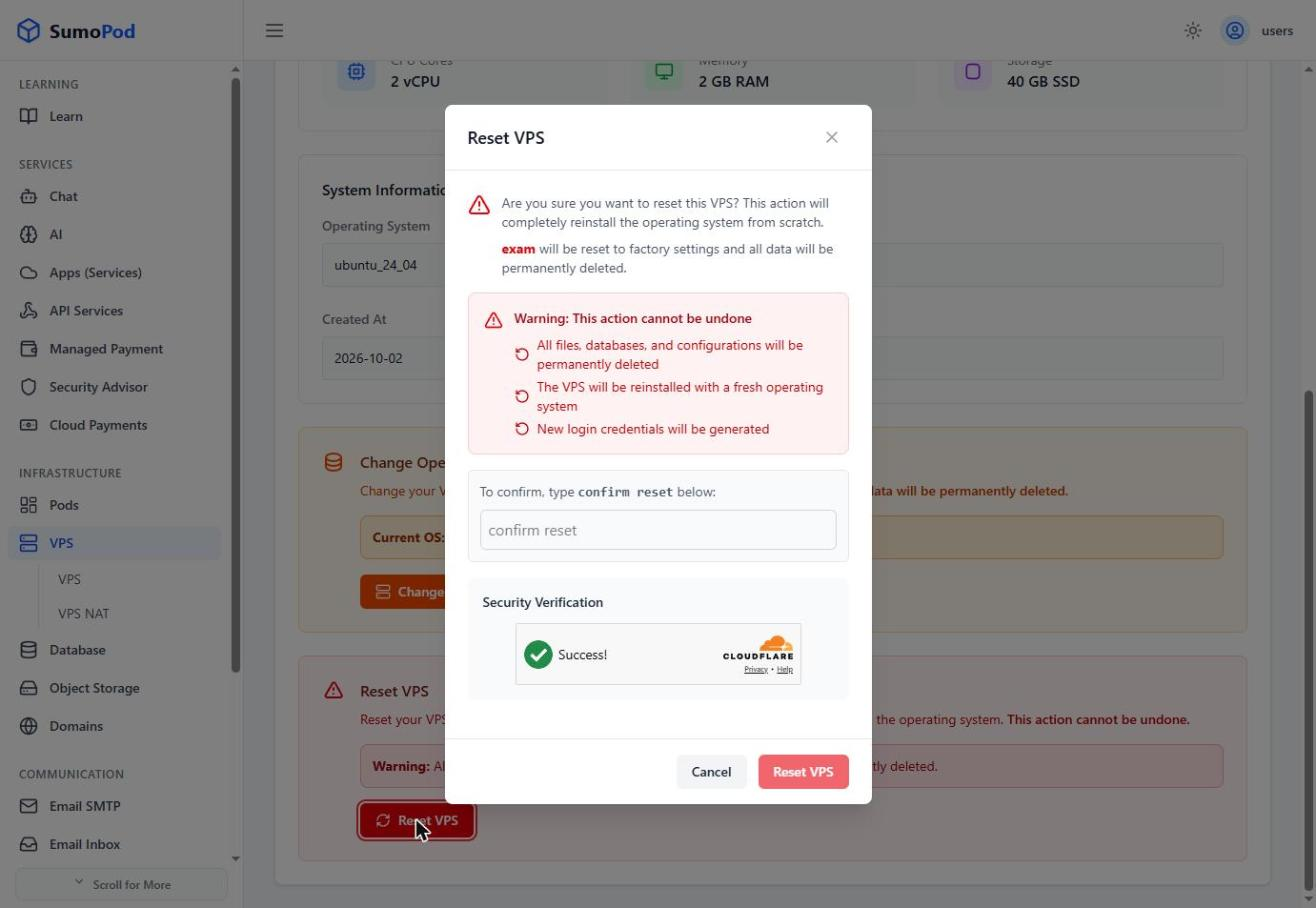
- Click Reset VPS.
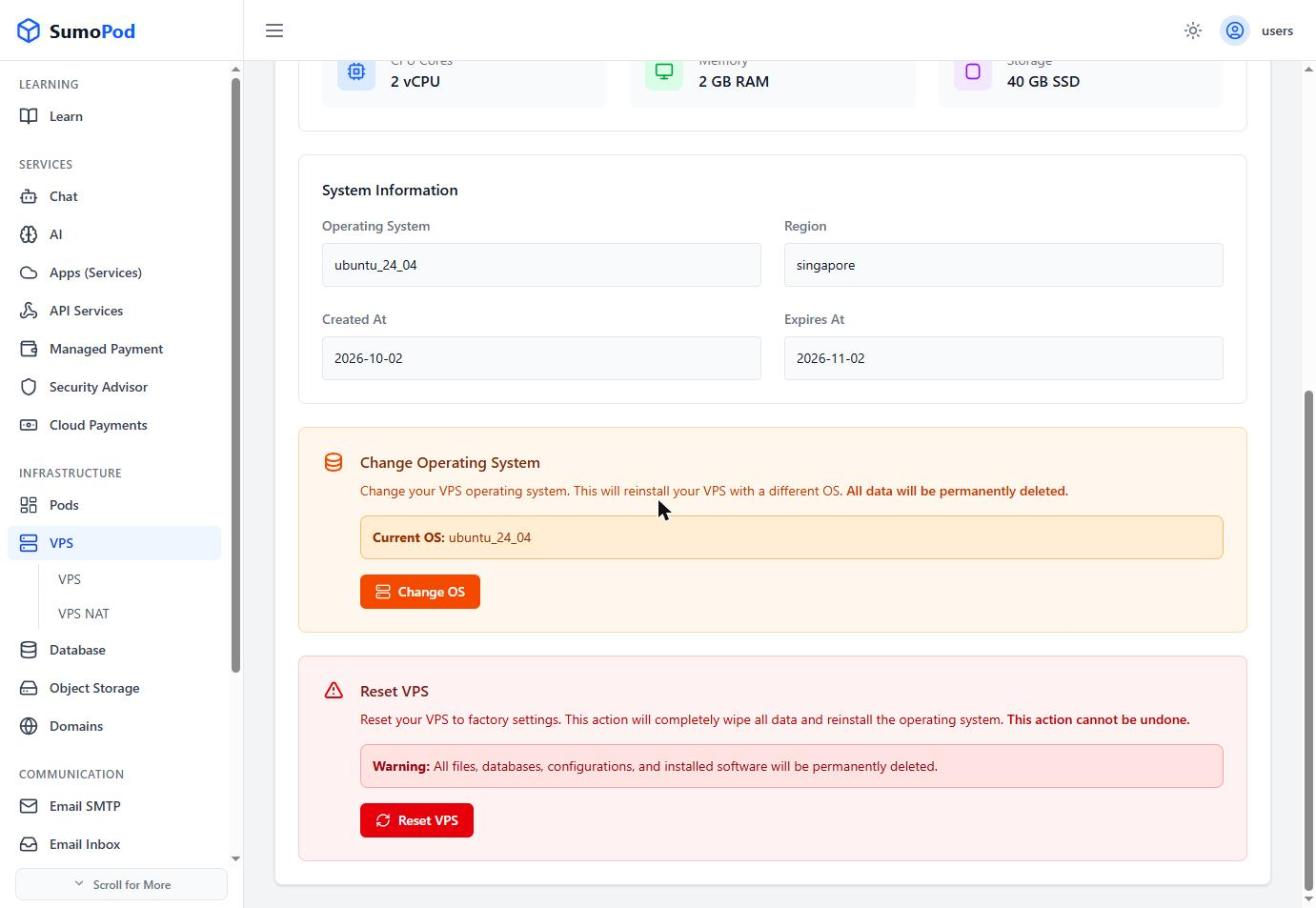
- Confirm by typing "confirm reset" in the confirmation field, then wait for the process to complete.
Notes
- Resetting will delete all data and configuration inside the VPS.
- The VPS will be recreated using the same operating system.
Links
If you want to change the operating system:
Last modified on