

VPS NAT
Buying a VPS NAT
A VPS NAT is a KVM virtual server without its own public IP — it is reached through a shared NAT hostname and a port assigned to you, which makes it cheaper than a regular VPS.
Steps
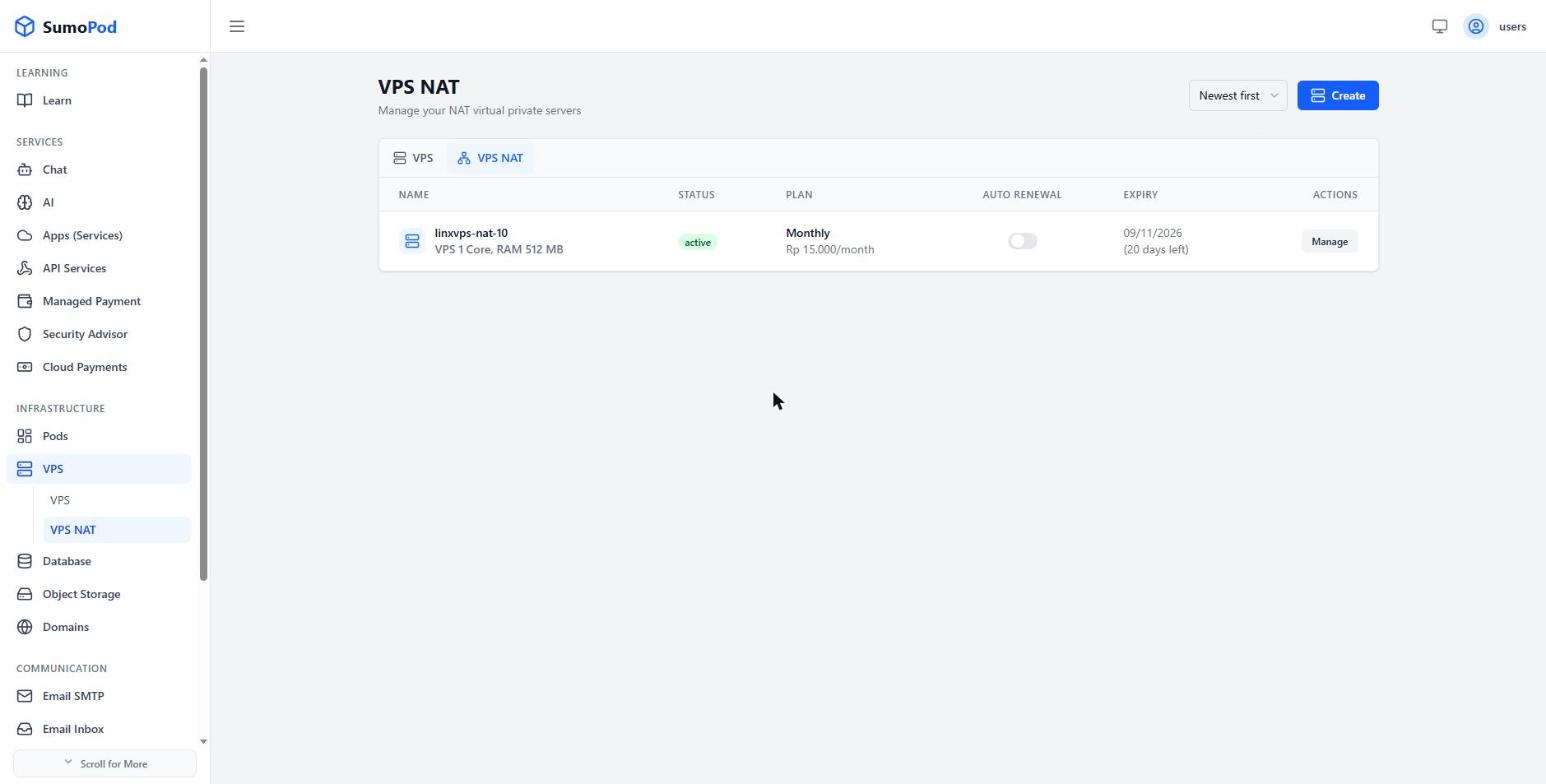
- Open the Dashboard and select the VPS NAT menu, then click Create.
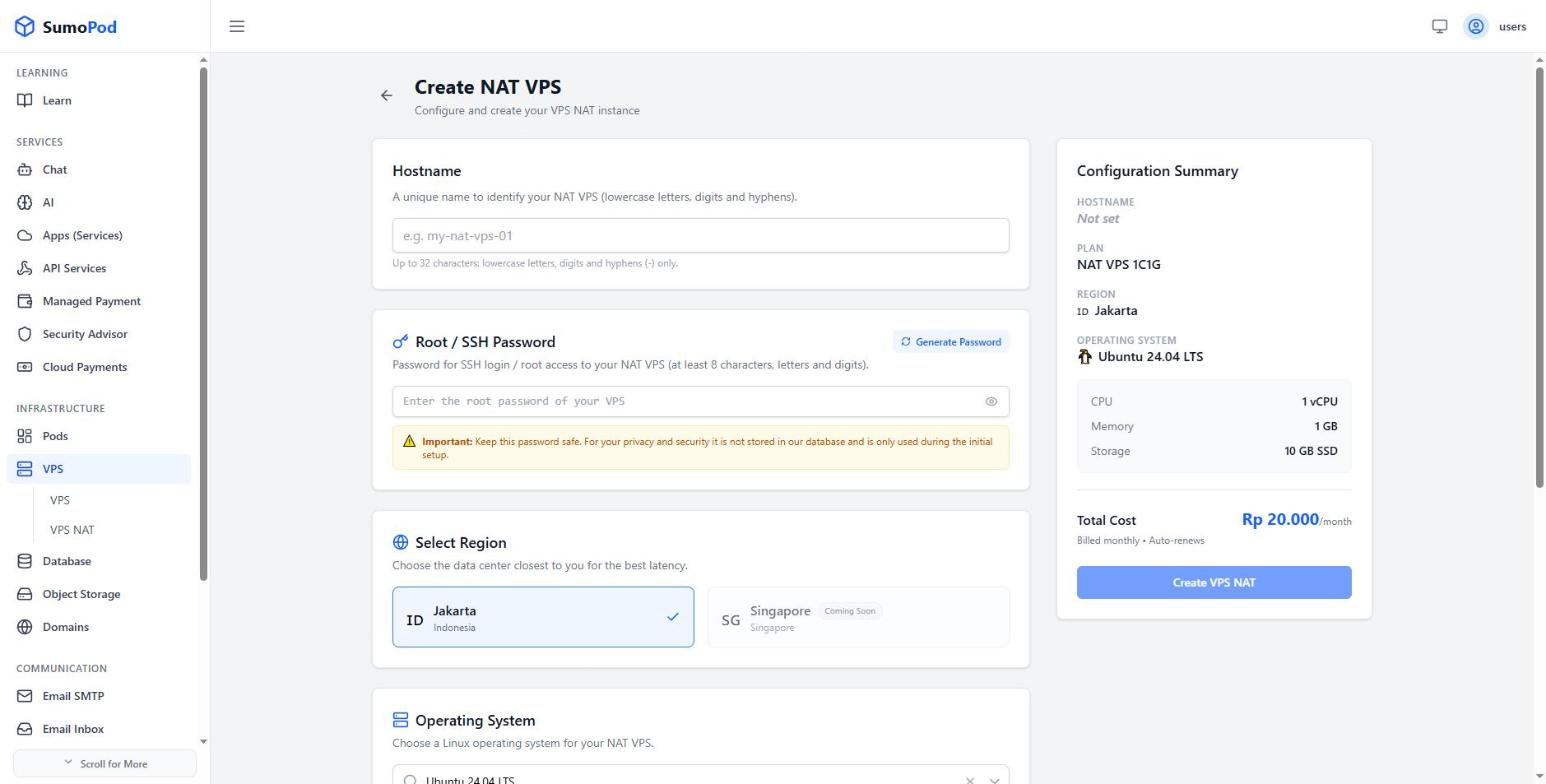
- Enter a Hostname — up to 32 characters, lowercase letters, digits, and hyphens only (e.g.
my-nat-vps-01). - Set the Root / SSH Password, or click Generate Password. It must be at least 8 characters with letters and digits.
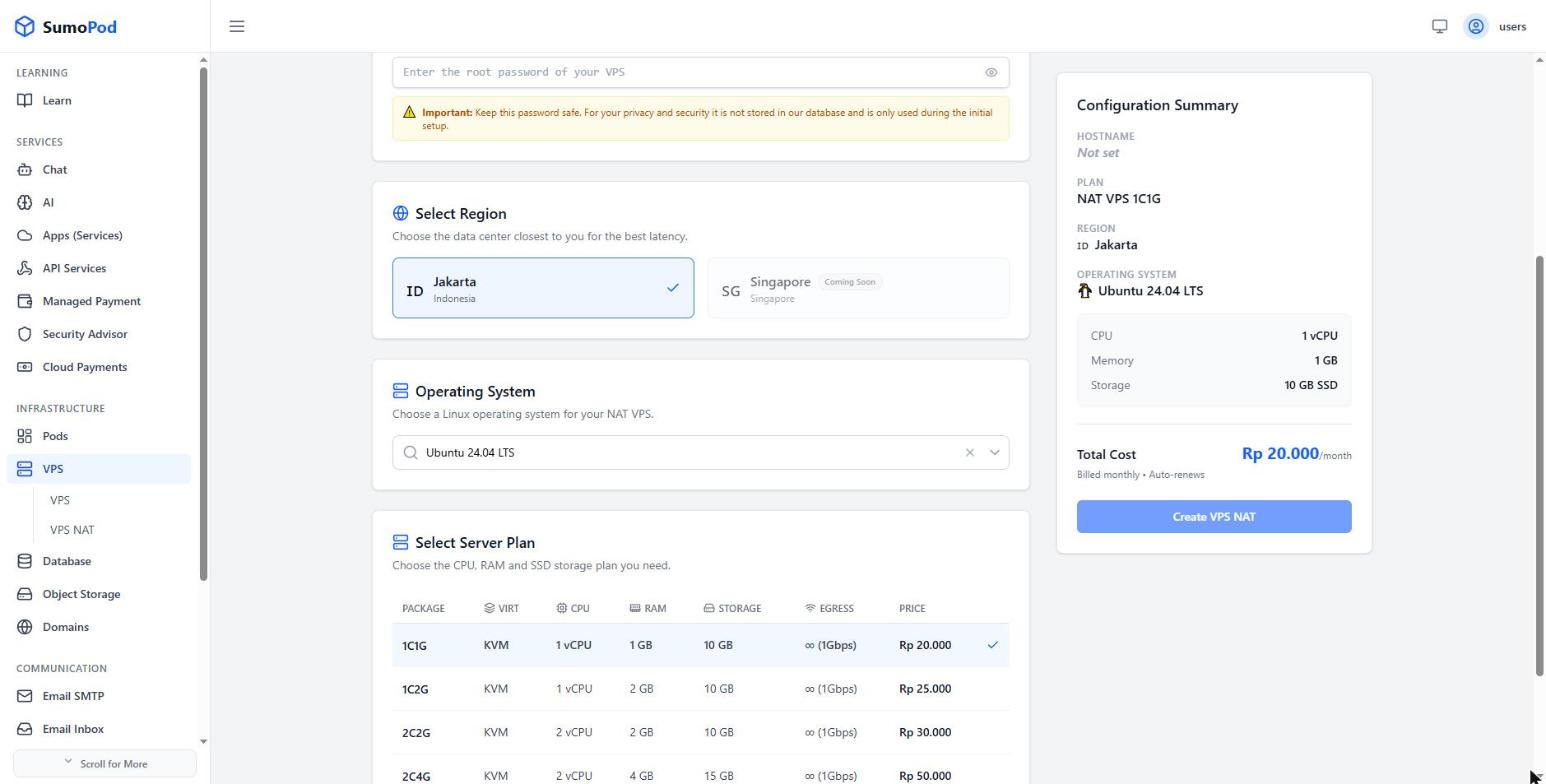
- Select a Region
- Select an Operating System
- Select a Server Plan from the pricing table — options range from 1 vCPU / 1 GB RAM / 10 GB SSD at Rp 20.000/month up to 4 vCPU / 8 GB RAM / 25 GB SSD at Rp 120.000/month.
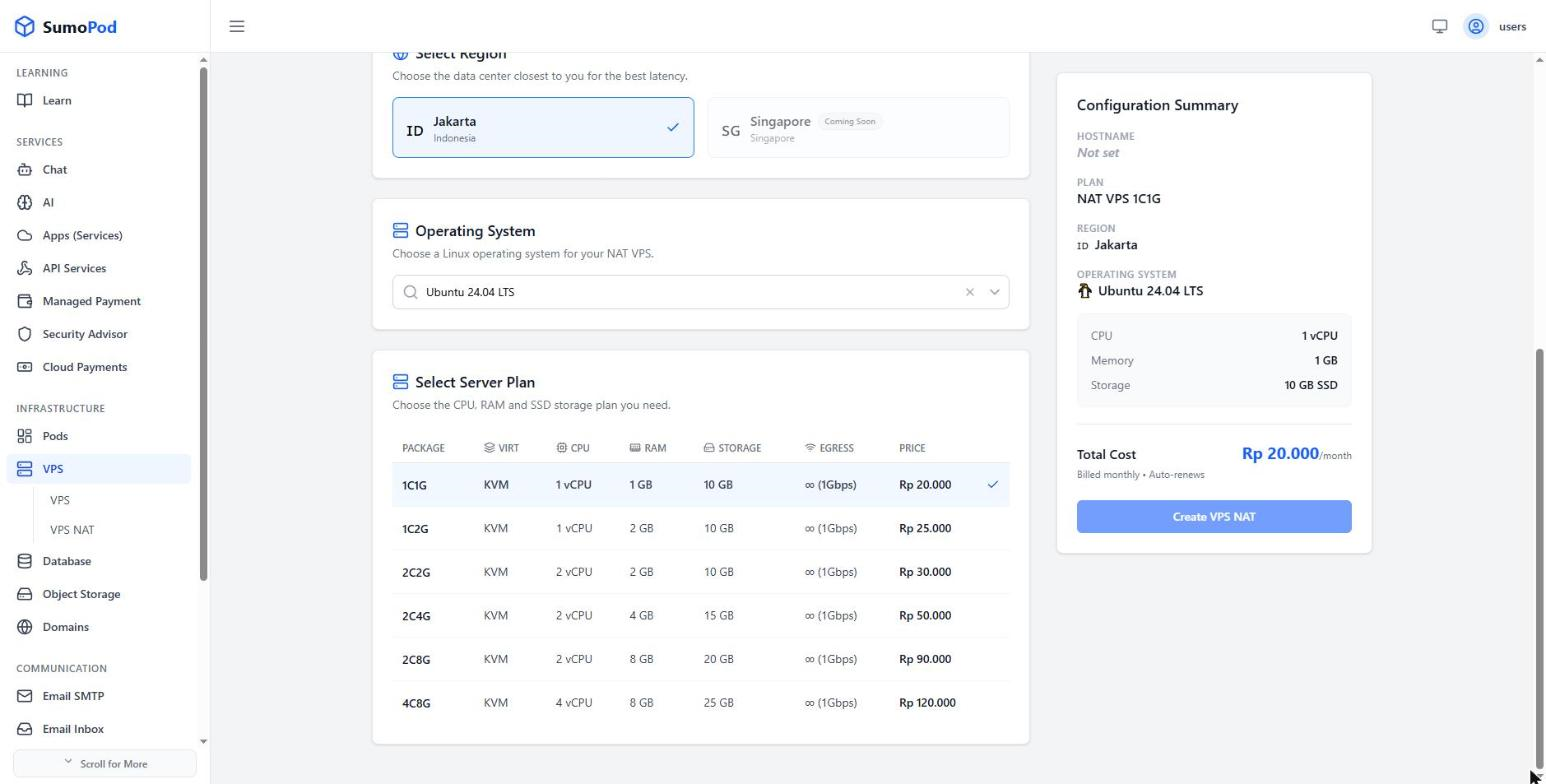
- Review the Configuration Summary and click Create VPS NAT, then wait for the status to become active.
Notes
- Write the root password down before you submit. For privacy and security it is not stored in the Sumopod database — it is only used during the initial setup. If you lose it, you'll need to reset it.
- All plans use KVM virtualization and share a 1 Gbps uplink with unlimited egress, so there is no monthly bandwidth cap to track.
- A VPS NAT has no dedicated public IP. Inbound traffic reaches it only through the ports assigned to you — see Managing Ports.
- Billing is monthly and charged from your wallet balance.
- Direct link: VPS NAT
Links
If you need a dedicated public IP instead:
Last modified on