

VPS NAT
Restarting a VPS NAT
Restart reboots the VPS NAT without deleting any data inside it.
Steps
- Open your VPS NAT from the VPS NAT list and click Manage.
- Click Restart at the top of the page.
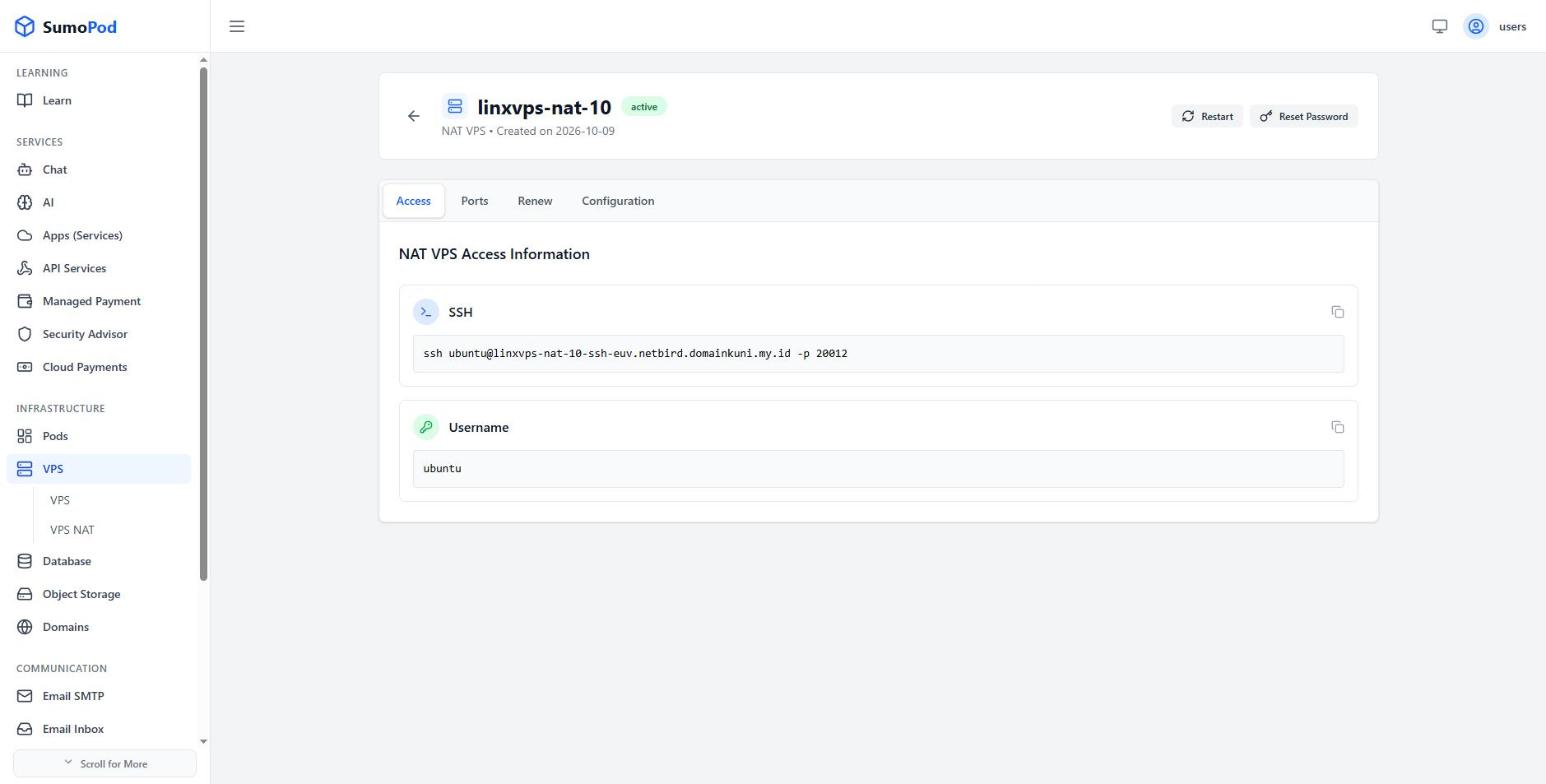
- Confirm by clicking Restart VPS in the dialog.
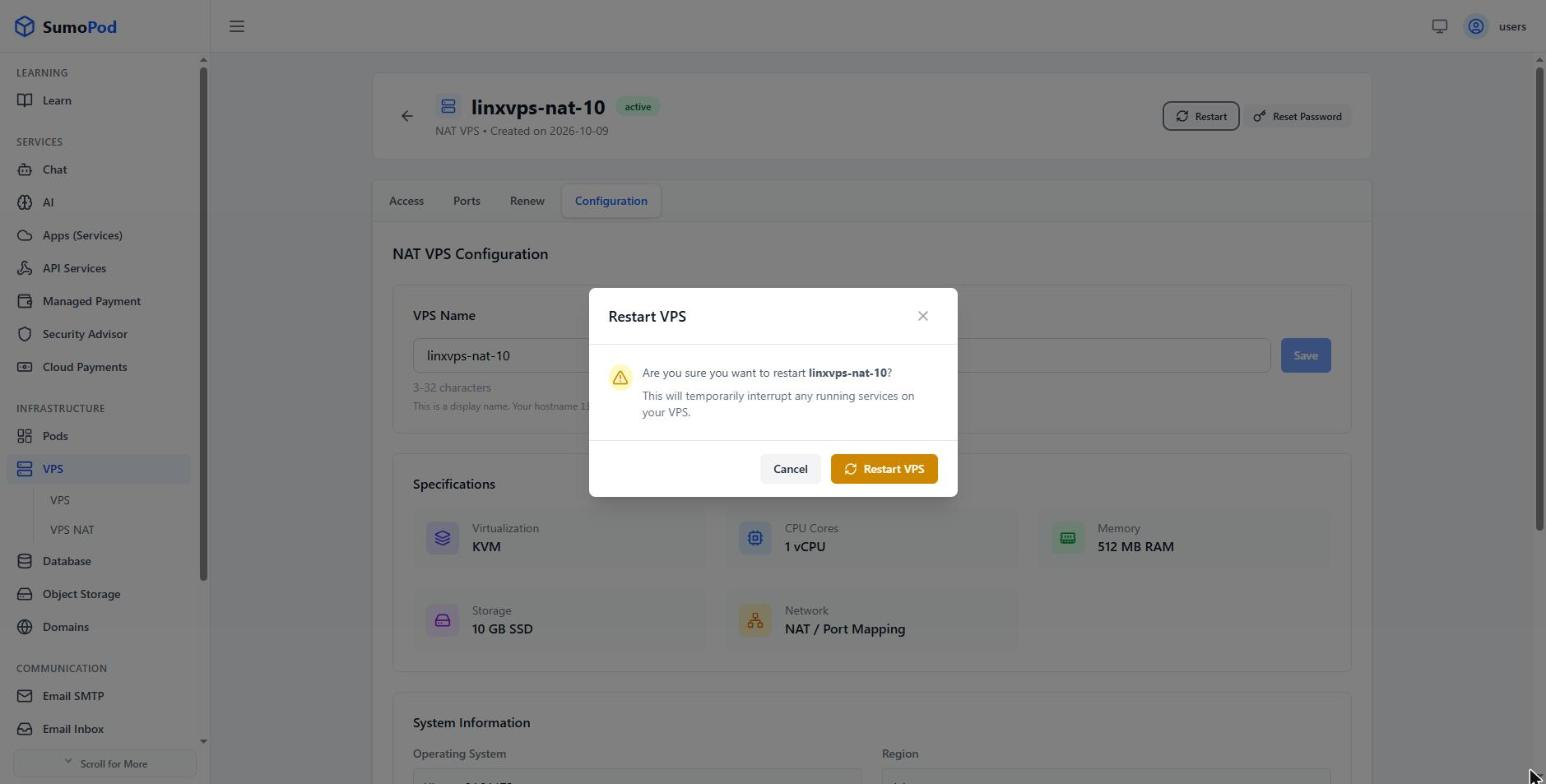
- Wait a few moments for the VPS NAT to come back online.
Notes
- Restarting temporarily interrupts any service running on the VPS NAT, including SSH.
- No data is deleted, and the hostname, port mappings, and expiry date are unchanged.
- Services that aren't configured to start on boot must be started again manually after the reboot.
- If the VPS NAT doesn't come back after about 10 minutes, contact support@sumopod.com.
Last modified on