

VPS NAT
Renewing a VPS NAT
Extend your VPS NAT subscription for another month before it expires.
Steps
- Open your VPS NAT from the VPS NAT list and click Manage.
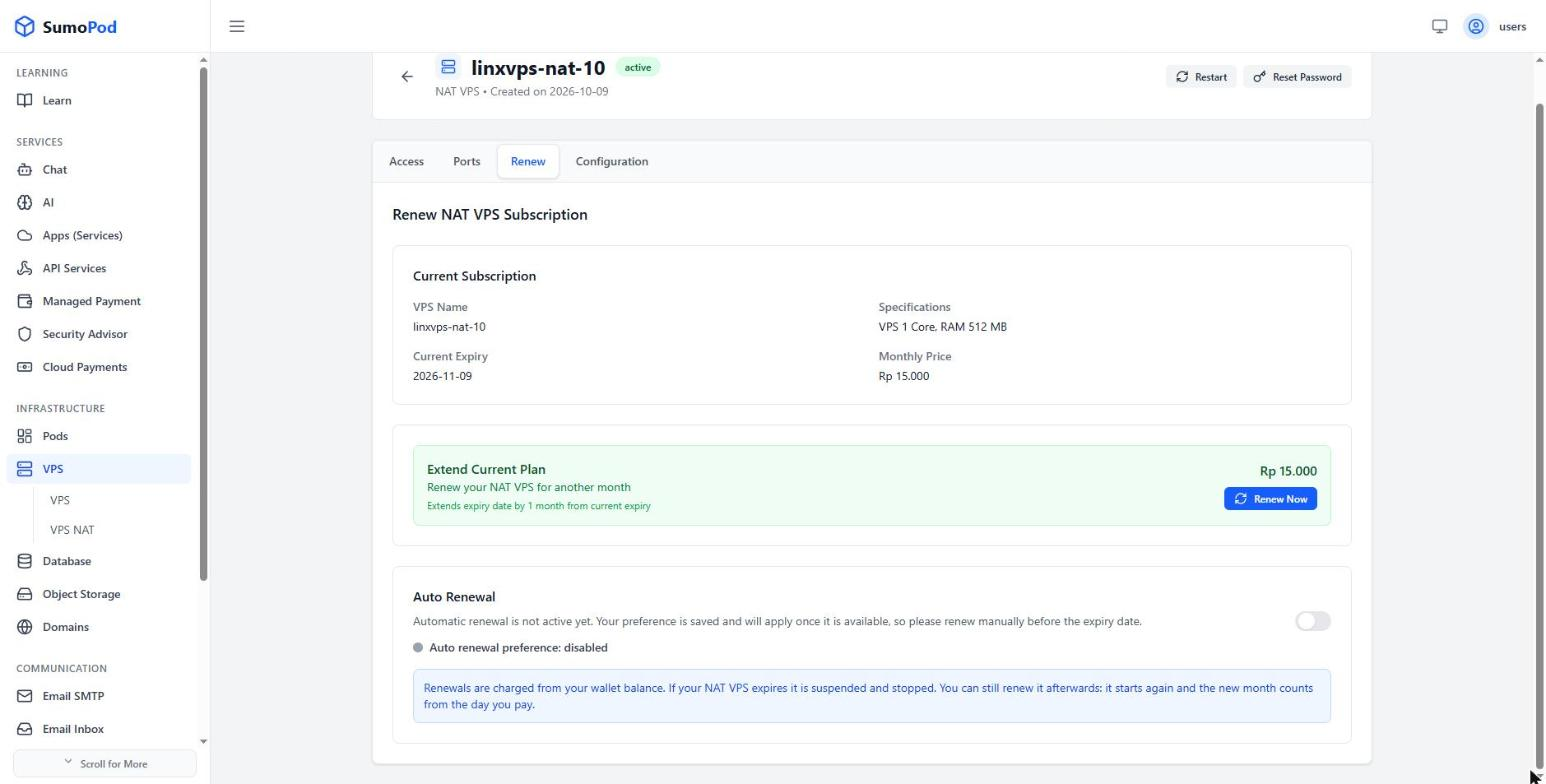
- Go to the Renew tab and review the Current Subscription — name, specifications, current expiry, and monthly price.
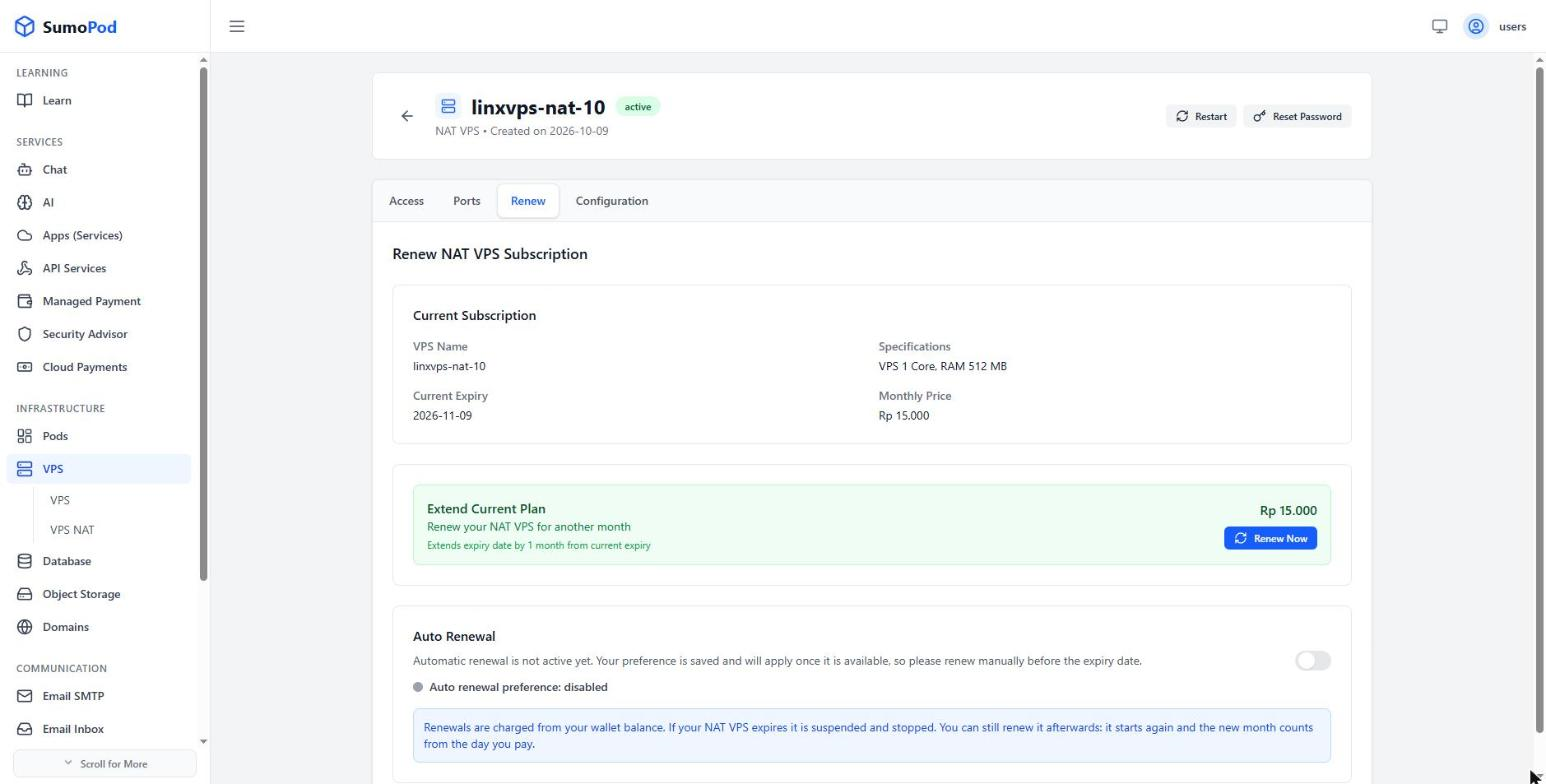
- Under Extend Current Plan, click Renew Now to add one month to the current expiry date.
- To be renewed automatically in the future, turn on the Auto Renewal toggle.
Notes
- Renewals are charged from your wallet balance, so top up your balance first if it isn't enough.
- Automatic renewal for VPS NAT is not active yet. Your toggle preference is saved and will apply once the feature is available, so keep renewing manually before the expiry date.
- Renewing early doesn't waste days: the extension is counted from the current expiry date, not from the day you pay.
- If a VPS NAT expires it is suspended and stopped. You can still renew it afterwards — it starts again, and the new month is counted from the day you pay.
- The expiry date and the Auto Renewal toggle are also shown in the VPS NAT list.
- Direct link: open your VPS NAT, then go to its Renew tab.
Last modified on