Once n8n has been created, its dashboard can be accessed via the provided service URL.
Steps
- Open the service list on the Dashboard.
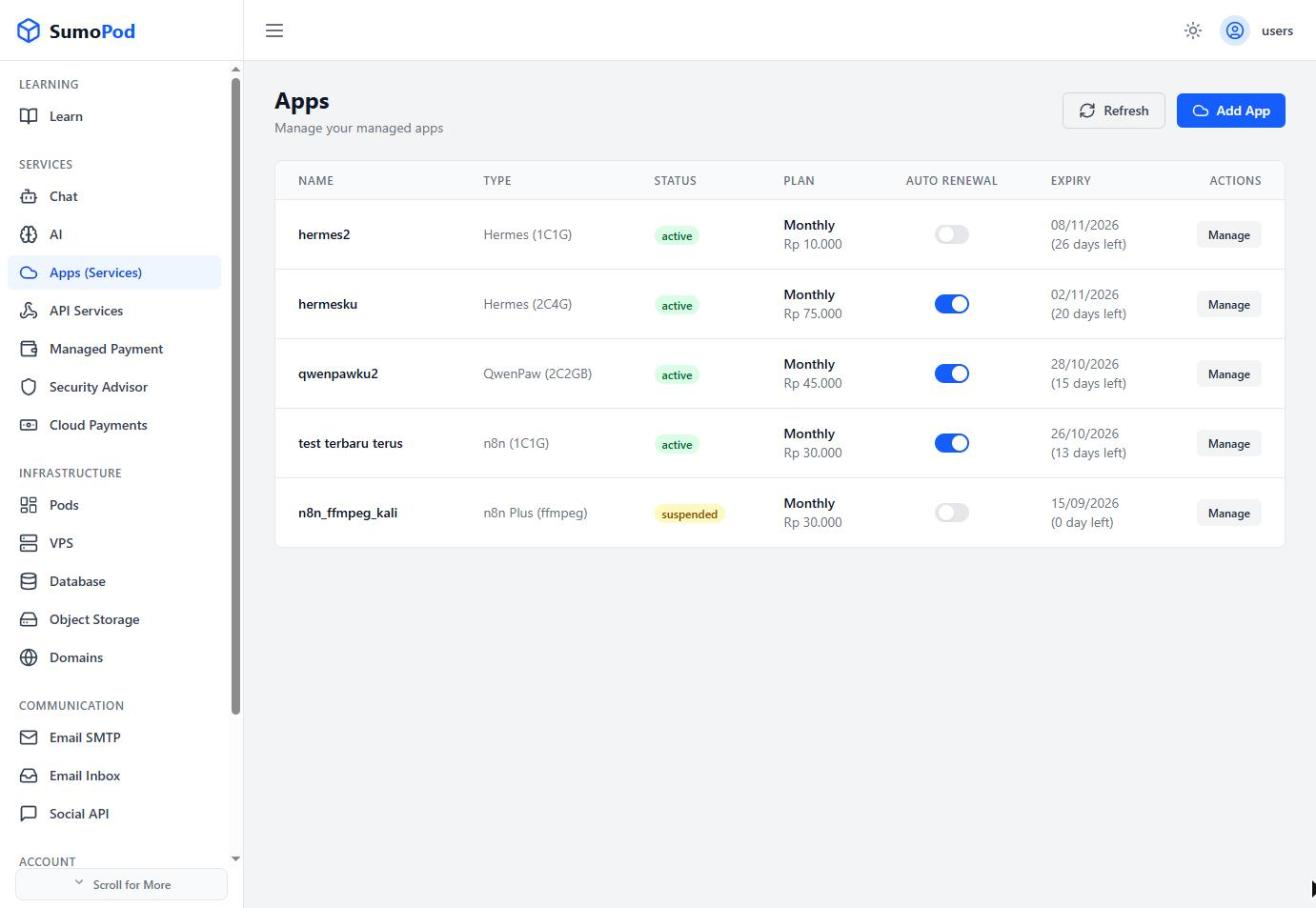
- Select the n8n instance you created.
- Go to the Access tab to view the URL.
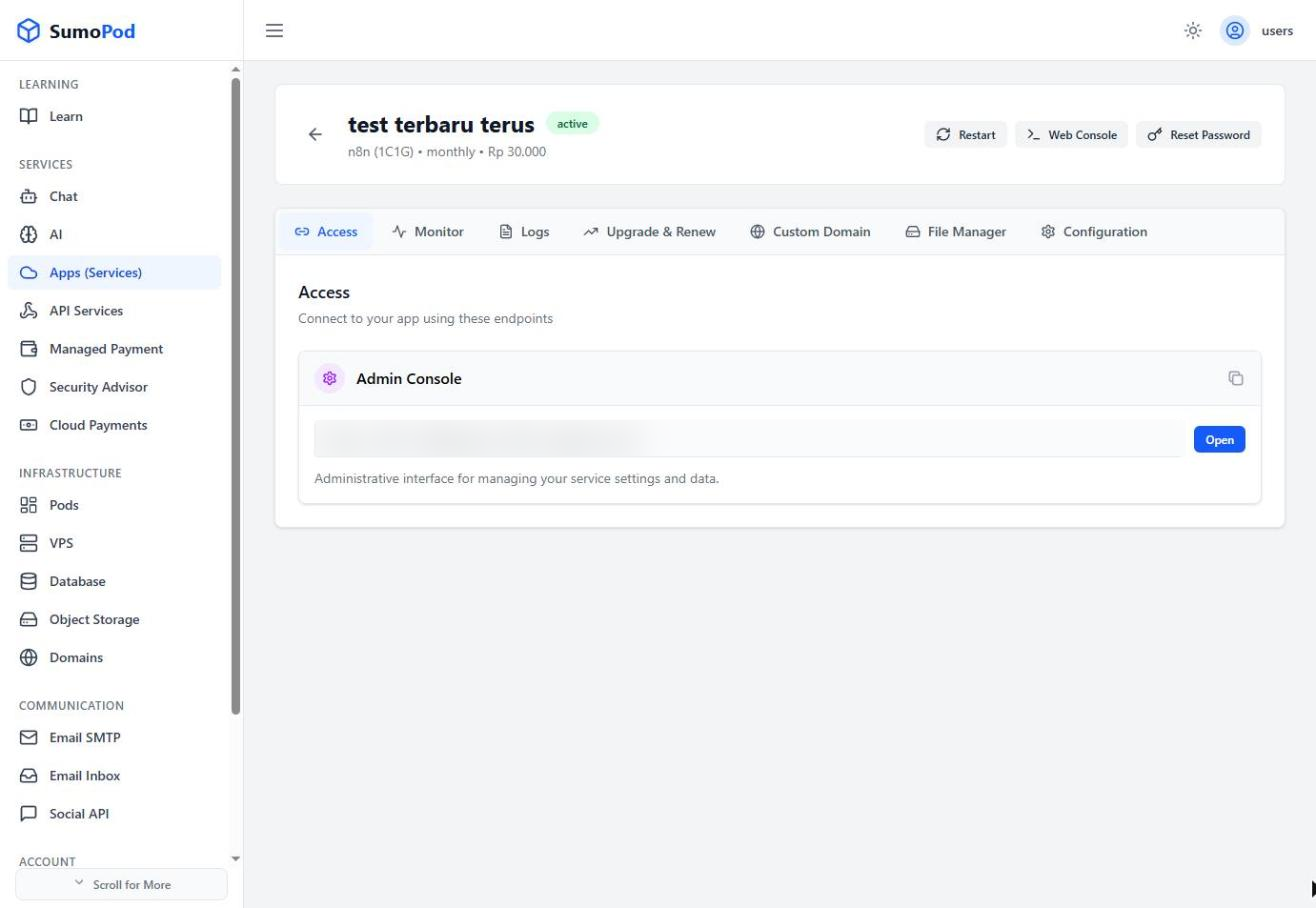
- Use that URL to log in to the n8n dashboard.
Last modified on

