

n8n
Creating an n8n Instance
n8n can be deployed directly from the Apps (Services) marketplace, with several hardware tiers to choose from.
Steps
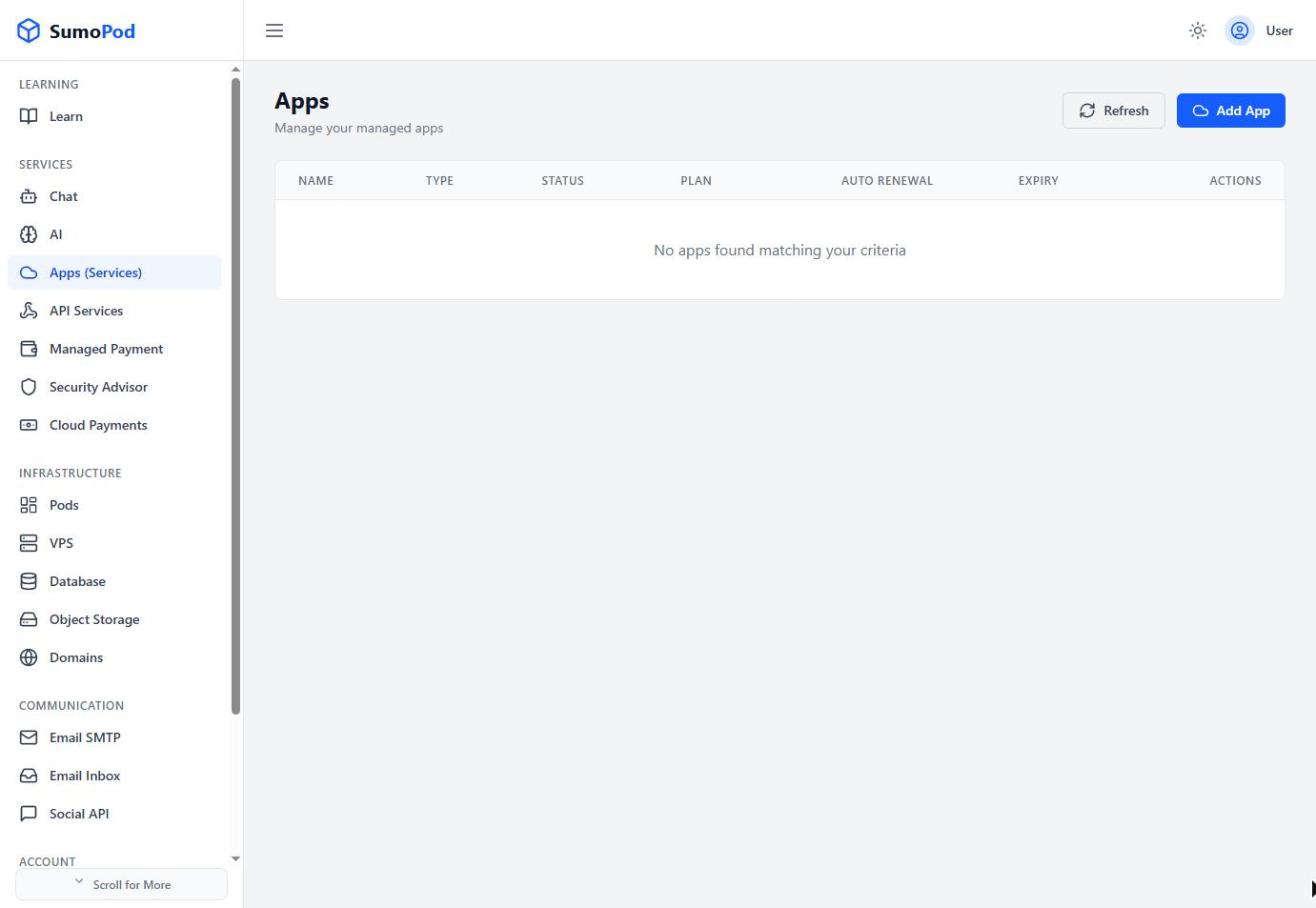
- Open the Dashboard and select the Apps (Services) menu, then click Add App.
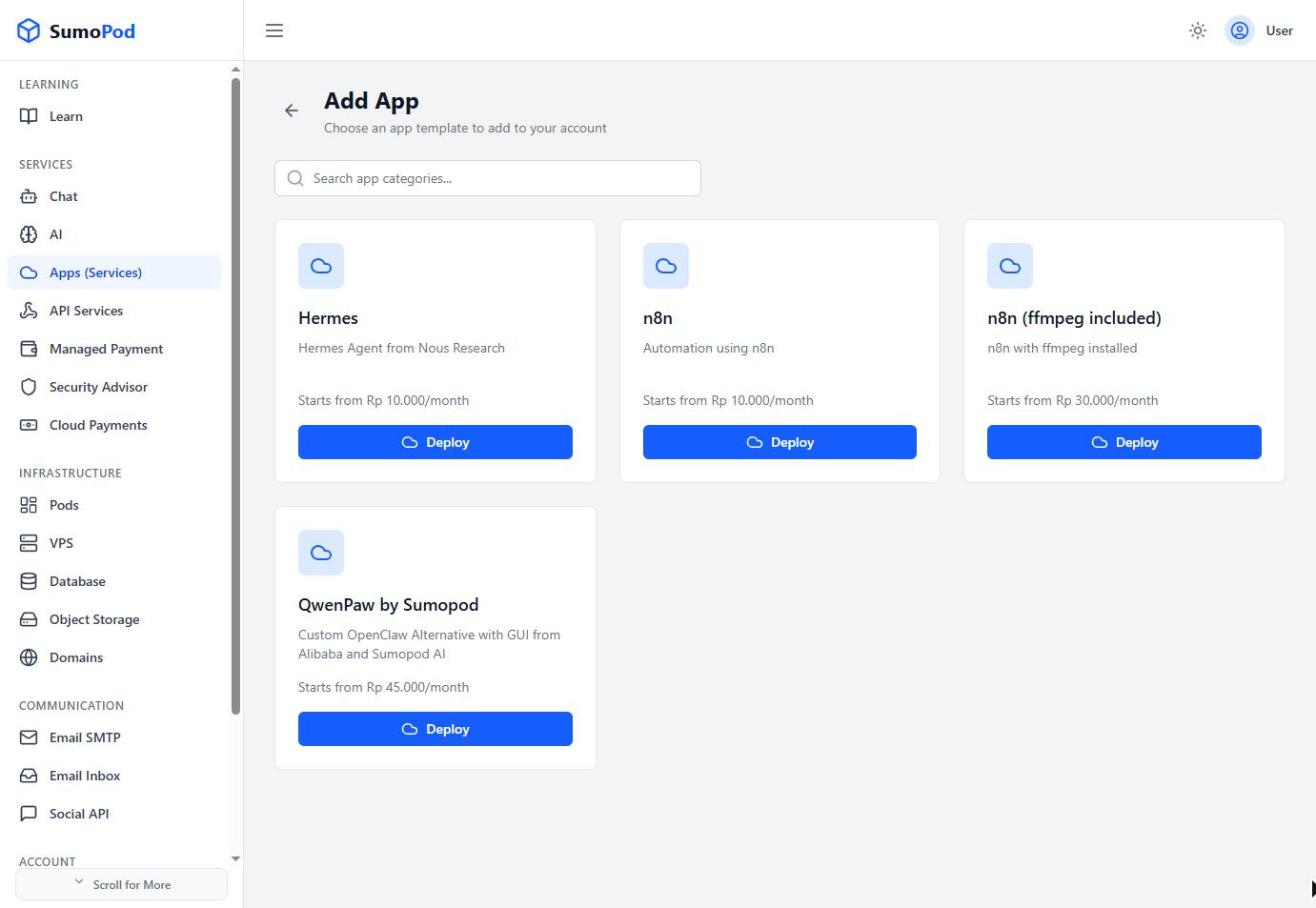
- Choose the n8n template (or n8n (ffmpeg included) if your workflows need ffmpeg).
- Enter an App Name.
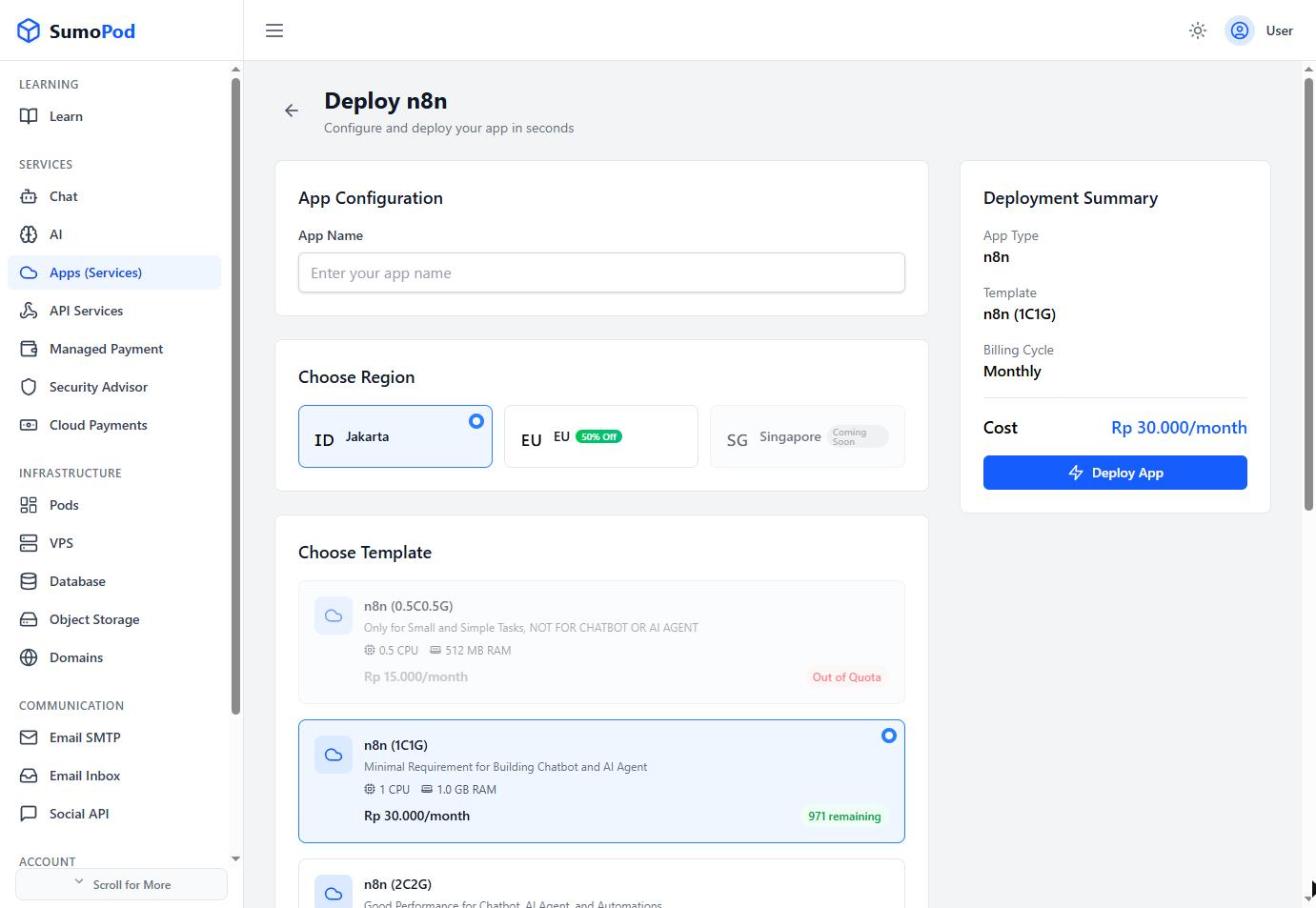
- Choose a Region
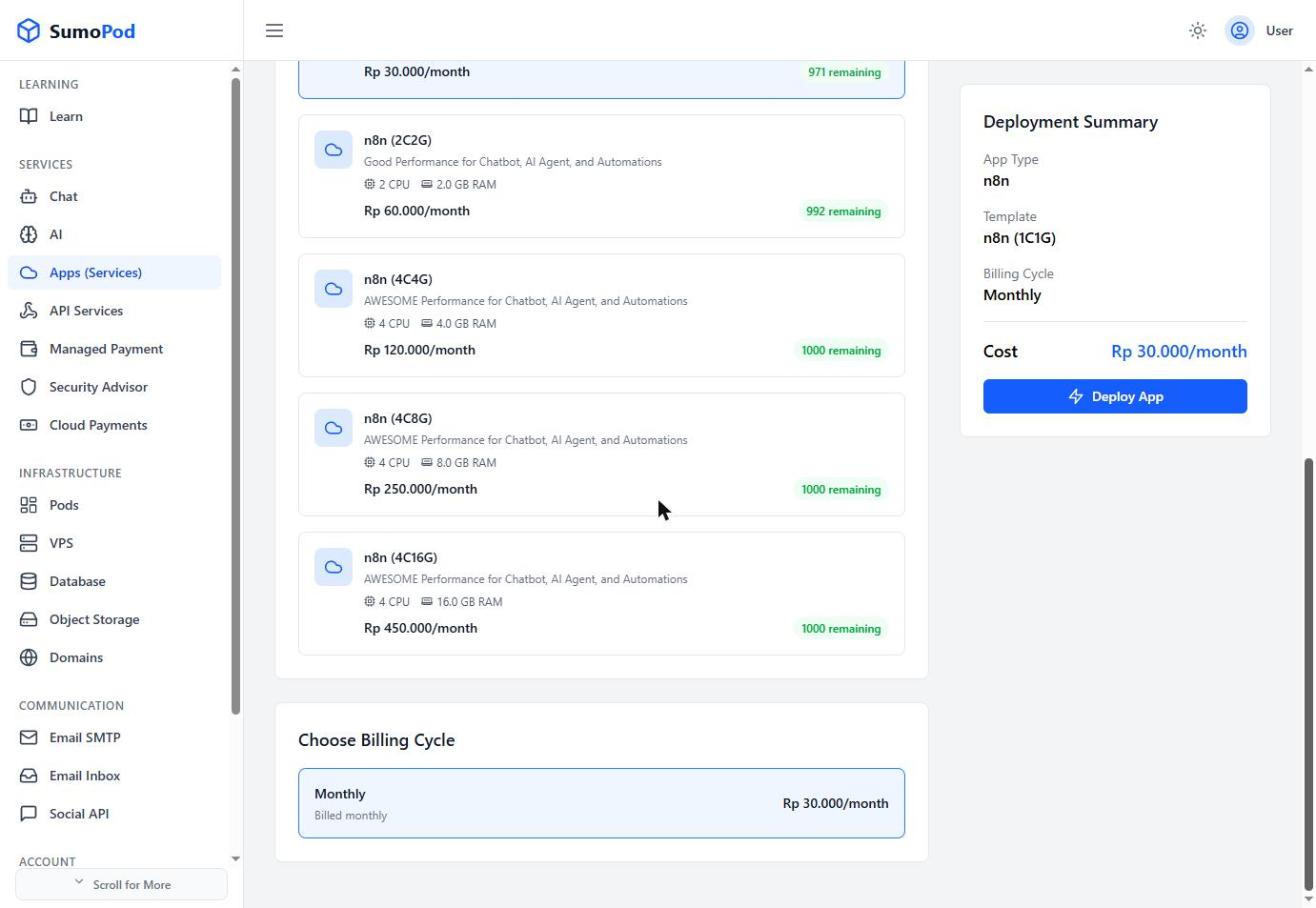
- Choose a template tier, for example:
- n8n (0.5C0.5G) small/simple tasks only, not for chatbot or AI agent use.
- n8n (1C1G) minimal requirement for building a chatbot or AI agent.
- n8n (2C2G) and up better performance for chatbot, AI agent, and heavier automations.
- Select a Billing Cycle, review the Deployment Summary, and click Deploy App.
Notes
- Pricing and available stock vary per tier, check the current price shown before deploying.
- Direct link: Apps (Services)
Last modified on